

Todd_Morgan
Legend
January 29, 2025
Question

Layers panel with toggle to hide layer but keep effect

  • January 29, 2025
  • 4 replies
  • 584 views

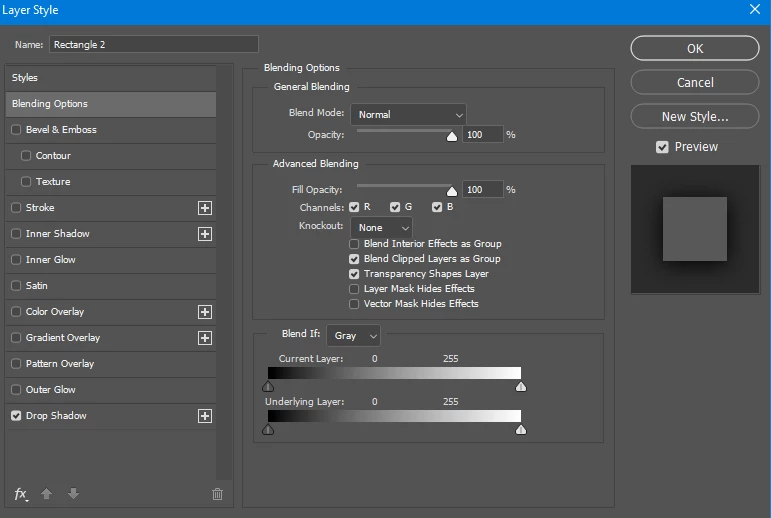
Would be nice to have a toggle that turns off the layer object but keep the Layer Style on. For example, like in AE, would like to apply shadow to an object, but not see the object and only have the shadow layer style in use... etc...


4 replies

Stephen Marsh
Community Expert
Community Expert
January 31, 2025

@Todd_Morgan 


Although keyboard shortcuts or actions can do this, I decided to create a script as that can contain extended conditional logic (as opposed to the limited logic available to conditional actions). A custom keyboard shortcut can be assigned to scripts installed in the Preset/Scripts directory, or you could record the script execution into an action and use an action F-Key shortcut:


  • Check for an active layer
  • Check that the active layer is not the Background layer
  • Check if the active layer has a layer style
  • Check the current fill opacity is either 100% or 0%
  • Toggle the fill opacity as above


/*
Toggle Layer Fill Opacity.jsx
Stephen Marsh
v1.0 - 1st February 2025
https://community.adobe.com/t5/photoshop-ecosystem-discussions/layers-panel-with-toggle-to-hide-layer-but-keep-effect/td-p/15119972
*/

#target photoshop

// Ensure a document is open
if (app.documents.length > 0) {
    var doc = app.activeDocument;

    // Check if the active layer is the background layer
    if (!doc.activeLayer.isBackgroundLayer) {
        var layer = doc.activeLayer;

        // Check for an active layer by jazz-y
        s2t = stringIDToTypeID;
        (r = new ActionReference()).putProperty(s2t('property'), p = s2t('targetLayers'));
        r.putEnumerated(s2t("document"), s2t("ordinal"), s2t("targetEnum"));
        if (executeActionGet(r).getList(p).count) {

            // Check if the layer has a style
            var hasLayerStyle = false;
            try {
                var styleReference = new ActionReference();
                styleReference.putProperty(s2t('property'), s2t('layerEffects'));
                styleReference.putEnumerated(s2t('layer'), s2t('ordinal'), s2t('targetEnum'));
                var styleDescriptor = executeActionGet(styleReference);
                if (styleDescriptor.hasKey(s2t('layerEffects'))) {
                    hasLayerStyle = true;
                }
            } catch (e) { }

            // Check the current fill opacity if the layer has a style
            if (hasLayerStyle) {
                var currentFillOpacity = layer.fillOpacity;

                // Toggle the fill opacity
                if (currentFillOpacity == 100) {
                    layer.fillOpacity = 0;
                } else if (currentFillOpacity == 0) {
                    layer.fillOpacity = 100;
                } else {
                    //alert("The fill opacity is neither 0% nor 100%! Current fill opacity: " + currentFillOpacity + "%");
                }
            } else {
                //alert("The layer does not have a style!");
            }
        }
    } else {
        //alert("The active layer is the Background layer!");
    }
} else {
    alert("No document is open!");
}


  1. Copy the code text to the clipboard
  2. Open a new blank file in a plain-text editor (not in a word processor)
  3. Paste the code in
  4. Save as a plain text format file – .txt
  5. Rename the saved file extension from .txt to .jsx
  6. Install or browse to the .jsx file to run (see below)


https://prepression.blogspot.com/2017/11/downloading-and-installing-adobe-scripts.html

Todd_Morgan
Legend
February 3, 2025

Hmmmm will give a try this week and report back...

davescm
Community Expert
Community Expert
January 30, 2025

The shortcut can be tricky, alternatively just turn 'Fill Opacity' to 0%

Dave

c.pfaffenbichler
Community Expert
Community Expert
January 31, 2025
quote

The shortcut can be tricky, alternatively just turn 'Fill Opacity' to 0%

Dave

This could be recorded in an Action and a shortcut assigned to that. 

Todd_Morgan
Legend
January 30, 2025

Doesn't work


c.pfaffenbichler
Community Expert
Community Expert
January 31, 2025

Does hitting shift-5 set the Fill to 50%? 


c.pfaffenbichler
Community Expert
Community Expert
January 30, 2025

Hit shift-0 twice in rapid succession. .