

New Participant
July 28, 2020
Answered

library paanel

  • July 28, 2020
  • 3 replies
  • 459 views

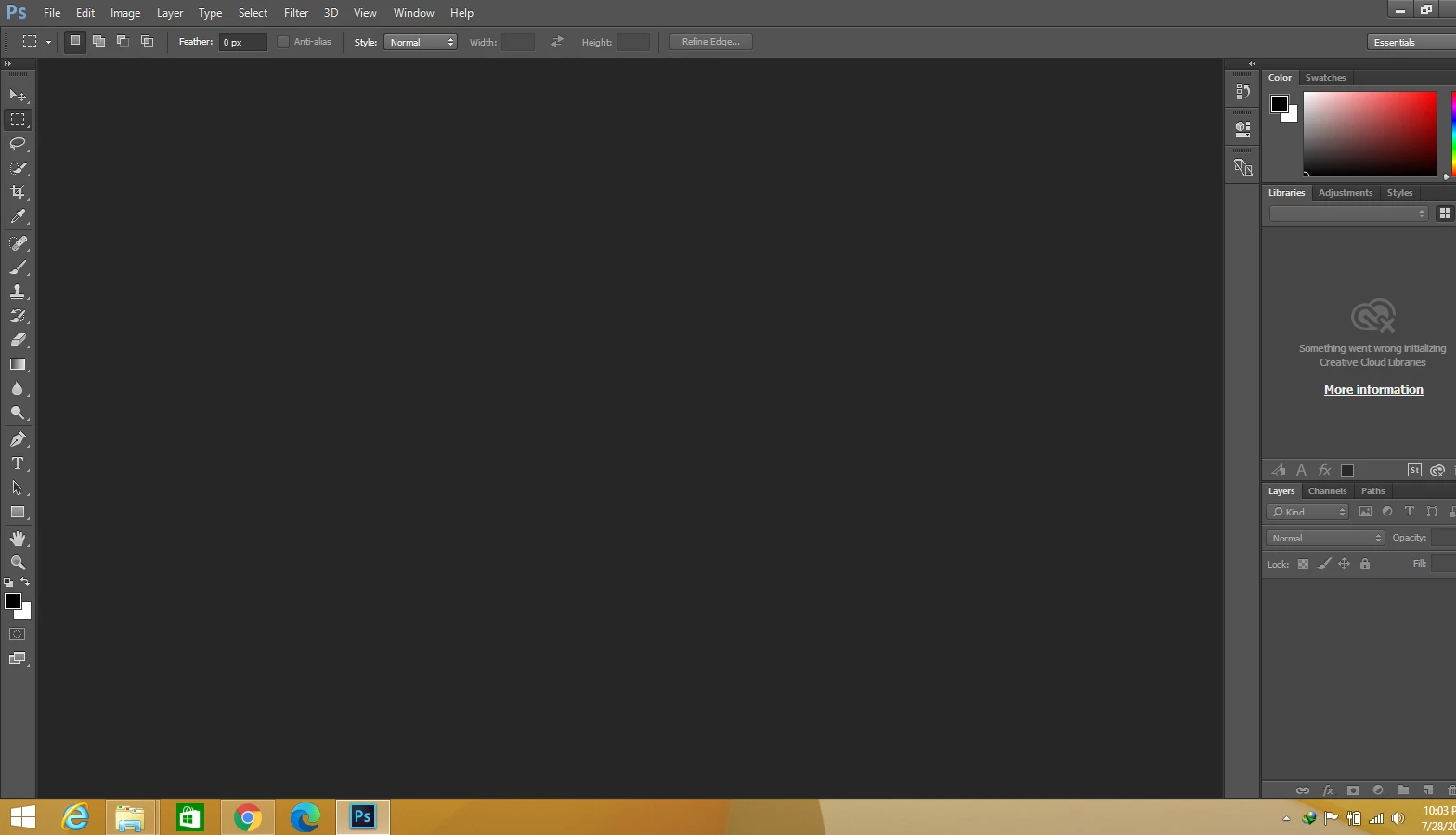
how to show library panel in adobe creative cloud in pP.S
 

This topic has been closed for replies.
Correct answer Mariia Novikova

CCLibraries service is not supported in Ps 2015 due to security reasons anymore. Please update your Photoshop in order to be able to use CCLibraries. 

Thank you!

3 replies

jane-e
Community Expert
Community Expert
July 28, 2020

"how to show library panel"


Hi

All panels can be activated from the Window menu, but your Library panel is already showing. The issue is that nothing is in it. Are you signed in to the Creative Cloud app? Try signing out, then sign in the Adobe ID you purchased with.


Did this issue just start? Did you have things in your library before?


~ Jane

melissapiccone
Community Expert
Community Expert
July 28, 2020

All panels, incuding the library panel are located under the window menu. Your option bar shows refine edge, not Select and Mask. Libraries are for CC versions only. You need to upgrade. 

Melissa Piccone | Adobe Trainer | Online Courses Author | Fine Artist
Mariia Novikova
Adobe Employee
Adobe Employee
July 28, 2020

Hi,

What version of Ps are you using? It seems to be old one. Have you tried upgrading your Ps and Creative Cloud applications?

Thank you,
Mariia

Za3Author
New Participant
July 29, 2020
i am using the version cc 2015
Mariia Novikova
Adobe Employee
Mariia NovikovaCorrect answer
Adobe Employee
July 31, 2020

CCLibraries service is not supported in Ps 2015 due to security reasons anymore. Please update your Photoshop in order to be able to use CCLibraries. 

Thank you!
