



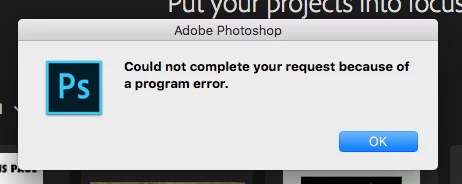
(Mac) Photoshop CC error message when opening a certain file
Hey y'all,
I'm pretty new to the Adobe suite (about a month), but started a project in Illustrator today, then bounced it over to Photoshop, worked on it and everything was fine (the workflow and I had saved a copy), then closed Ps, but when I went to open the project again to edit it, I got this message "could not complete your request because of a program error". So, no other project was open, that was the opening screen. And my other projects are opening fine. Maybe I moved a picture/asset in it though or something and forgot? Hmm. It was a pretty basic session file-wise; a few layers, one font, and some clipping masks. I've tried to check out some of the videos online, but they don't really seem to help(?). Aah! If anyone has any thoughts, please let me know! Thanks. -Grant
 AdChoices