

StrongBeaver
Brainiac
June 22, 2023
Answered

Mask for Adjustment

  • June 22, 2023
  • 1 reply
  • 673 views

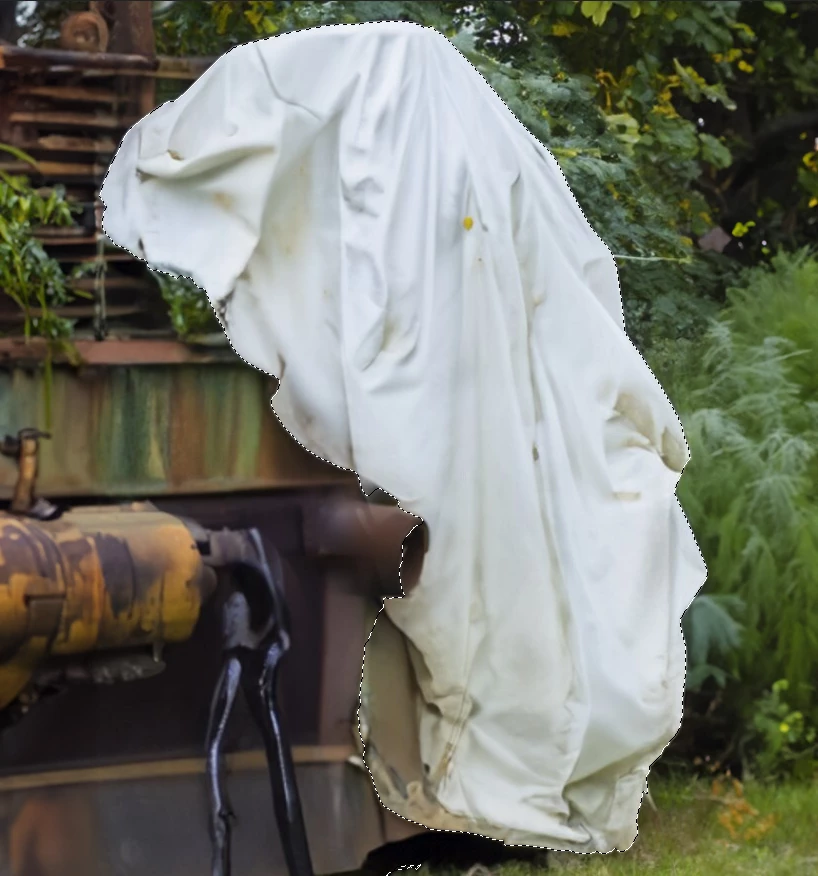
I want to mask out this white from the image as to use an adjustment mask but the color range tool is not quite giving me clean perfect results ?

This topic has been closed for replies.
Correct answer Trevor.Dennis

Select Subject gave me a decent result first click.  What were you using Color Range on?  There's no colour in the ghost for it to work on.
1 reply

Trevor.Dennis
Trevor.DennisCorrect answer
Community Expert
June 22, 2023

Select Subject gave me a decent result first click.  What were you using Color Range on?  There's no colour in the ghost for it to work on.

StrongBeaver
Brainiac
June 22, 2023

I read to that color range could be good for this type of thing, unfortunately; no in this case. 

Is there a way to refine select subject ?

jane-e
Community Expert
June 22, 2023
quote

I read to that color range could be good for this type of thing

By @StrongBeaver


Color range selects by color. Look at the white thing and see that it has yellow and gray and shadows and smudges. Did you pick up all those variances of color? You didn't say where you read it, but it's not the best selection method for this image. Try Trevor's idea instead and see what you think.


Yes, you can refine your selection in the Select and Mask workspace.

https://helpx.adobe.com/photoshop/using/select-mask.html


Jane
