Brainiac
February 2, 2021
Answered

Mask VS Vector Mask

  • February 2, 2021
  • 3 replies
  • 3341 views

Hello Everyone.


For many years I use the Mask, especially using the Pen Tool, and create a Mask. I never used Vector Mask. I would like to know, that what can you do with Vector Mask that you can't do with a regular Mask and the benefits of each one.

Thank you very much.

Correct answer JJMack

Be more confused. They are both mask they do the same thing.  However they are create and edited with different tools. Layer Masks are pixel based a gray scale channel like  raster gray scale image. You use Photoshop Pixel tools  to create and edit Raster Layer mask.   Vector mask are created and edited with Photoshop vector tools they are a vector graphic.   Adobe Photoshop use mask several ways.  Adobe introduce not to long ago a Frame mask these are very strange layers in the layers palette the Frame vector mask thumbnail is on the left side where the Layer's content Thumbnail should be it. To the right of the Frame mask is the Layer's smart object content thumbnail  and to the right of the Smart Object layer thumbnail there can be a Layer mask thumbnail.  A Frame Layer is a two for tit a last set and a layer layers in one slot.  Layer can be Smart Object Layer that has a Layer Mask a Vector Layer Mask and a smart filter mask. Shape Layers have a Vector Layer mask but not vector mask thumbnail in the layers palette.  Layers cans be groped into Layer set and they can have Layer Mask and Vector Layer mask. The can be man mask associated to a layer.
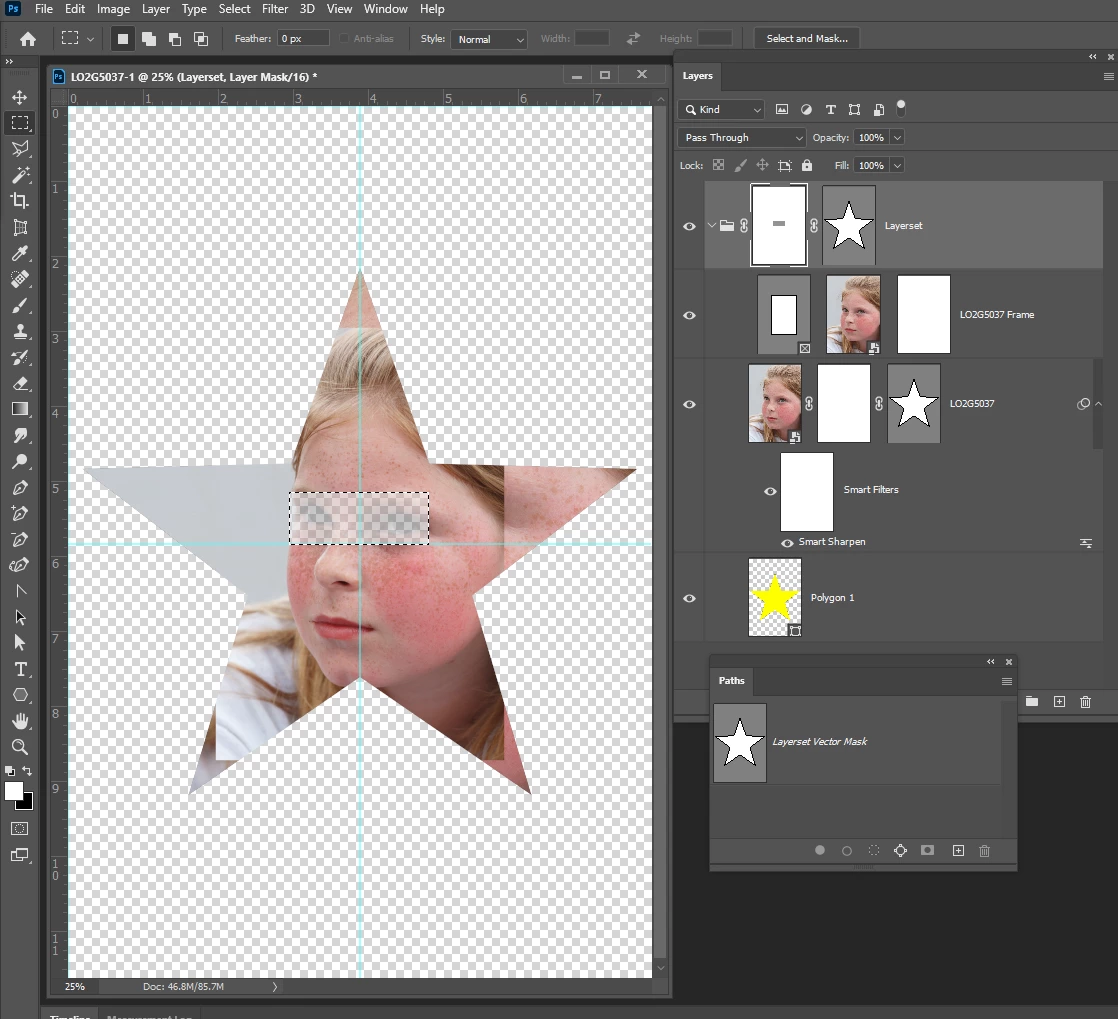
Above there are two layersets abr three layers.
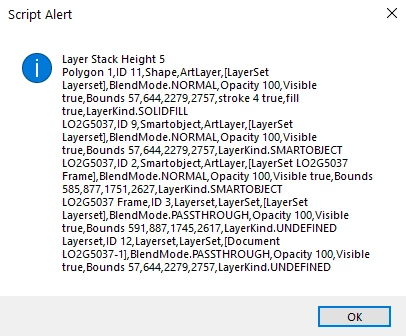
 

3 replies

JJMack
JJMackCorrect answer
Community Expert
February 2, 2021

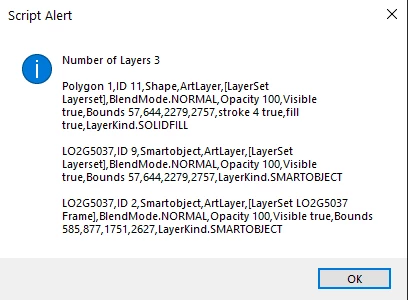
Be more confused. They are both mask they do the same thing.  However they are create and edited with different tools. Layer Masks are pixel based a gray scale channel like  raster gray scale image. You use Photoshop Pixel tools  to create and edit Raster Layer mask.   Vector mask are created and edited with Photoshop vector tools they are a vector graphic.   Adobe Photoshop use mask several ways.  Adobe introduce not to long ago a Frame mask these are very strange layers in the layers palette the Frame vector mask thumbnail is on the left side where the Layer's content Thumbnail should be it. To the right of the Frame mask is the Layer's smart object content thumbnail  and to the right of the Smart Object layer thumbnail there can be a Layer mask thumbnail.  A Frame Layer is a two for tit a last set and a layer layers in one slot.  Layer can be Smart Object Layer that has a Layer Mask a Vector Layer Mask and a smart filter mask. Shape Layers have a Vector Layer mask but not vector mask thumbnail in the layers palette.  Layers cans be groped into Layer set and they can have Layer Mask and Vector Layer mask. The can be man mask associated to a layer.

Above there are two layersets abr three layers.
 

JJMack
Brainiac
February 2, 2021


Dear JJMack.

I was referring to a basic masking

Thank you very much for the info

Here is the screenshot.

Brainiac
February 2, 2021

UPDATED:

Also, I use the Layer Mask with Adjustment Layers

Thanks Again.

Bojan Živković11378569
Community Expert
February 2, 2021

With vector mask you have editable paths what means you have curved lines ready to easily modify them, I mean existing ones while pixel based mask does not offer paths easy to edit.

Chuck Uebele
Community Expert
February 2, 2021

I'm a bit confused,  as you say you use the pen tool to create mask, but haven't used vector mask. Do you convert the path to a selection, then and make a pixel mask?


Vector mask are easy to edit,  just as a regular path is easy to edit. You can now feather the vector mask using the properties panel. Also, you can scale a vector mask, without worrying about it degrading. 

However, with pixel mask, you can locally control feathering, use brushes to control opacity of areas, and use gradients. It all depends on what you're trying to mask and what outcome you want.


