


Franky Spills
Known Participant
May 8, 2023
Answered

Masking Question

  • May 8, 2023
  • 2 replies
  • 2689 views

Hello Everyone.


I have a masking question.


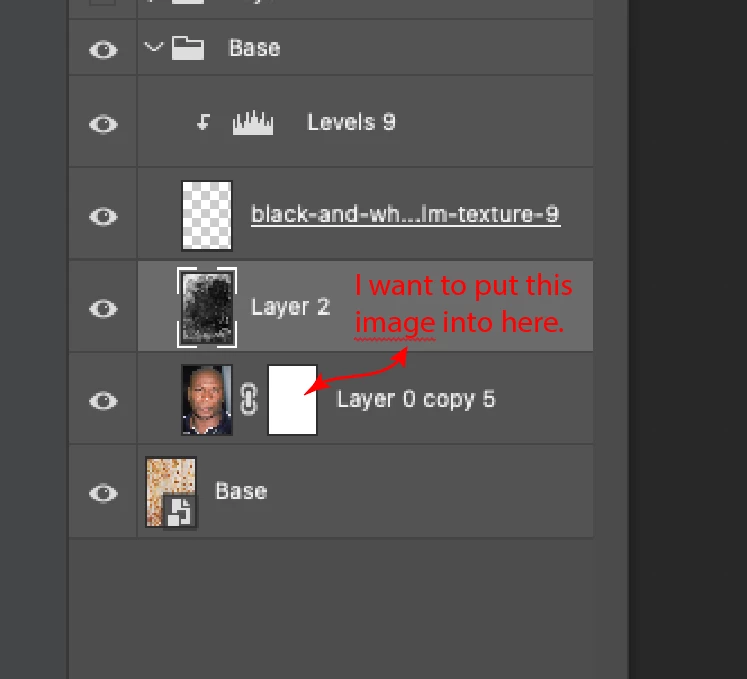
I have an image, it's a grungey, nasty, smearly black and white image... I want to use that as a mask for one of my layers.  I cannot seem to figure out how to make that happen.


I can make a mask for the base layer but if I try to cut and copy the grungey black and white layer into the mask, PS will not do it.
This topic has been closed for replies.
Correct answer Kevin Stohlmeyer

Hi @Franky Spills yes I'm still here but we are volunteers, not 24 hour support.


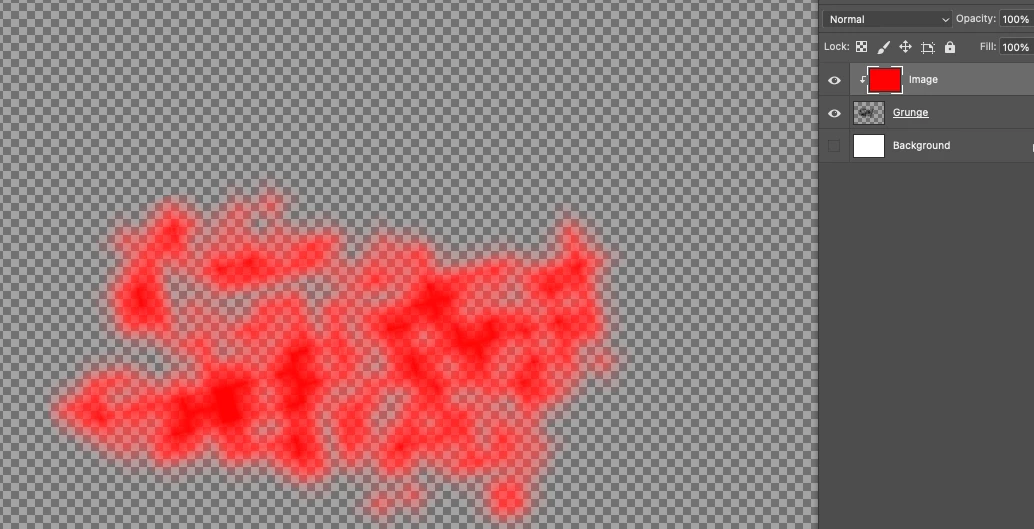
Hi @Franky Spills I think you misunderstood after looking at your layers panel. You need to have your black grunge on a transparent background - not on white (and not set to 0% opacity).


2 replies

New Participant
September 9, 2023
  1.  
Kevin Stohlmeyer
Adobe Expert
May 8, 2023

Hi @Franky Spills copy the pixel layer using select all/copy. Then select Layer 0 Copy 5 mask. Go to the channels panel and activate the mask channel and paste into the mask channel. Turn the mask channel visibility off after pasting.

Franky Spills
Known Participant
May 8, 2023

Wow... I would've never gotten there.  That worked.  Thanks.


Franky Spills
Known Participant
May 9, 2023

Hi @Franky Spills yes I'm still here but we are volunteers, not 24 hour support.


Yeah. Totally Understand.