


Ben R4m-Z
New Participant
February 18, 2018
Answered

Menu navigation via scroll wheel

  • February 18, 2018
  • 1 reply
  • 1245 views

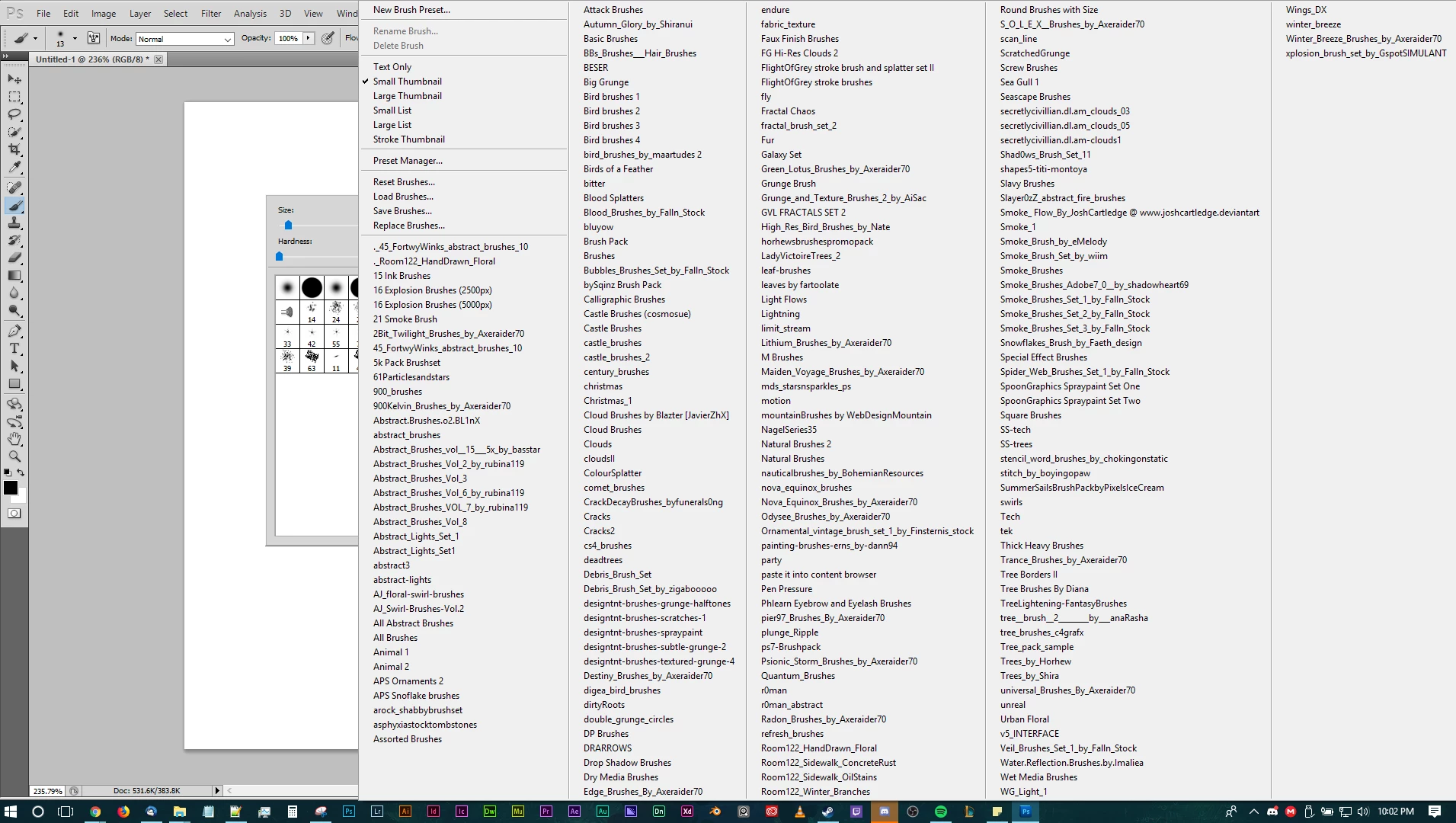
I can't say for sure what update caused this, but the menus for selecting a brush or text style or action are now really long, one column, scrolling lists instead of the fit on screen, multiple column setup like they had before.

My main issue with this setup is that I can't scroll through them using my scroll wheel... I have to try and land my mouse cursor on the small little arrow at the bottom or top to get to another part of the list where my stuff is.

How hard would this be to change?

Ben R4m-Z
This topic has been closed for replies.
Correct answer Ben R4m-Z

Found one....

Granted, it's a very old version of Photoshop, (CS5) but I believe it was also in version CS6, the precursor to CC if I remember right....

I personally prefer this method since it allows me to see all my brushes at the same time so in the event that I know where to look for the brush I want I don't have to go scrolling through a long list...

1 reply

Trevor.Dennis
Community Expert
February 18, 2018

Ben, do think this used to be doable?  I have three versions installed at the moment, and could not navigate the menus with the mouse wheel in CC2014.

I wondered if it might be a mouse setting, and I also tried Scroll Lock on and off with no change.

What I was able to do, and which might help you, was having opened a menu and hovered over an item to make it blue, was to navigate entirely with the cursor keys. It seems to me that that would give you fine control.  You can also twirl out a group with the right cursor key, or move between menus with the left and right cursor keys.

Does that help at all?

Ben R4m-Z
Ben R4m-ZAuthorCorrect answer
New Participant
February 18, 2018

Found one....

Granted, it's a very old version of Photoshop, (CS5) but I believe it was also in version CS6, the precursor to CC if I remember right....

I personally prefer this method since it allows me to see all my brushes at the same time so in the event that I know where to look for the brush I want I don't have to go scrolling through a long list...