


Answered
Mirrored image has text backwards
I flipped an image Horizontally(mirrored) but text is now backwards whats the best way to fix it without using the distort tool to pull it to the new perspective?

I flipped an image Horizontally(mirrored) but text is now backwards whats the best way to fix it without using the distort tool to pull it to the new perspective?
I totally agree that faking the sign would be best, but if you really want to use the original pixels. I suggest that your first square them up so that the transform handles fit the corners. I have not done a great job below, but you'll see what I mean.
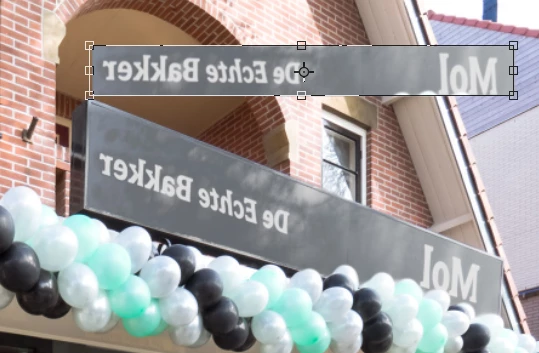
OK that, and make it a Smart Object. It then becomes a simple task to hold down Ctrl (Cmd) while dragging the corners to match the sign
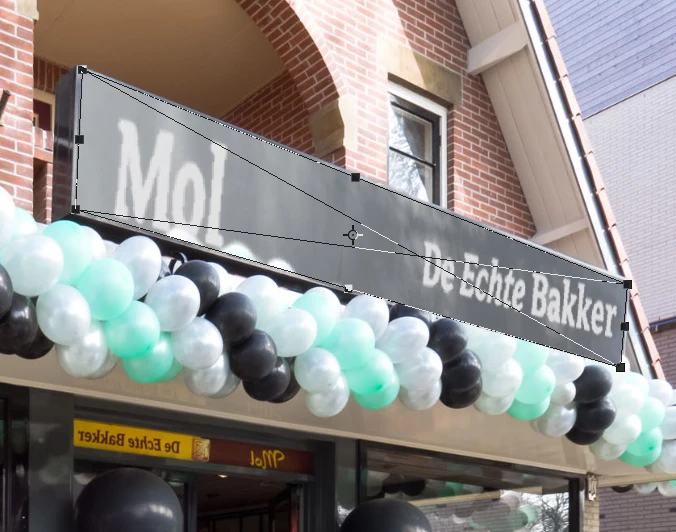 \
\
To rebuild, I would start by copying the balloons to a new layer and moving it to the top of the stack.
Then outline the sign with the Pen tool, make it a selection, and fill the selection on new layer with any colour. Note this is my preferred way of working using the layer we just created as a template. There are several ways we can use it from this point on.
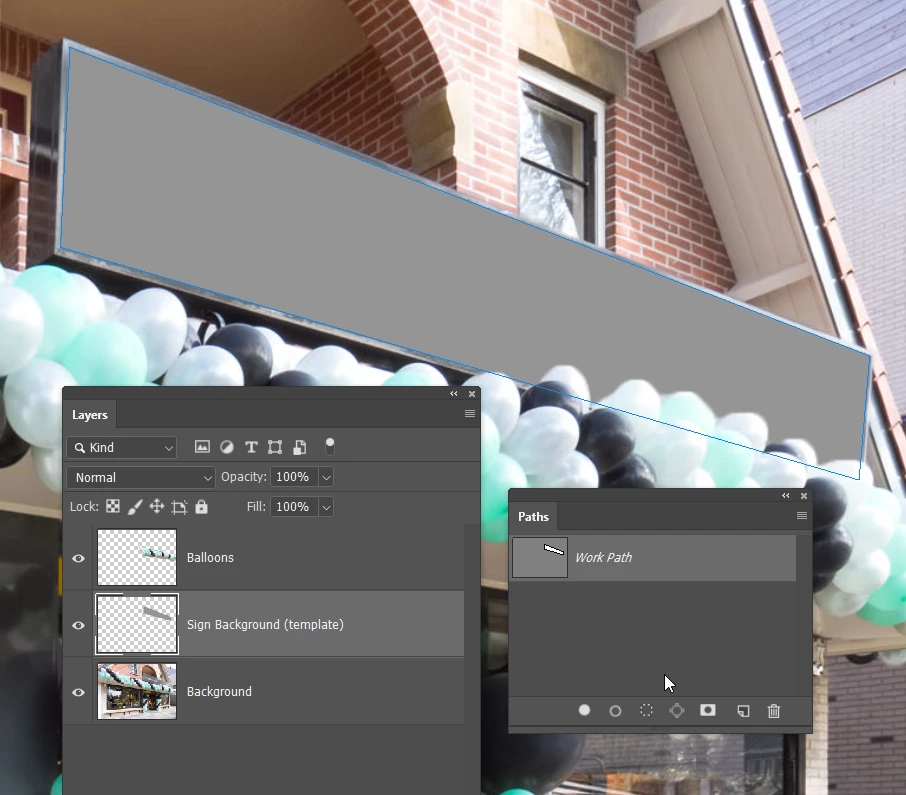
You could lock its opacity, run a gradient across it after sampling the sign colours. Give it some noise and an inner shadow.
Note how it is fitting behind our copied balloons layer.
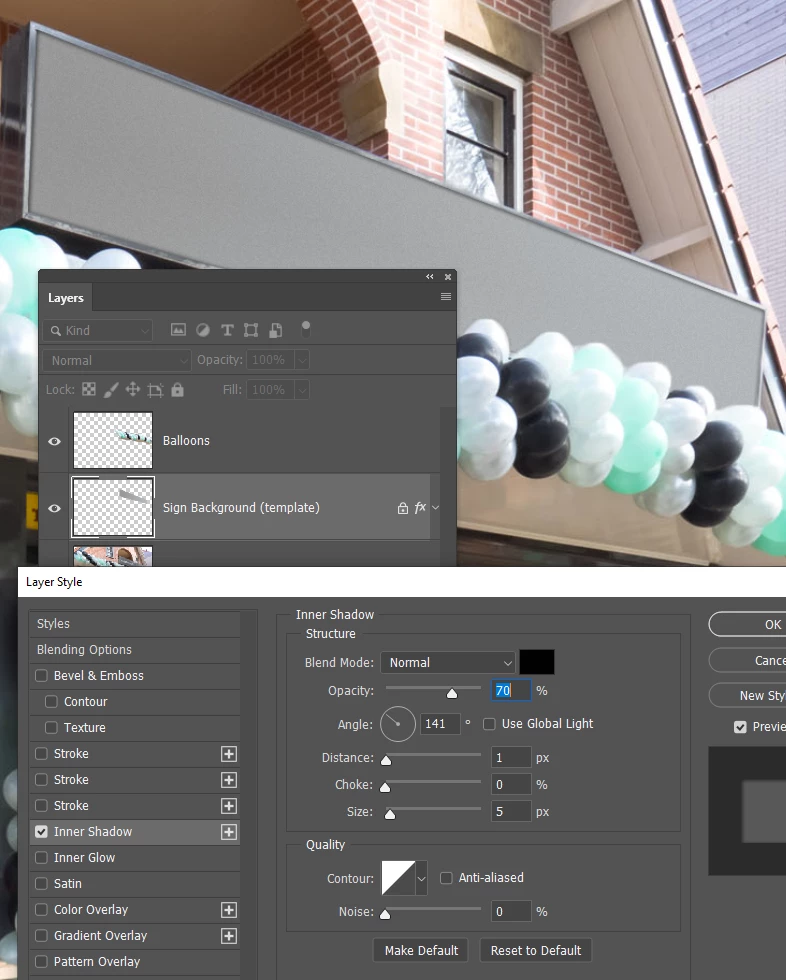
Then add the text (Rockwell Bold is close)
Make the text layer a Smart Object, and fit to the sign making the bounding box fit the sign outline.
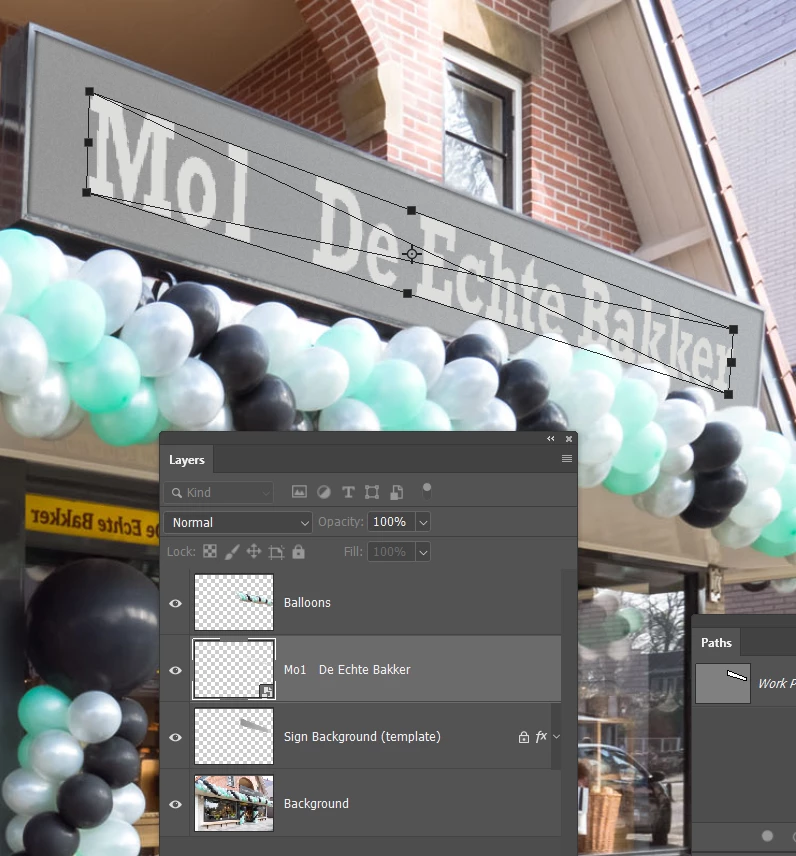
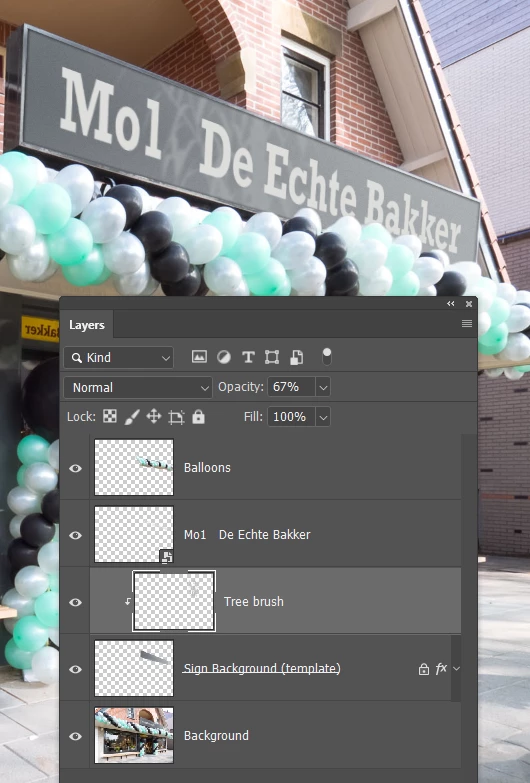
I finished off by matching the background better, and stamping a tree brush on a layer clipped to the sign layer
Already have an account? Login
Enter your E-mail address. We'll send you an e-mail with instructions to reset your password.
 AdChoices