


Exit
  • Global community
    • Language:
      • Deutsch
      • English
      • Español
      • Français
      • Português
  • 日本語コミュニティ
  • 한국 커뮤니티
0

Missing workspace

New Here ,
Jul 27, 2020 Jul 27, 2020

Hi, I'm not sure if this is called the workspace. When I open photoshop I see the screen of my Mac and only the side bars and properties on the right of the screen.  Menus above but nothing in the middle.  Sorry difficult to explain but maybe the screenshot will help to explain.Screen Shot 2020-07-27 at 8.10.04 PM.png
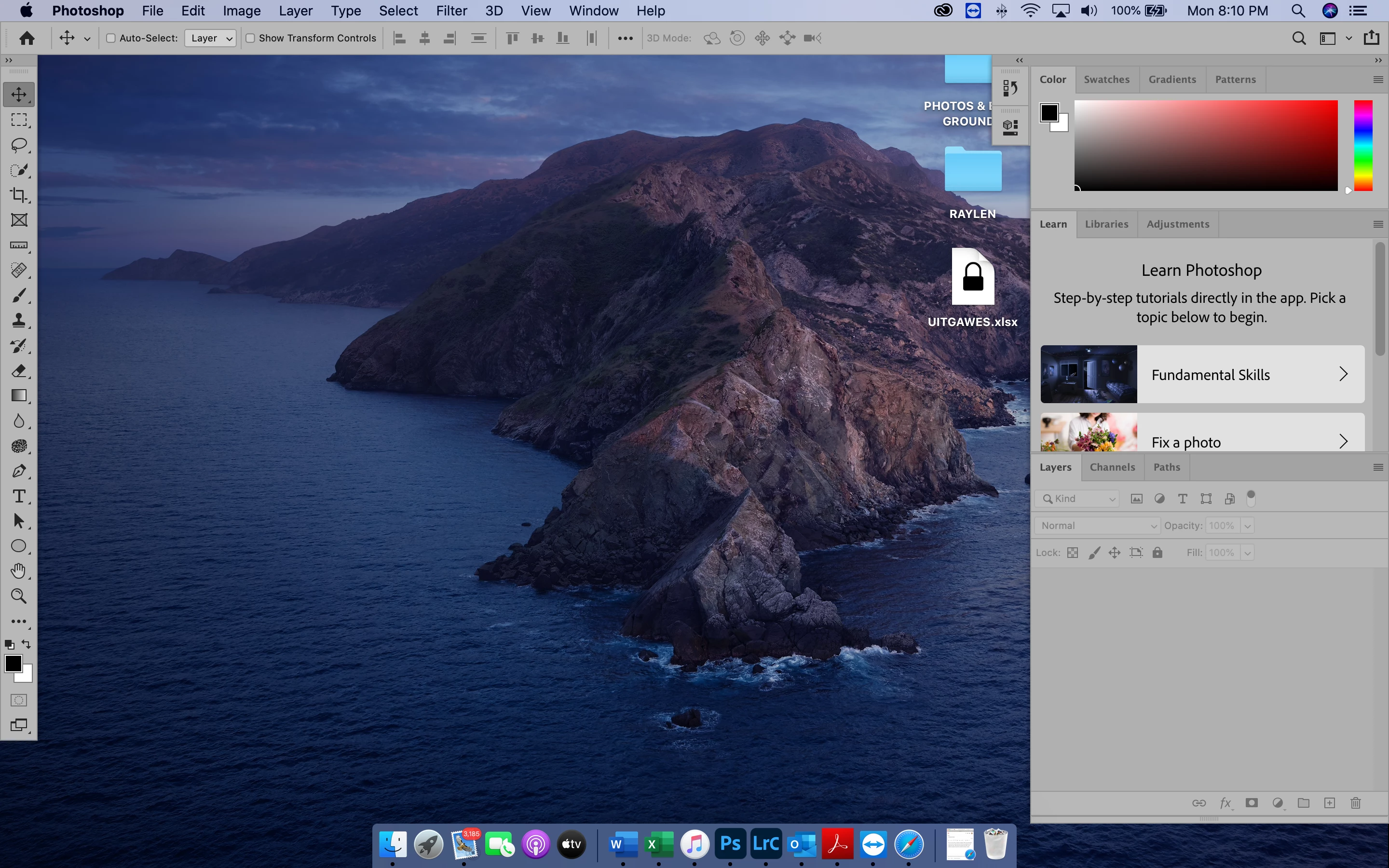
 

Also the bottom part of Photshop is missing

402
Translate
Report
Community guidelines
Be kind and respectful, give credit to the original source of content, and search for duplicates before posting. Learn more
community guidelines

correct answers 1 Correct answer

LEGEND , Jul 27, 2020 Jul 27, 2020

Go to Window and turn on your Application Frame

Translate
Adobe
LEGEND ,
Jul 27, 2020 Jul 27, 2020

Go to Window and turn on your Application Frame

Translate
Report
Community guidelines
Be kind and respectful, give credit to the original source of content, and search for duplicates before posting. Learn more
community guidelines
New Here ,
Jul 28, 2020 Jul 28, 2020
LATEST

Thank you!  This solved my problem.  The application frame now activated.


Translate
Report
Community guidelines
Be kind and respectful, give credit to the original source of content, and search for duplicates before posting. Learn more
community guidelines