Participating Frequently
August 3, 2010
Answered

Move Tool does not move layer when dragging with Wacom tablet

  • August 3, 2010
  • 39 replies
  • 107233 views

I am using the trial version of CS5 (probably going to upgrade at the end of the trial), and I've only found one thing about it that I don't like more than CS3. This is VERY VERY annoying, and I'm not sure if it's a glitch, or just a preference that needs to be reset:

  When using the move tool, I will move something and it will just snap back to where it originally was. When it snaps back, it might move a few pixels over in the direction I was dragging, but it is definitely not moving to where I want it to go. The only way to get things to move the way I want to is by Free Transform...but it's annoying, when you're trying to design a layout, to have to free transform every element you want to move, first.

I'm guessing that this is a glitch because sometimes it happens and sometimes it doesn't...it's pretty random. I've tried turning Snap on and off, and nothing changes. Any idea how to fix/change this?

~Mike

Message title was edited by: Brett N
    This topic has been closed for replies.
    Correct answer numeroeins

    Hello,

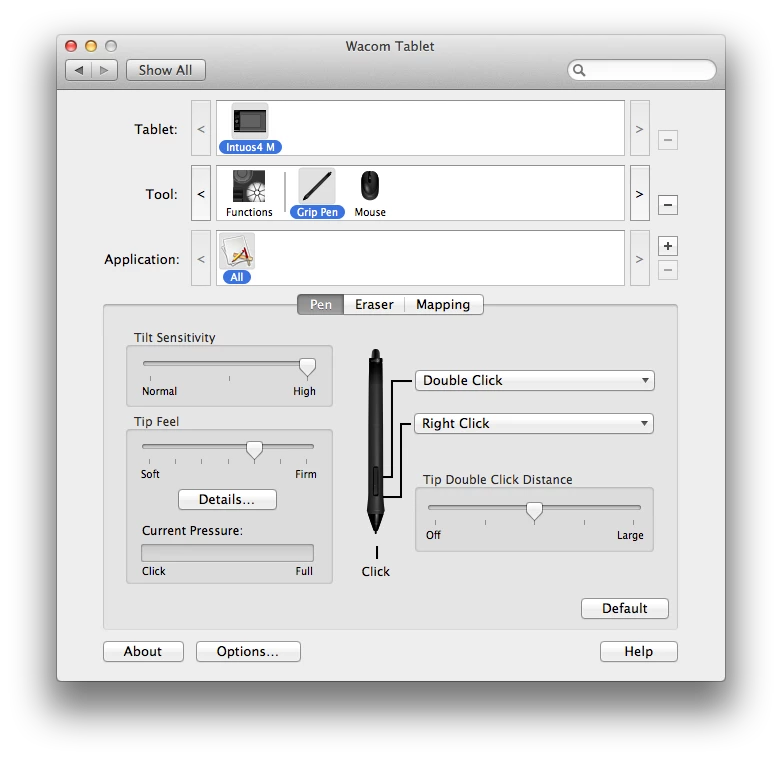
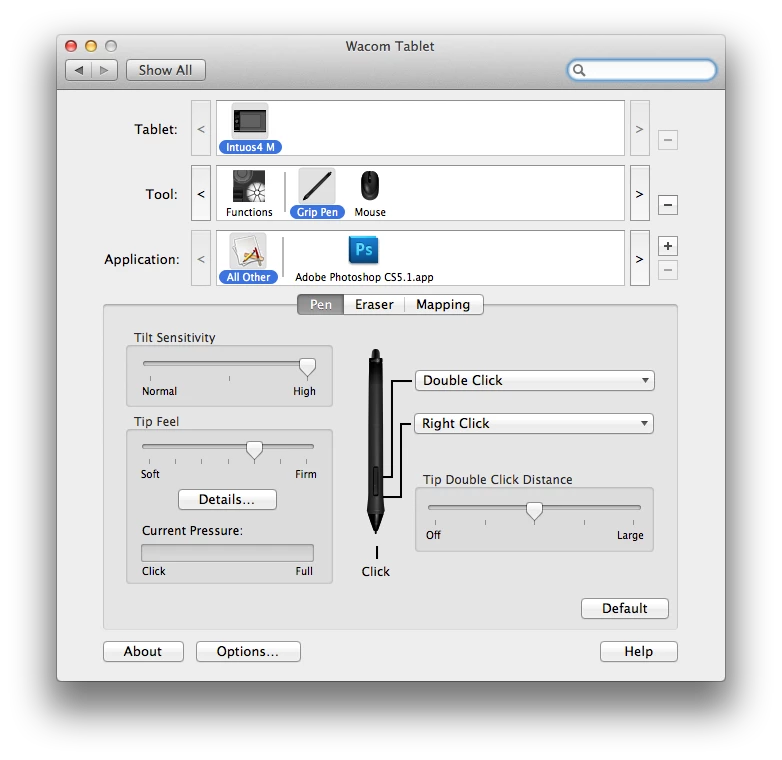
    I think I may have found the culprit. I started using Adobe PS CS 5 Extended the same day I received the Wacom Intuso 4 (about one year ago) and NEVER had a problem until last month when I added Adobe PS CS5 into the application section, see below.

    This is the ONLY change that I made to my wacom settings beside the typical button layout.

    I just tested this out. I removed the Adobe Photoshop CS5 from the field Application field and restarted Photoshop WITH the tablet plugged in. Now, I can use both the track pad and the tablet. See below:

    Just to test my finding, I readded the application BACK to the application field (Photoshop was shut down; pen and mouse three feet away) and modified my settings like I wanted, then I started Photoshop.

    At first, I was able to use the track, but as soon as I used the pen, the track pad stopped functioning properly and the "jump back" problem started again.

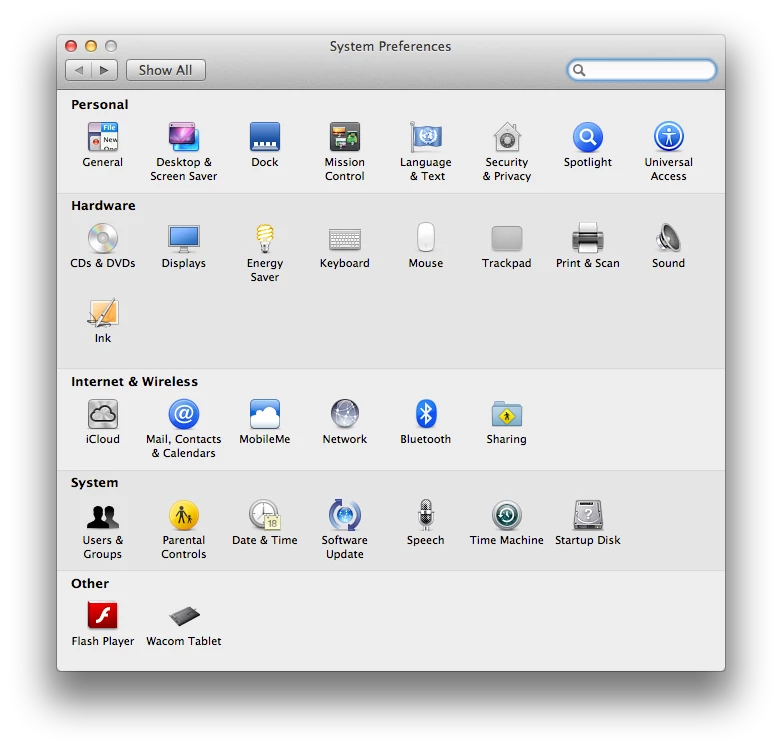
    I only have Flash Player and Wacom in the other field on System Preferences, see below.

    In this case it doesn't matter weather the pen is sitting on the tablet or not. Once Photoshop is removed from the Application field of the Wacom settings, the track pad and tablet work in harmony.

    I hope this works out for you and helps Adobe/Wacom find a solution/fix to the problem.

    Regards,

    Brandon

    Message was edited by: numeroeins

    Message was edited by: numeroeins

    39 replies

    New Participant
    January 3, 2011

    In the meantime I found this problem solved after doing an update from Photoshop:

    menu Help > Updates ...

    I've installed a big update, and the issue was gone.

    I hope this helps!

    Brainiac
    January 4, 2011

    That's correct. This issue is fixed in the 12.0.2 update.

    New Participant
    December 8, 2010

       I have the same problem. Restarting PS doesn't help (full version of CS5)

    It's definitely the trackpad on the Macbook Pro, and even the external (wireless) Magic Trackpad has the same problem.

    With a Wacom tablet there's no problem at all.

    Sure a bug in PS that has to be corrected: please as soon as possible! Very annoying.

    New Participant
    November 2, 2010

    I am also having this exact same problem. With and without a Wacom Bambo installed. Another note is that if you use the transform tool (cmd+t), you can move the selection fine. Another thing that you may not a have noticed when this problem starts is that the Quick Select Tool stops working.

    Can we have a patch or some way of solving this issue without restarting Photoshop all the time.

    MBP15'' + Wacom Bambo

    Thanks

    Bruce

    New Participant
    October 11, 2010

    I have an Intuos 4, and I am having the same problem. I have a Magic Trackpad and a regular trackball; the problem happens with the Magic Trackpad, but not the trackball. Weirdly, switching between the trackball and the trackpad seems to cause the problem to go away sometimes.

    Scott

    New Participant
    October 4, 2010

    I have found the same thing using a Mac Pro and their new trackpad. The Wacom Tablet allows movement but the trackpad doesn't. It must be a Mac interface problem.

    Participating Frequently
    October 4, 2010

    I really think it has something to do with a driver or something, over time failing to separate the area over the button as just a button when you click (since there whole pad is a trackpad) and Photoshop somehow thinks you are touching two places at the same time and snaps back to your old position. That's my theory.

    _scott__
    Brainiac
    October 4, 2010

    This occasionally happens to me with my MacPro and Inutos tablet. With the move tool or transforming a layer.

    How I fix it... Undo. Then Command-+ (plus) followed by Command-- (minus). Then the tool will act as expected.

    Something to do with the video card not getting correct signals or something when the app has been backgrounded and brought forward.

    Known Participant
    September 24, 2010

    I'm experiencing the same problem as described here and I too have a macbook pro unibody and a wacom tablet.  I don't know who's at fault but I can't help think it's Adobe seeing that before upgrading to CS5 from CS4 I didn't experience this problem but had the same computer and tablet.

    Participating Frequently
    September 25, 2010

    i also seem to be able to select transform object and then I can move the object with the trackpad when this problem occurs.

    Participating Frequently
    August 27, 2013

    Thank you, that's a nice workaround! I have the same problem the poster had - randomly, the trackpad stops working with the move tool and objects snap back to where they were when I try to move them, even when my Wacom Bamboo and stylus are across the room in my computer bag! (Macbook Pro unibody, OS 10.6.8). Restarting helps but then the problem returns. Fine when I've got my tablet plugged in because the tablet will work with the move tool, but, like right now when it's not plugged in and I don't want to restart PS, I'm SOL - saved by your suggestion! Interesting that "scott w" with an Inutos tablet had the same problem (his solution didn't work for me).

    New Participant
    September 20, 2010

    I have exactly the same problem. I´m using a full version of cs5, educational, but still. Very annoying. I´m using a wacom too usually, but it´s switched off and in my bag, so can´t be the pen or whatever..

    Michael Riordan
    Inspiring
    August 3, 2010

    This can happen if you drag and the cursor ends up over a panel or other GUI element. Make sure you're not letting go of the mouse when the cursor is over one of these areas.

    hirshmonAuthor
    Participating Frequently
    August 4, 2010

    No, this wasn't the problem either.

    I think I found the solution, though...although the solution definitely sounds like this is a glitch in CS5 that needs to be fixed.

    I have a Wacom Intuous4 tablet installed. When I try to use the move tool and drag it around with my Wacom mouse, it works fine. When I try to move something around with the trackpad (which I do frequently after I've entered in some keyboard shortcuts), it has the snapback problem.

    So I think that maybe the problem is: when you have a tablet installed, the mouse works and the trackpad stops working.

    Brainiac
    August 4, 2010

    That sounds like a driver problem. See if the trackpad and/or the tablet have updates on their websites.


    Or you're leaving the pen in to close of proximity of the tablet.

    Participating Frequently
    August 3, 2010

    This has happend to me also. I just quit out of Photoshop and restart the program and its goes away.

    Also, you can quit out of your program...then hold down the "shift, control, cmd" key to reset all your preferences to the default. This won't affect your "workspace" if you have created one.

    hirshmonAuthor
    Participating Frequently
    August 3, 2010

    Doesn't help