



moved Settings to desktop; now can't move back
I cut and pasted my folder "Adobe Photoshop 2020 Settings" to my desktop per instructions to do so before resetting my Preferences. Because the issue I was having ended up being resolved before resetting my Preferences I did not do that. I did not move the Settings folder back. When I went to edit a file all of my Actions were gone. I clicked on "Load Actions" and a dialog box opened which was the path to the Actions folder inside my AppData>Roaming>Adobe>Adobe Photoshop 2020>Presets folder, but there was nothing in the folder. When I then tried to cut and paste the "Adobe Photoshop 2020 Settings" folder from my desktop back into the "Adobe Photohsop 2020" folder, I got an error message continually saying I needed administrator permission to move the files back in.
When I go to the "Adobe Photoshop 2020 Settings" folder that is now in my AppData path, there is no Actions folder. When I go to the same folder on my dekstop, the only items in it are shown in the screenshot below. Should I be concerned about what is going on here (I don't undertsand what happened) and have I lost all of my Actions? If so that's not the end of the world but it would be nice to get them back. More importantly, I want my Preferences and Settings files restored and in their proper place on my hard drive. 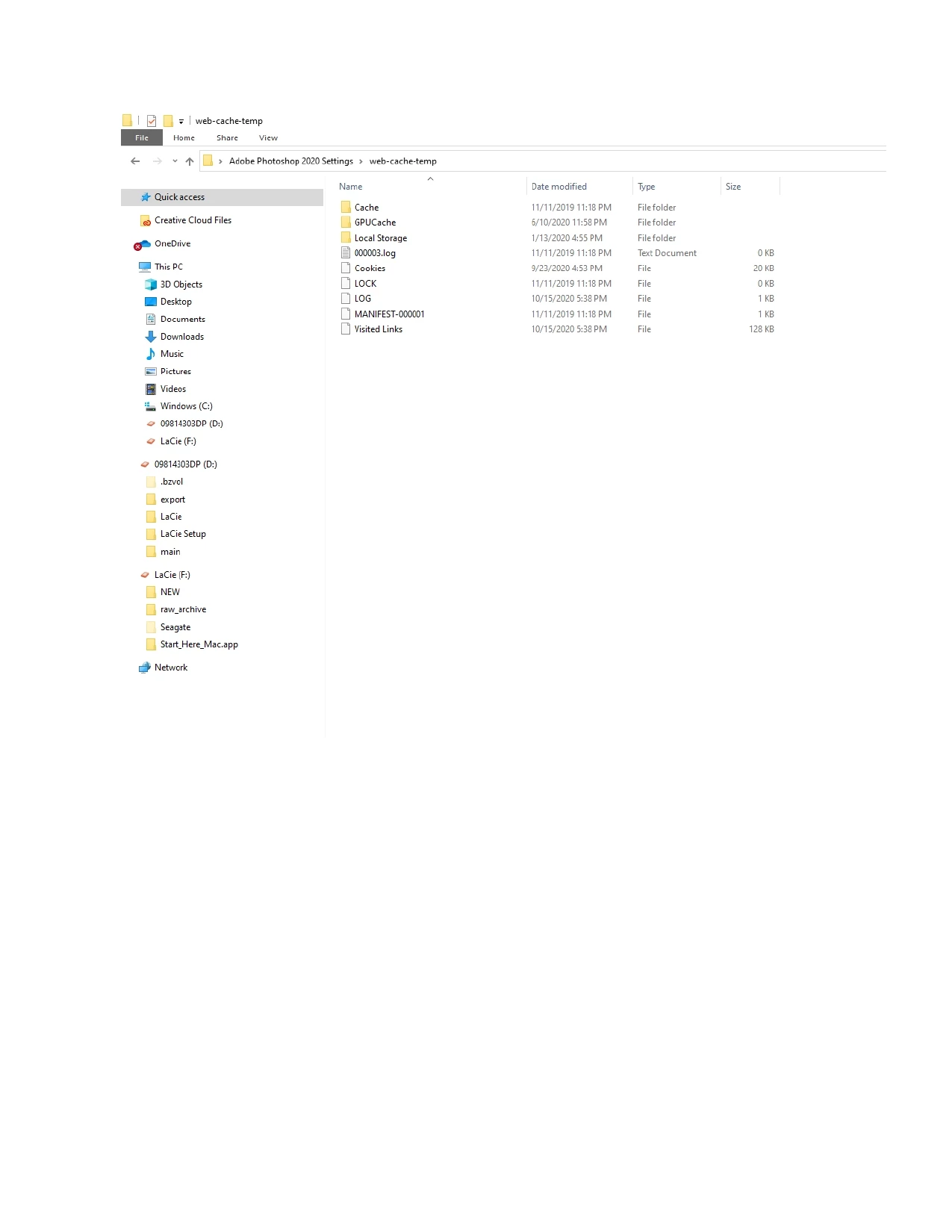
 AdChoices