Known Participant
March 20, 2025
Answered

My code cannot retrieve the font size of the text layer.

  • March 20, 2025
  • 4 replies
  • 2404 views

My code cannot retrieve the font size of the text layer.

#target photoshop
alert(app.activeDocument.activeLayer.textItem.size);
#target photoshop

// Get the active document
var doc = app.activeDocument;

// Get the active layer
var selectedLayer = doc.activeLayer;

// Check if the active layer is a text layer
if (selectedLayer.kind == LayerKind.TEXT) {
    // If it's a text layer, read the font size and alert it
    alert("Current font size is: " + selectedLayer.textItem.size);
} else {
    // If it's not a text layer, alert the user
    alert("The active layer is not a text layer!");
}

 Error 8800: General Photoshop error occurred. This functionality may not be available in this version of Photoshop.
- <no additional information available> Line: 12 -> alert("Current font size is: " + selectedLayer.textItem.size);

Correct answer c.pfaffenbichler

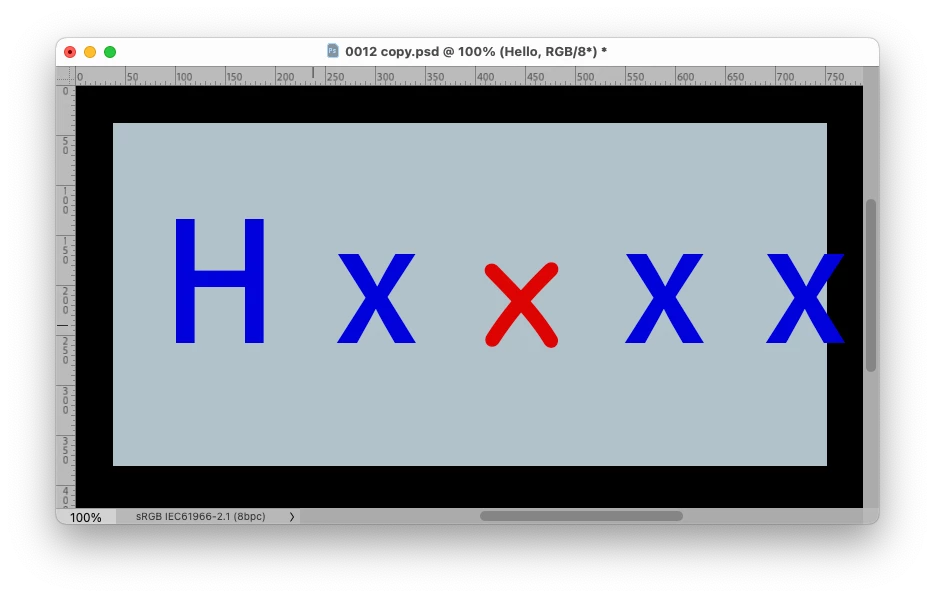
But after clicking "Reset Character," the text immediately shrinks.


Edit: This would level out differently sized letters, but still …
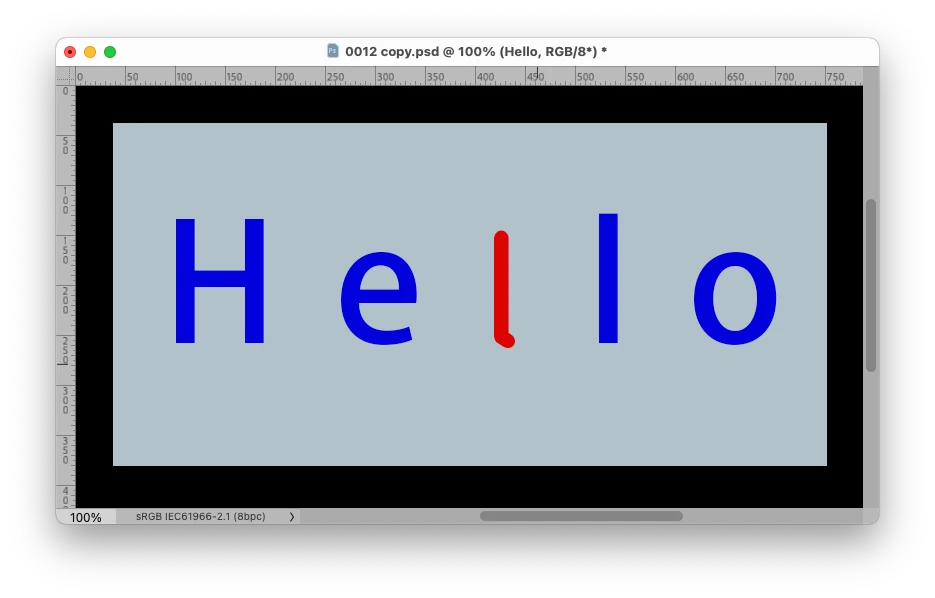
// 2025, use it at your own risk;
changeText ("Hxxxxx12");
////// stuff //////
function changeText (theText) {
try {
var ref = new ActionReference();
ref.putProperty(stringIDToTypeID("property"), stringIDToTypeID('textKey'));
ref.putEnumerated( charIDToTypeID("Lyr "), charIDToTypeID("Ordn"), charIDToTypeID("Trgt") ); 
var layerDesc = executeActionGet(ref);
var textDesc = layerDesc.getObjectValue(stringIDToTypeID('textKey'));
var textStyleRange = textDesc.getList(stringIDToTypeID('textStyleRange'));
////////////////////////////////////
var textStyleRangeX = new ActionList();
for (var o = 0; o < textStyleRange.count; o++) {
var thisListItem = textStyleRange.getObjectValue(o);
if (thisListItem.getObjectValue(thisListItem.getKey(2)).hasKey(stringIDToTypeID("size")) == false && thisListItem.getObjectValue(thisListItem.getKey(2)).hasKey(stringIDToTypeID("baseParentStyle")) == true) {
if (thisListItem.getObjectValue(thisListItem.getKey(2)).getObjectValue(stringIDToTypeID("baseParentStyle")).hasKey(stringIDToTypeID("impliedFontSize"))) {
var theSize = thisListItem.getObjectValue(thisListItem.getKey(2)).getObjectValue(stringIDToTypeID("baseParentStyle")).getUnitDoubleValue(stringIDToTypeID("impliedFontSize"));
} else {}
} else {};
textStyleRangeX.putObject(stringIDToTypeID( "textStyleRange" ), thisListItem);
};
////////////////////////////////////
var desc179 = new ActionDescriptor();
var ref1 = new ActionReference();
ref1.putEnumerated( stringIDToTypeID( "textLayer" ), stringIDToTypeID( "ordinal" ), stringIDToTypeID( "targetEnum" ) );
desc179.putReference( stringIDToTypeID( "null" ), ref1 );
////////////////////////////////////
var desc180 = new ActionDescriptor();
desc180.putList( stringIDToTypeID( "textStyleRange" ), textStyleRangeX );
desc179.putObject( stringIDToTypeID( "to" ), stringIDToTypeID( "textLayer" ), desc180 );
////////////////////////////////////
textDesc.putString( stringIDToTypeID( "textKey" ), theText );
desc179.putObject( stringIDToTypeID( "to" ), stringIDToTypeID( "textKey" ), textDesc );
executeAction( stringIDToTypeID( "set" ), desc179, DialogModes.NO );
if (theSize) {activeDocument.activeLayer.textItem.size = theSize};
} catch (e) {alert (e)}
};

4 replies

Inspiring
April 6, 2025

I tried this piece of code and on my photoshop on mac m1 it works fine.

var doc = app.activeDocument;

// Get the active layer
var selectedLayer = doc.activeLayer;

// Check if the active layer is a text layer
if (selectedLayer.kind == LayerKind.TEXT) {
    // If it's a text layer, read the font size and alert it
    alert("Current font size is: " + selectedLayer.textItem.size);
} else {
    // If it's not a text layer, alert the user
    alert("The active layer is not a text layer!");
}


this comes out

Known Participant
March 20, 2025

I found a solution for getting the font size on the forum, but the issue that still confuses me is that the font shrinks after replacing the text. I have been unable to solve this, so I’m asking for help from the experts here. Thank you!

//https://community.adobe.com/t5/photoshop-ecosystem-discussions/read-font-size-with-script/m-p/10697934
app.currentTool = "typeCreateOrEditTool";

try {
    var r = new ActionReference();
    var d = new ActionDescriptor();
    r.putProperty(stringIDToTypeID("property"), stringIDToTypeID("tool"));
    r.putEnumerated(charIDToTypeID("capp"), stringIDToTypeID("ordinal"), stringIDToTypeID("targetEnum"));
    var options = executeActionGet(r);
    var object = options.getObjectValue(stringIDToTypeID("currentToolOptions")).getObjectValue(stringIDToTypeID("textToolCharacterOptions")).getObjectValue(stringIDToTypeID("textStyle"));


    alert(object.getUnitDoubleValue(stringIDToTypeID("size")));
} catch (e) {
    alert(e)
}


Legend
March 20, 2025

Have you set your ruler units properly? And you don't need to use Action Manager code to get the font size, it can be done in the DOM.

Known Participant
March 20, 2025

Yes, I set the ruler to pixel units. There are no issues with the settings on other computers, but for some reason, on certain computers, this problem occurs. When I replace the text in the PSD file I uploaded, it shrinks. You can download the PSD file and test it yourself—just replacing the text will cause it to shrink.

Legend
March 20, 2025

Complete sample with error trapping. If your text layer has multiple text sizes, only the first will be reported.


#target photoshop
tSize();
function tSize(){
    try{
        if(documents.length > 0){
            var originalDialogMode = app.displayDialogs;
            app.displayDialogs = DialogModes.ERROR;
            var originalRulerUnits = preferences.rulerUnits;
            preferences.rulerUnits = Units.POINTS;
            var docRef = app.activeDocument;
            var layerRef = docRef.activeLayer;
            var textSize = 0;
            if(layerRef.kind == LayerKind.TEXT){
                var textRef = layerRef.textItem;
                testSize = textRef.size;
                Window.alert('Current font size is: ' + testSize.toString());
                }
            app.displayDialogs = originalDialogMode;
            preferences.rulerUnits = originalRulerUnits;
            }
        }
    catch(e){
        app.displayDialogs = originalDialogMode;
        preferences.rulerUnits = originalRulerUnits;
        Window.alert(e + ' ' + e.line);
        }
    }


Known Participant
March 20, 2025
Thank you very much for your first reply, but the following error occurred.


Error: General Photoshop error occurred. This functionality may not be available in this version of Photoshop.
- <no additional information available> 15

Known Participant
March 20, 2025

My PSD file is very strange. When I use this code to replace the text content, the text gets smaller. How can I ensure that the text does not shrink? Thank you, everyone!

#target photoshop
app.activeDocument.activeLayer.textItem.contents = "night"