


Inspiring
November 12, 2017
Answered

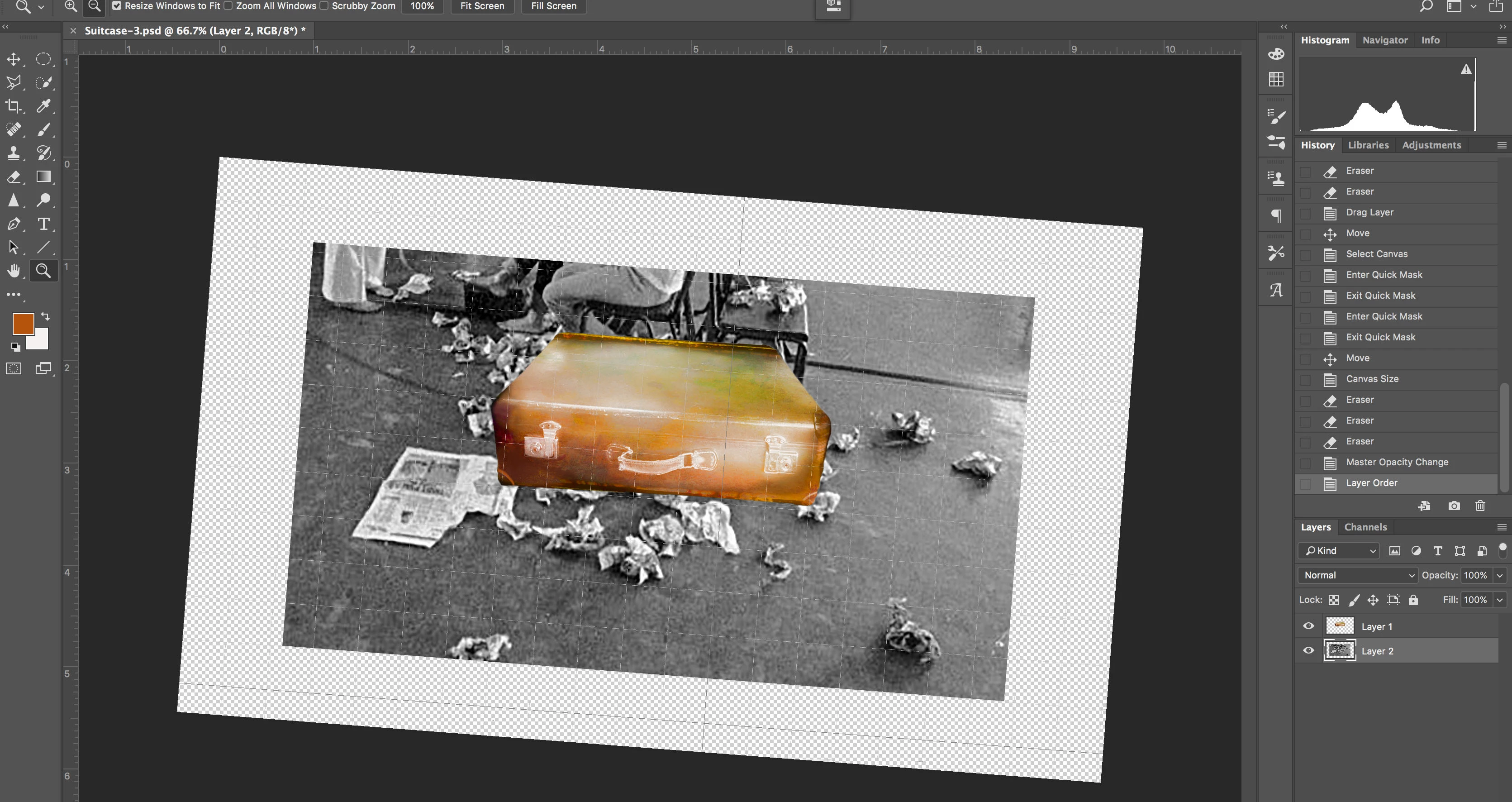
My image/canvas has tilted...

  • November 12, 2017
  • 4 replies
  • 55623 views

A rather odd problem arose yesterday.  I was trying to add a Motion Blur filter to an image. (Photoshop CC2018 - MacBook Pro Retina, 13-inch, Late 2013 Sierra 10.12.6 16G1036) Suddenly the image tilted about 30degs to the right. Nothing I could do would change this. There was no action in the History to undo.  Even stranger, when I tried to straighten it even the Guides come down at that angle.
Any ideas?
Correct answer Chuck Uebele

Pressing esc also works to reset it.

4 replies

Known Participant
February 4, 2025

Even though the hack is to press the escape button to reset the view to horizontal.   This is still a bug.

cliffclof
Inspiring
February 3, 2024

Has this bug been around that long?   So I've done some testing because I'm tired of this problem.   I've used PS since V1.5 back in the early 90s.  This daft problem never happened before the outsourcing fast track coding.   I reported it as a bug and everyone keeps saying just hit 'escape' to reset it.    I've found that simply using the alt+scroll wheel will cause the view to rotate randomly at times.    THIS IS A BUG.    time to fix it adobe!

Chuck Uebele
Community Expert
Chuck UebeleCommunity ExpertCorrect answer
Community Expert
November 12, 2017

Pressing esc also works to reset it.

TinCanGoat
Participant
April 29, 2021

I had no clue "R" did that (never use it) so thanks for that first answer/lesson, but this "Esc" reponse for closing it is perfect. Thank you.

Terri Stevens
Legend
November 12, 2017

Have you accidentally activated the Canvas Rotate button? It's switched on by pressing the 'R' key. Try pressing 'R' and then double click on the icon as marked and that should reset the orientation.