Originally here:
Looking for way to create random or sequential filename within save as action
I think that you should get the layer names correct in your source file, the various layer renaming scripts/panels can add incremented numbers.
Then simply use a script to save out all (correctly and uniquely named) layers as files.
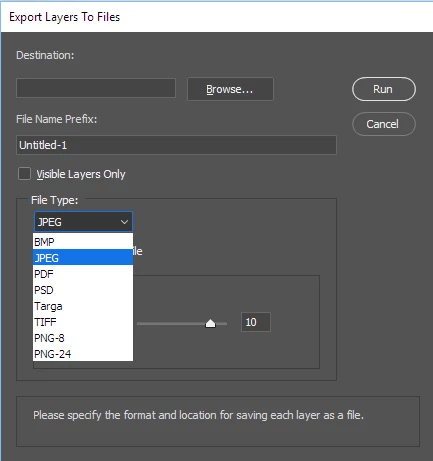
If they want to save out layers into files Photoshop that does that. Menu File>Export>Export Layer to files. However, if you run the script twice and store the output file to the same folder it will most likely overwrite the previous output files. The way I read their question I thought they want to create version of their PSD. Document. Each save would create a new version hence sequence numbers.
Re-reading it now I see they wrote some layers. Export Layer to files cal also do that. By controlling layers visibility. You can use export layers to files and use the visible layer only option.



 AdChoices