

jeanned37920665
Inspiring
December 6, 2023
Answered

Need help with masking feature opacity bar

  • December 6, 2023
  • 4 replies
  • 389 views

I've lost my opacity bar for masking an image.  How do I restore the opacity bar to the mask?

 

This topic has been closed for replies.
Correct answer didiermazier

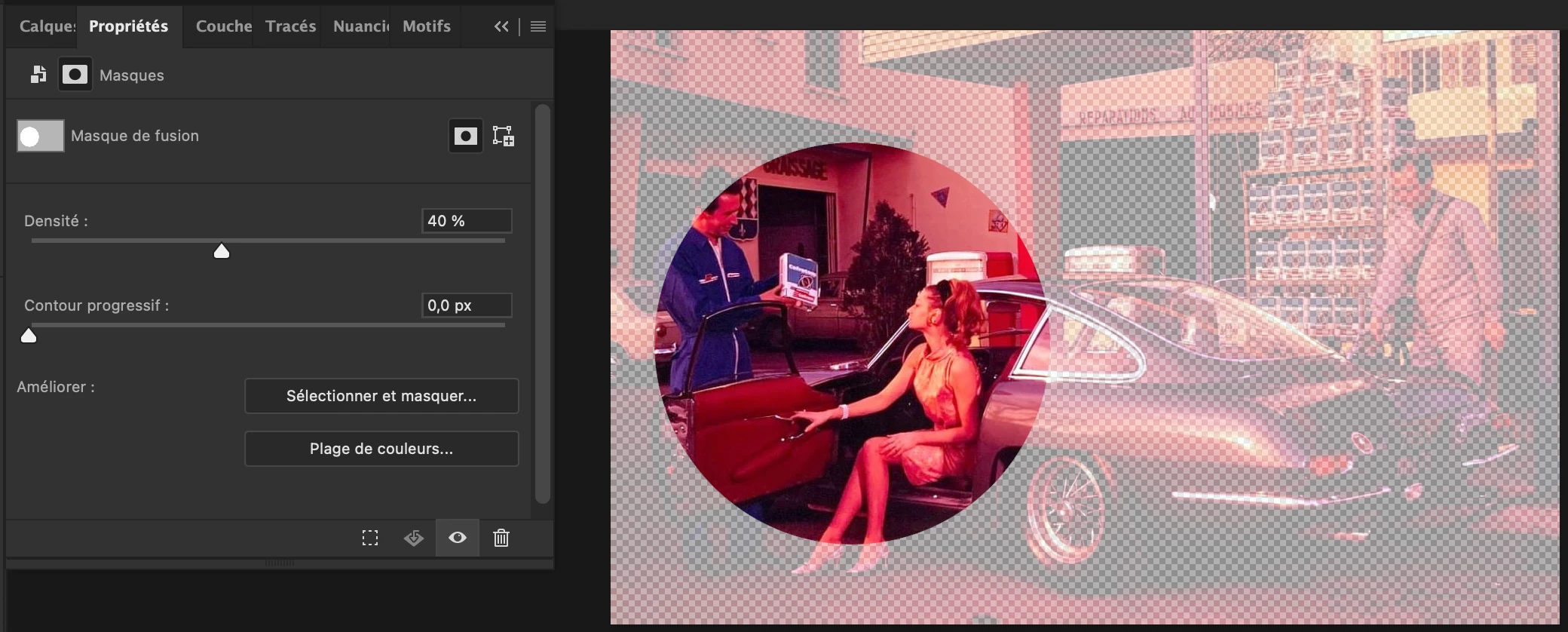
Select the mask and check the properties panel.

There is a slider for mask opacity
4 replies

Participant
March 2, 2024

Have you tried resetting the workspace layout to default settings? Sometimes, certain panels or bars can be accidentally hidden or moved around. Restoring the default layout might bring back the opacity bar for masking images.

didiermazier
Community Expert
didiermazierCommunity ExpertCorrect answer
Community Expert
December 6, 2023

Select the mask and check the properties panel.

There is a slider for mask opacity

jeanned37920665
Inspiring
December 6, 2023
Thank you, thank you, thank you. That's what I needed. 🙂
didiermazier
Community Expert
Community Expert
December 6, 2023

you can mark my answer as correct to help other to get this solution

Bojan Živković11378569
Community Expert
Community Expert
December 6, 2023

Perhaps you are looking for Window > Properties? Click on the mask to select it, then look for the Properties panel where you can change the Feather and Density of the mask. The Feather option adjusts the softness of the mask edge, while the Density option controls the opacity of the black on the mask.


jeanned37920665
Inspiring
December 6, 2023
This was what I needed. Thanks so much!!!
Trevor.Dennis
Community Expert
Community Expert
December 6, 2023

Do you mean Options Bar?

Or maybe the Contextual Task Bar?


You can also try resetting your workspace.

Window > Workspace > Reset (whatever workspace you are using)

jeanned37920665
Inspiring
December 6, 2023
Thanks for the answer. I did mean the opacity bar. I recently lost my
whole workspace set up and when I set it up again some things weren't the
same and I didn't know how to get them back. so resetting my workspace
wouldn't have helped this time.