Participating Frequently
December 21, 2022
Question

Neural Filters as part of Image Processing or Batch Mode not completing?

  • December 21, 2022
  • 2 replies
  • 1035 views

I am helping my son with B&W photos.

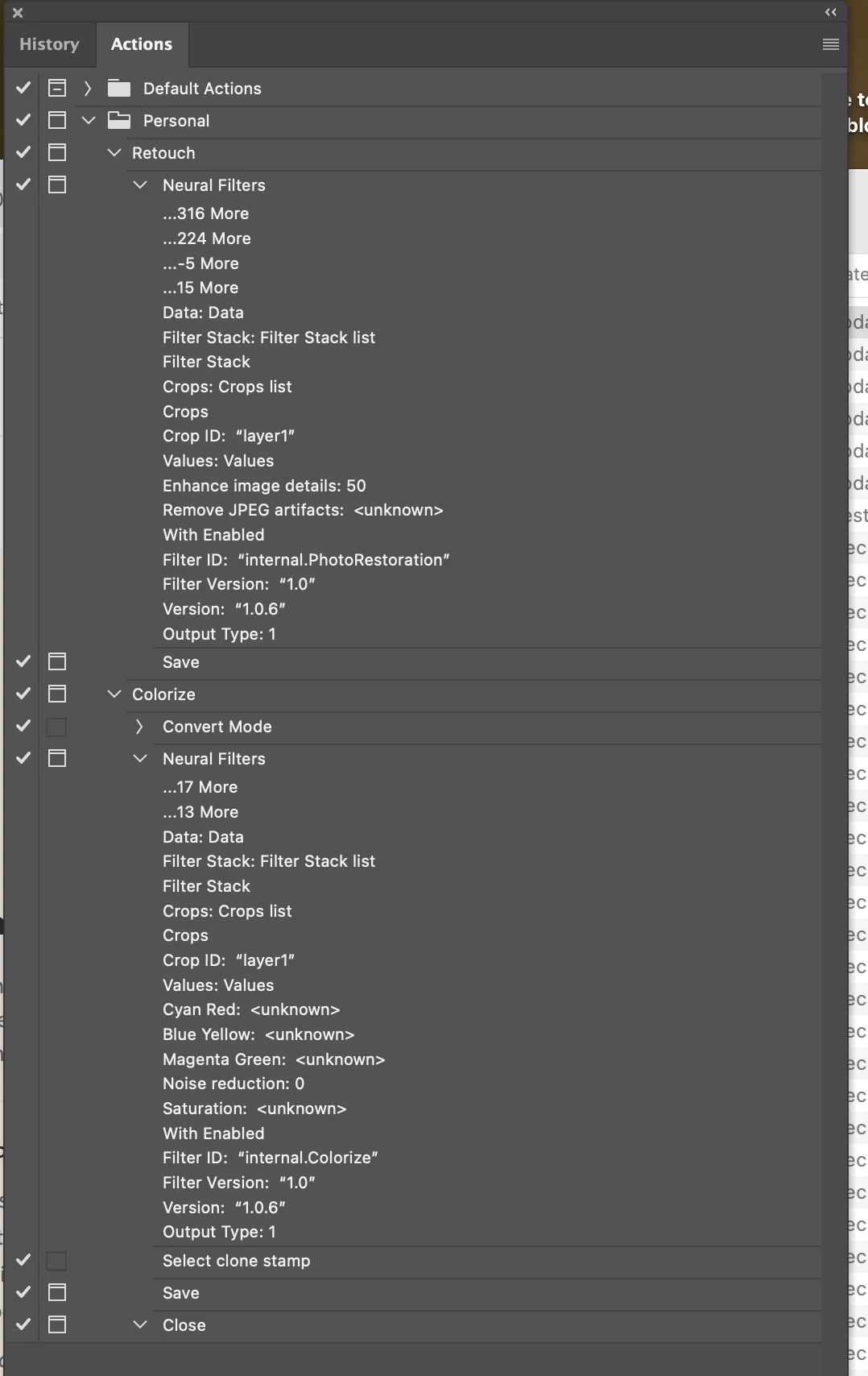
We created colorizing and photo restore Neural filter actions. 

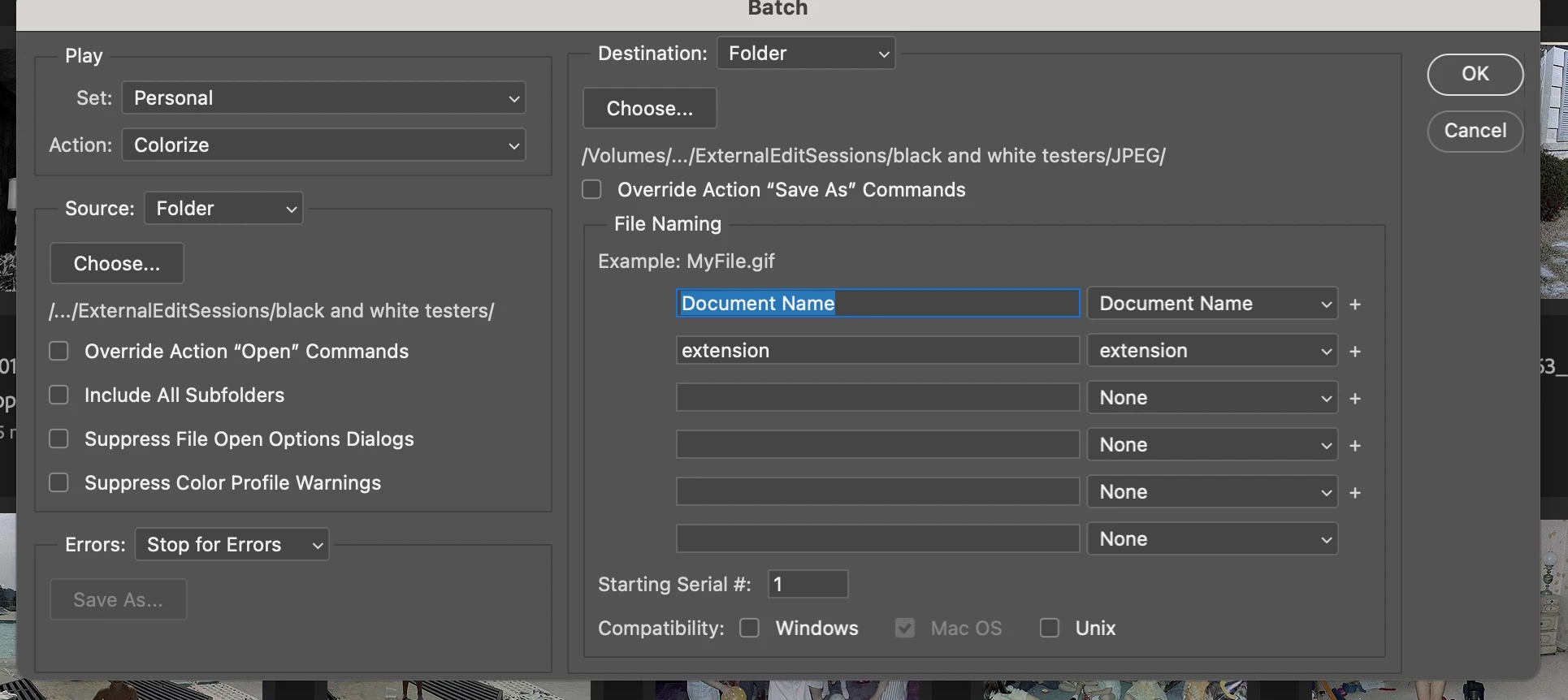
We can't get the File > Batch nor the Image Processing to correctly run the script and save the file

Has anyone got this to work and can share how?


If I use the save function in the action, it doesn't work, if I try to override it in the dialog it doesn't work.

If I try in image processing I tend to just get a spinning cursor "loading" in the neural filter when the script runs and opens. 

And in batch mode it runs but nothing happens. I am pretty sure this should work (unless a bug).
PS 24.1, Mac OS, 

Suggestions welcome, google did not help and PS doc is thin...
This topic has been closed for replies.

2 replies

Stephen Marsh
Community Expert
Community Expert
December 22, 2022

I posted an alternative batch script in the following topic:


https://community.adobe.com/t5/photoshop-ecosystem-discussions/question-on-how-to-batch-conversion-with-neural-filter-colorize/td-p/13385791


However, if you believe that the issue is with the action out side of batching, then it probably wouldn't help.

Participating Frequently
December 21, 2022

Just to clear, I can also toggle the toggle off (the little square next to the check). when I do that the colorize works end-to-end, but the Retouch processes and outputs files, but doesn't actually retouch the picture. 

Participating Frequently
December 21, 2022

I also tried just running the script on an open picture. Photo Restoration still doesn't work (Colorize works fine as an example). Filing a bug.