


Participant
June 3, 2023
Question

New Version Photoshop 24.5 remove tool

  • June 3, 2023
  • 10 replies
  • 27971 views

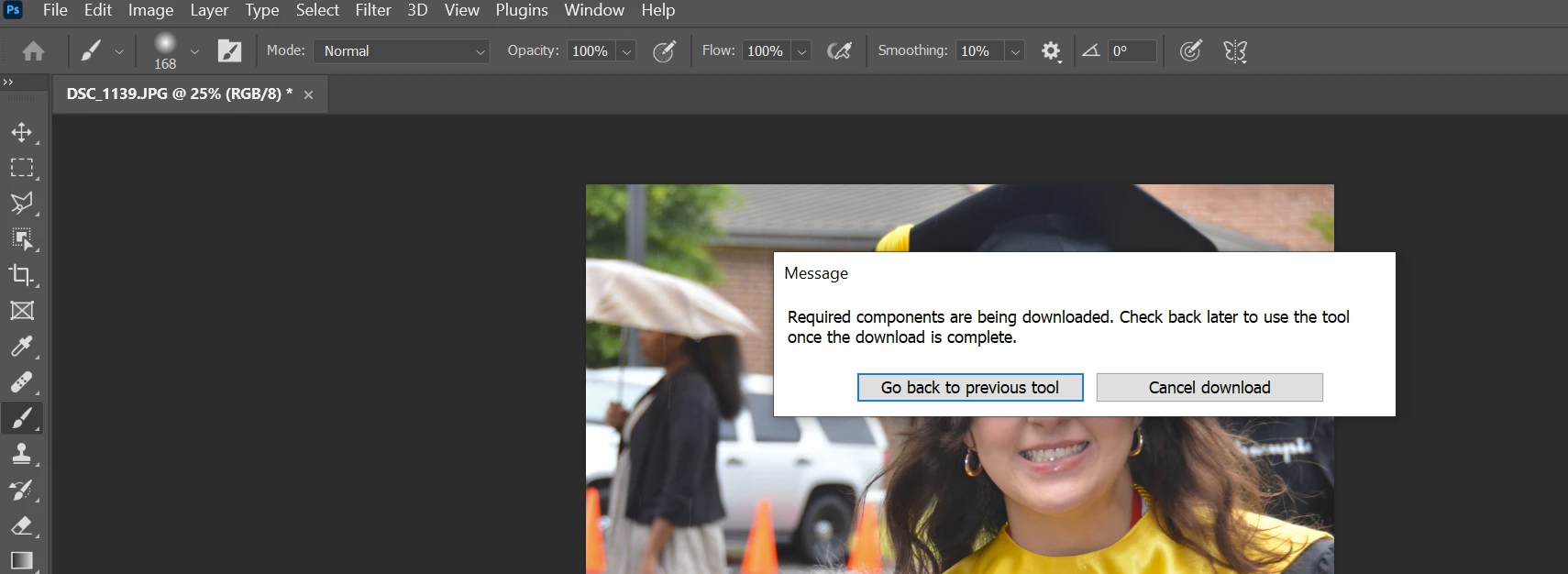
I have updated Adobe Photoshop to the latest version 24.5.  I see the new remove tool icon, however when I click on the tool, I get a message that says required components are being downloaded. Check back later to use the tool once the download is complete.  It has been over a week.  I have tried to stop and start the download to restart it.. nothing. 
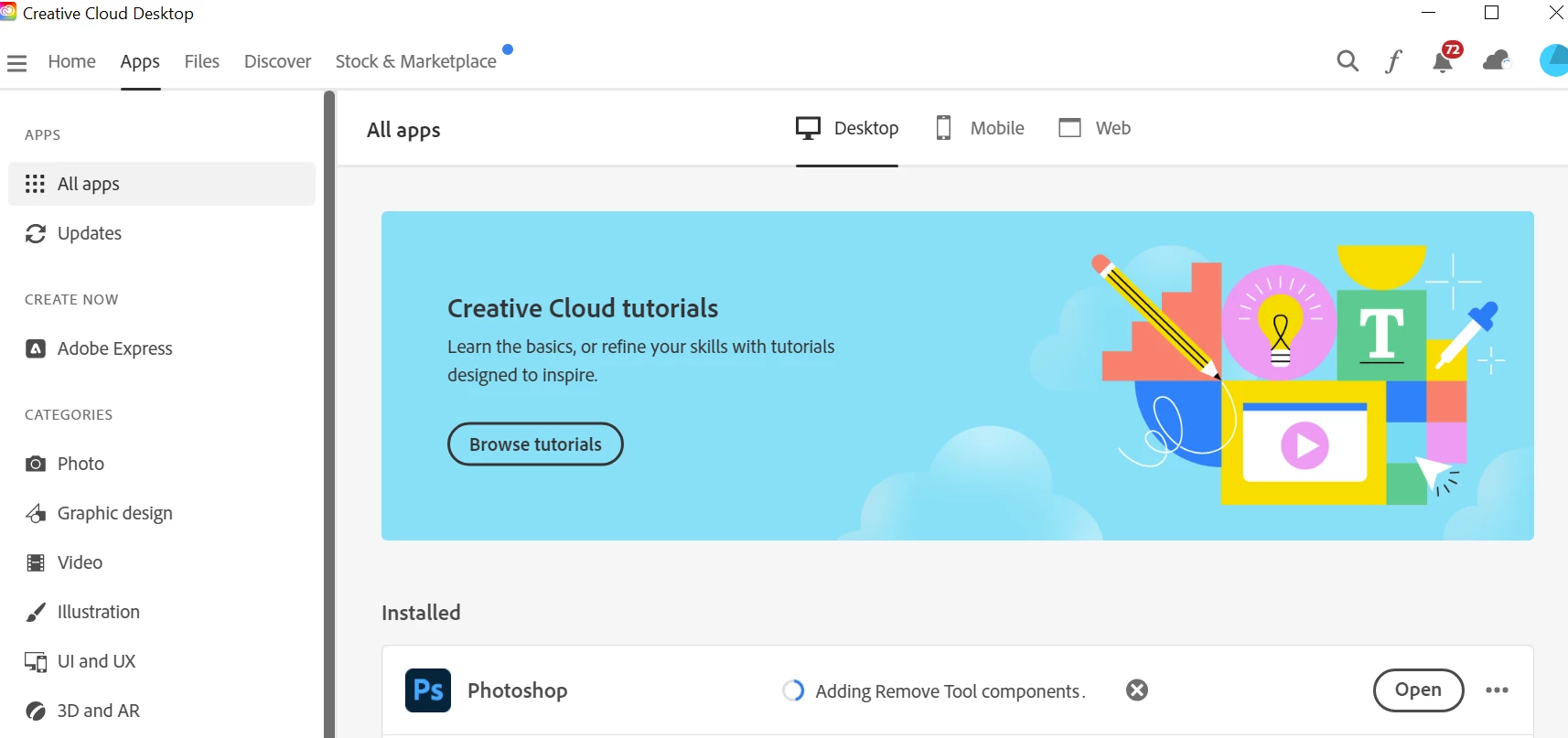
I log in to the Adobe Creative Cloud Desktop-- it just shows adding remove tool components.. It just spinning... How long should this take and is there something else I need to do, as I mentioned its been a week since I updated to the newest version.


10 replies

Participant
August 5, 2025
WhatsApp_Image_2025-08-05_at_12-03-22.jpg
AxelMatt
Community Expert
Community Expert
August 5, 2025

@mayur_1314  You’ve reactivated an approx. two years old thread. And you post only a screenshot which is barely legible. It may seem like it's the same problem, but it may not be. Also, you're not giving us any information about your system and what you've tried so far.


Rather than reactivating an old thread that is seemingly similar, you are posting to a new thread with fresh, complete information.

Please include system information, a detailed description of the problem and if it's possible a step-by-step instructions for reproduction. Also includes the steps that you've done by your own to solve the issue.


If the issue is really the same, we will merge you back into the appropriate location.

This thread will be locked. 

Thank you!


My System: Intel i7-8700K - 64GB RAM - NVidia Geforce RTX 3060 - Windows 11 Pro 25H2 -- LR-Classic 15 - Photoshop 27 - Nik Collection 8 - PureRAW 5 - Topaz Photo
Participating Frequently
October 3, 2024

Photoshop – Remove Tool: (I am on a Mac, FYI)

close Photoshop. Go to Creative Cloud app > Photoshop and click on 3 dots > Get Add Ons or Add Components.  Choose Remove Tool > ADD.  May take a minute.  May crash. Try again. Usually worked 2nd time in my lab


Participant
April 28, 2024

my fix:


go into creative cloud

-all apps

-beta tab 

-you should see an update for photoshop beta.


the issue is a bug with the versions through 25.1.


Participant
September 26, 2024

Thanks, for help.

Participating Frequently
January 31, 2024

Yup, I experienced this on macOS when upgrading to 25.4 from 25.3.1. Nothing I did resolved it. I ended up rolling back to 25.3.1 until a fix is released.

Participating Frequently
August 29, 2023

mee too but no answers

Participant
August 3, 2023

frist restart your computer, go to creative cloud, select app - select photoshop - click right side 3 dots, goto add-ons - now Remove Tool Components click - it is atomative active. now  open photoshop - now fix your error 


Participant
July 24, 2024

Made no difference, the addon is marked as "installed", but the same error appears every time i use the remove-tool

Participating Frequently
July 18, 2023

Any updates on a resoultion?
I am encountering the same thing. I have also reset/removed the preferences and no luck on the outcome. I get the same "...being downloaded" dialog. If there were a download indicator (like those for the neural filters) it would have been quite helpful to at lease see some sort of progress. 

Trevor.Dennis
Community Expert
Community Expert
July 19, 2023

Jake, can you tell us what system and OS youy are using?  By the sound of things, especially what video card?

Chuck Uebele
Community Expert
Community Expert
July 19, 2023

Dell XPS, Windows 10 Home (10.0.19045)

Nvidia GeForce GTX 960


I had the GTX 5500 series, and that didn't work, so I think your issue is your card. I bought a new computer with an RTX card. Works great.

AxelMatt
Community Expert
Community Expert
July 15, 2023

Do you have installed the latest version of Photoshop 24.6?

Please try to reset the preferences of Photoshop using the steps described here:

https://helpx.adobe.com/photoshop/using/preferences.html#reset-preferences

Please backup your settings before resetting the preferences. You can check:

https://helpx.adobe.com/photoshop/using/preferences.html#backup-photoshop-preferences


My System: Intel i7-8700K - 64GB RAM - NVidia Geforce RTX 3060 - Windows 11 Pro 25H2 -- LR-Classic 15 - Photoshop 27 - Nik Collection 8 - PureRAW 5 - Topaz Photo
Chuck Uebele
Community Expert
Community Expert
July 18, 2023

I had a Nvida GTX card, probably not as good as yours, but I couldn't use the replace tool because of that. Ended up buying a new computer, but it was time.

Participant
September 26, 2024
 
quote

I had a Nvida GTX card, probably not as good as yours, but I couldn't use the replace tool because of that. Ended up buying a new computer, but it was time.

By @Chuck Uebele

Love it.

Patrick ka 14
Participant
July 15, 2023

Found any solutions yet ? 

Participant
June 13, 2023

same problem, nothing helps