


Participant
December 3, 2017
Question

No fill circle

  • December 3, 2017
  • 1 reply
  • 1718 views

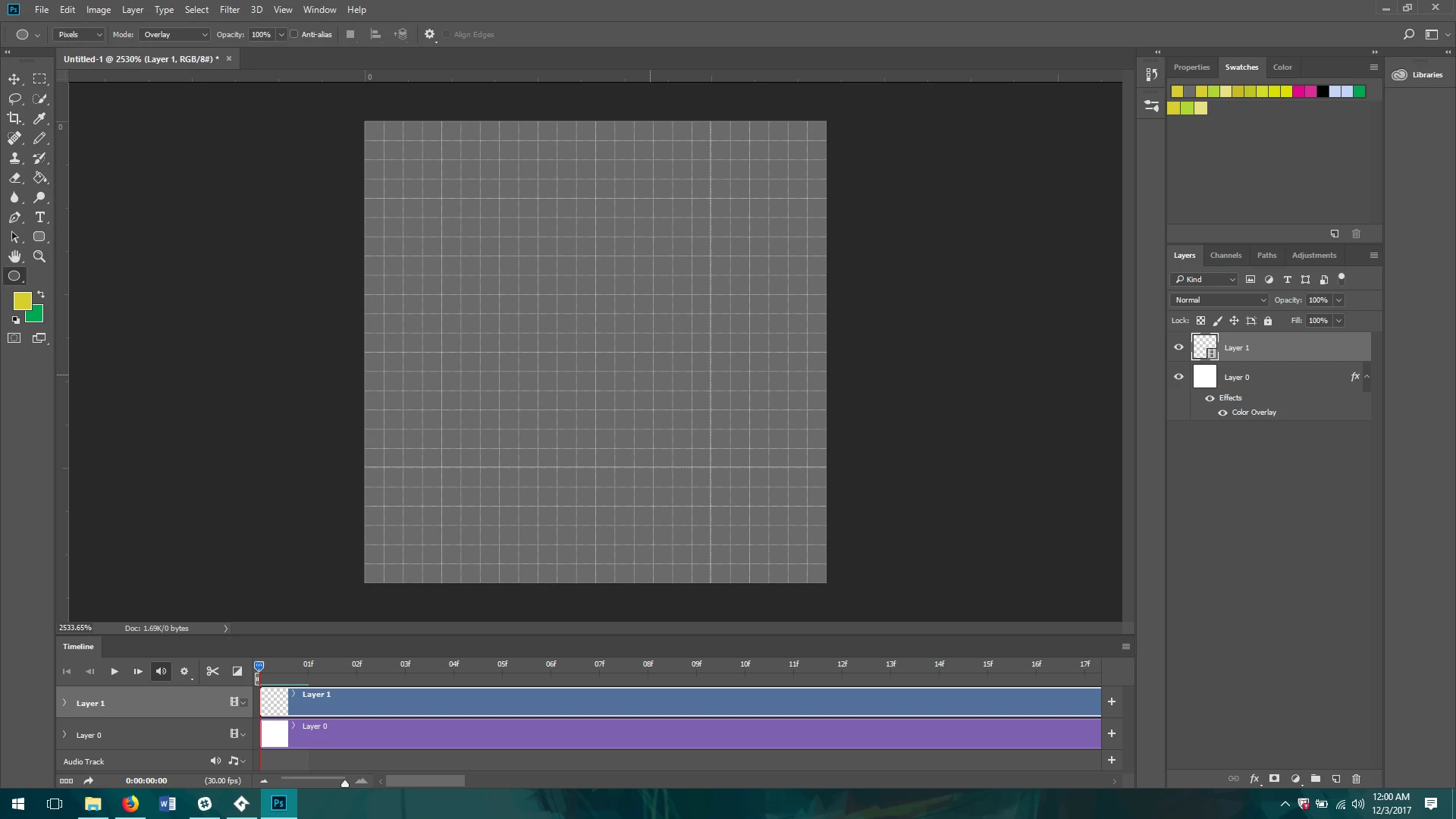
I want to make a circle not filled in. Every single post I've seen essentially says click the "no fill" option in the tools options bar. I don't know if it's an old feature that they got rid of, or if I'm just missing a setting, but as you can clearly see, there is no option to choose whether my ellipse is filled or not. Please help!
    This topic has been closed for replies.

    1 reply

    Terri Stevens
    Legend
    December 3, 2017

    That is happening because you have 'Pixels' selected in the options bar. If you change that to 'shape' and draw you will see you can apply a fill to your circle or not.

    Participant
    December 4, 2017

    Thank you!

    is there any way to make it so the circle isn't blurry now? I'd like it to be pixel perfect, but also not filled in. Are both of those options mutually exclusive in Photoshop? I can get around it fairly easily by just outlining the parts that I like, and deleting the unwanted circle parts, but it would be nice if I could have both of those options in a function

    barbara_a7746676
    Community Expert
    Community Expert
    December 4, 2017

    When you create a shape, it is a vector shape. Although Photoshop displays pixels, especially if you zoom in a lot, the blurriness or pixels will not print. The edges will be smooth. and sharp.