Inspiring
June 20, 2017
Answered

Option Bar Opacity and Size Get Stuck On

  • June 20, 2017
  • 2 replies
  • 1713 views

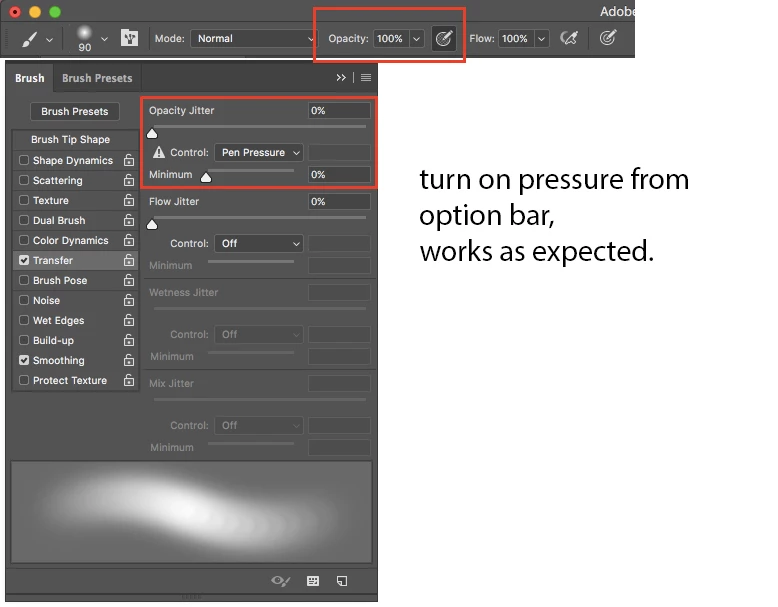
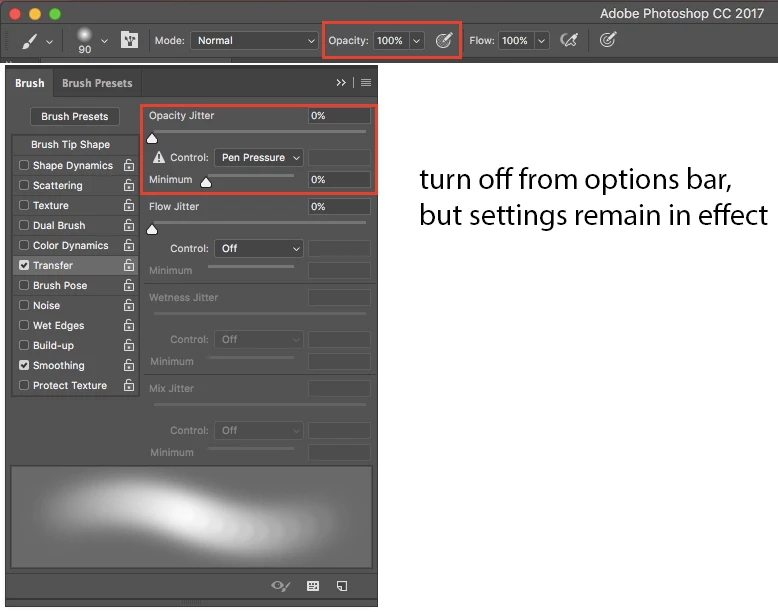
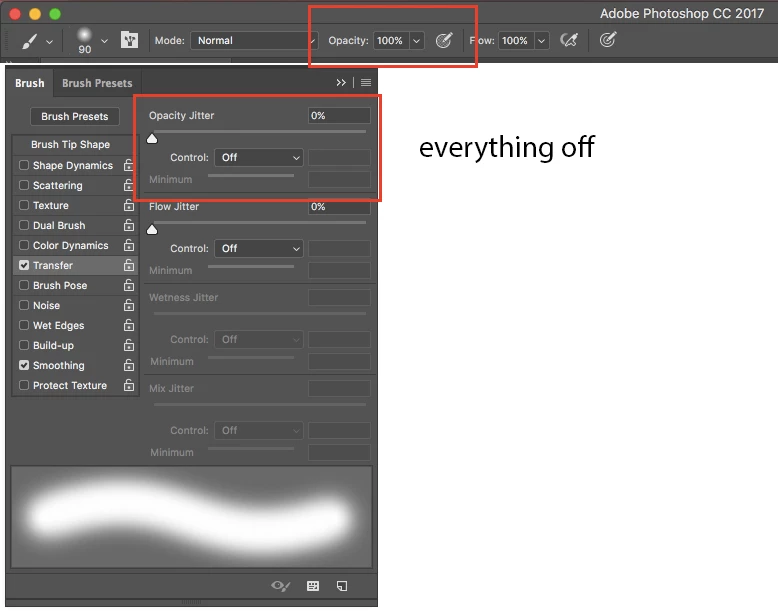
I'm having some trouble with the option bar buttons that allow you to toggle pressure control for opacity and size on and off. They work fine to turn on pressure control, but when I click them off the brush settings remain with pressure control on, even if the brush was set to no pressure control before.

In the past when I hit these buttons the brush would return to it's previous settings when I turned the control off. Did something change? Is there a setting I'm missing. I checked to make sure I don't have any controls locked in the brush panel.

In fact, to make sure, I completely removed photoshop and all of its preferences and reinstalled. I get this behavior on a completely fresh install without any plugins or brushes loaded other than the defaults. Does anyone else have this issue?

Here are some screen shots showing what happens.
This topic has been closed for replies.
Correct answer alsoalso

I've posted a bug report here for anyone that might happen upon this post in the future.

https://feedback.photoshop.com/photoshop_family/topics/options-bar-opacity-size-settings-get-stuck

2 replies

alsoalsoAuthorCorrect answer
Inspiring
June 21, 2017

I've posted a bug report here for anyone that might happen upon this post in the future.

https://feedback.photoshop.com/photoshop_family/topics/options-bar-opacity-size-settings-get-stuck

alsoalsoAuthor
Inspiring
October 31, 2017

This has been corrected in PS 2018. Yay!

c.pfaffenbichler
Community Expert
Community Expert
June 21, 2017

Have you tried unchecking Transfer in the Brush Panel?

alsoalsoAuthor
Inspiring
June 21, 2017

Yes, I have tried that. If I uncheck transfer settings then the button in the options bar will change the opacity setting to pressure and turn the check mark on, and then will turn the check mark off, leaving the opacity setting to on the next time I turn the check mark on, regardless of what that setting was before. It would seem logical to me that these option bar buttons would function as a toggle and return the opacity to the state it was before the option was activated. That's what the tool tip says it does. I could swear that this was the way they worked in older versions. Maybe I'm incorrect?

I have a lot of brushes on which I have, for example, flow set to use pen pressure but have opacity turned off so that I could use the option bar button to toggle the opacity part. I have similar issues with the Shape Dynamics section where I have brushes with adjustments to angle or roundness but not size. Using the options bar button on these has similarly frustrating behavior.

Is this the way these option bar buttons are supposed to work? This seems like a bug to me.

c.pfaffenbichler
Community Expert
Community Expert
June 21, 2017

Having »Transfer« checked with both »Opacity Jitter« and »Flow Jitter« set to 0 and »Off« seems unnecessary.

But the issue you observed is valid indeed because a jitter setting for Opacity with »Off« apparently keeps the »Pen Pressure« if »Always use pressure for Opacity …« is checked and unchecked. But only if »Transfer« was checked.

Even worse for »Shape Dynamics« – that seems to stick with »Pen Pressure« even if previously completely unchecked.

This seems like a bug to me.

That seems »unexpected and unintended behaviour« at the very least.

I could swear that this was the way they worked in older versions.

I can’t say whether this was the same way in previous versions but you could install the old CC ones to test.

Have you checked If a Bug Report already exists over on

Photoshop | Photoshop Family Customer Community

?

Otherwise you may want to post one.