


New Participant
December 6, 2022
Question

Overlapping text characters masking/deleting itself?

  • December 6, 2022
  • 3 replies
  • 1190 views

This happens with multiple different fonts that I use, but it doesn't happen all of the time for some reason. On certain files it will happen all of the time, other files it doesn't happen at all (all saved as the same filetype, PSD) despite using the same font.


It just began happening on a new font now that I have never had trouble with, and this one in particular would cause me one major headache. Basically, if there are overlapping portions in a font where one character extends into the next (frequently, script fonts) then the overlap section is deleted/masked. The attached screenshot shows better what I mean.
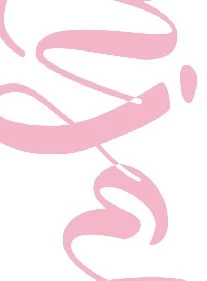


Is there some kind of setting that I can alter to prevent this?


Using Photoshop 23.5.1, and this happened with a previous laptop (Windows 10 and 11) as well so I don't think it's necessarily specific to my machine.

This topic has been closed for replies.

3 replies

Participating Frequently
March 6, 2024

Did you ever find a solution to this? I'm experiencing the same problem in Photoshop on Mac. 

New Participant
March 7, 2024

The conclusion I came down to is that it's the font itself - some aspect about it does not play nicely with Photoshop. A handful of fonts do this to me, but only certain characters, and they have been very consistent in replicating the error with those specific fonts/characters, so I assume it is in the font somehow.

VinodBalakrishnan
Community Manager
Community Manager
December 9, 2022

Can you share a simple PSD test file with the above mentioned issue?

-Vinod

Bojan Živković11378569
Community Expert
Community Expert
December 7, 2022

Can you post screenshot of entire window with Layers panel expanded and visible?