Inspiring
December 4, 2024
Answered

PDFs in photoshop are poor quality

  • December 4, 2024
  • 1 reply
  • 1099 views

When I drag a pdf into Photoshop and it creates a Smart Object - the image is very pixelated. The Anti-alias checkbox in the top bar is greyed out so that doesn't seem to be an option.


When I open the same pdf with Photoshop, at the same resolution, it creates a good quality image - just not a Smart Object. 


Is there a setting I can change to make it work better when dragging in PDFs? I used to do it and it worked just fine. 
Correct answer macuser2000

@macuser2000 


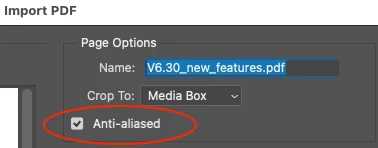
The screenshot clearly shows that one file has anti-aliasing and one doesn't. As you say this is available when importing/opening/rasterizing a PDF:


You are also correct that this checkbox option isn't available when selecting the PDF to place.


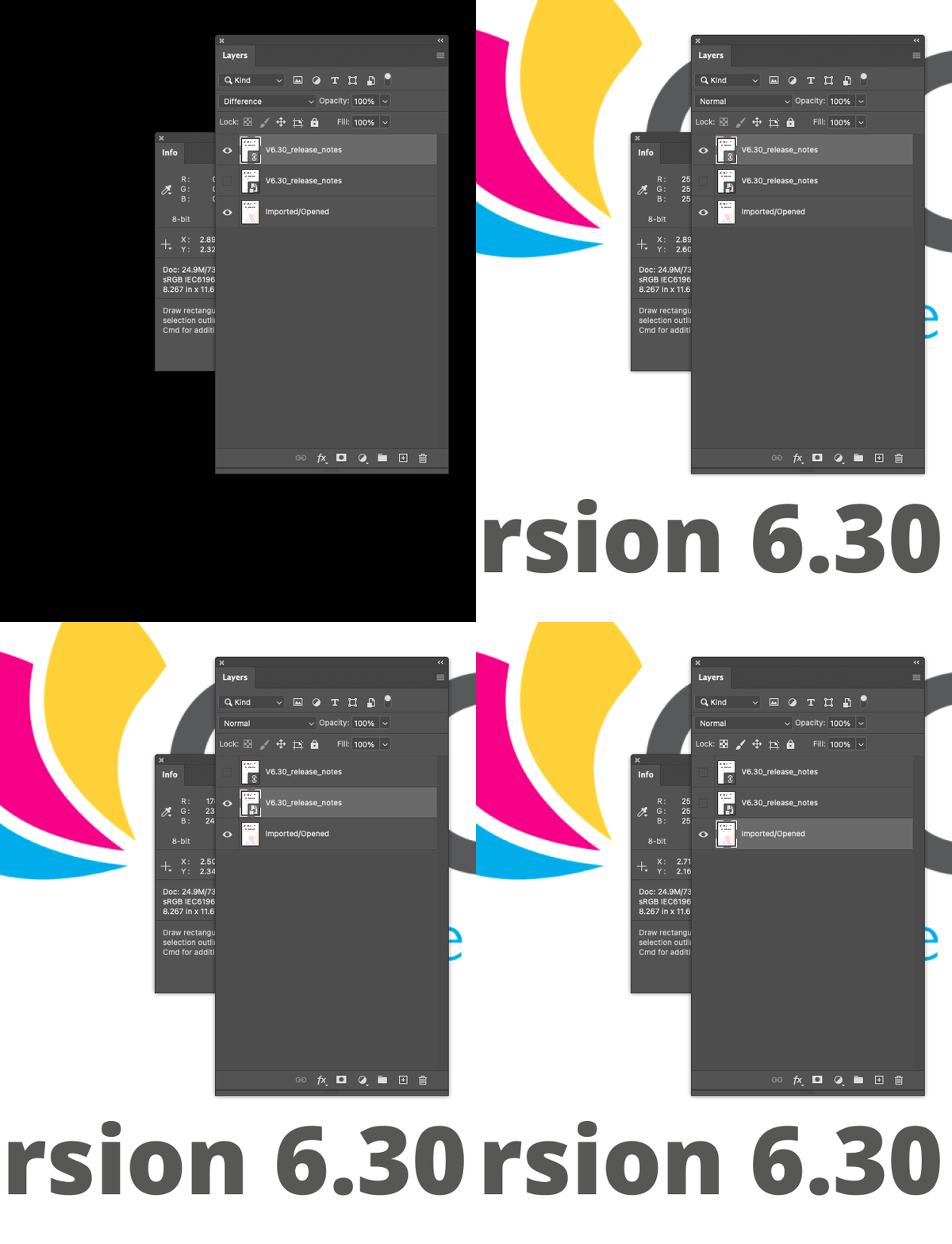
That being said, whether I place linked or embedded, the quality is the same, they are both anti-aliased. Here is an animated GIF you can see the quality is the same and I even compared with difference blend mode:


This was in v2021 and v2024.


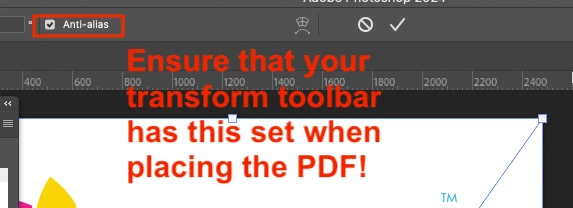
P.S. Ensure that anti-alias is checked in the transform options when placing the PDF:


Anti-alias was set but not working I guess.


I deleted preferences. Didn't fix it. Then I turned Anti-alias off and then back on, and now it's working properly. 

1 reply

Stephen Marsh
Community Expert
Community Expert
December 4, 2024

@macuser2000 


When I drag-n-drop a generic PDF into an open Photoshop document, it becomes an embedded smart object and the original file is a PDF, so when I edit the smart object it opens in the default PDF editor (Apple Preview, Acrobat Reader etc). The image layer "preview" is rasterized at the document resolution and before committing the place command, anti-alias is available.


Rasterizing a generic PDF to the same resolution values has the same visual quality in my tests.


So I can't reproduce your results.

Inspiring
December 5, 2024

Yeah I can't figure it out. I can open a pdf with photoshop and it works well. Then drag the same pdf into the same document and there is a significant difference in quality of the image. 

c.pfaffenbichler
Community Expert
Community Expert
December 5, 2024

Could you please post screenshots taken at View > 100% with the pertinent Panels (Toolbar, Layers, Options Bar, …) visible?