andreac71343726
Participant
July 4, 2025
Answered

Pen tool and selection what happened in 2025?

  • July 4, 2025
  • 1 reply
  • 911 views

I’m using Photoshop with the latest release (26.8.1), but I’m encountering the same issues even with slightly earlier versions. Mac OSX chipset M3 Pro

I’ve been using the Pen Tool for 20 years, so I believe I know it quite well.

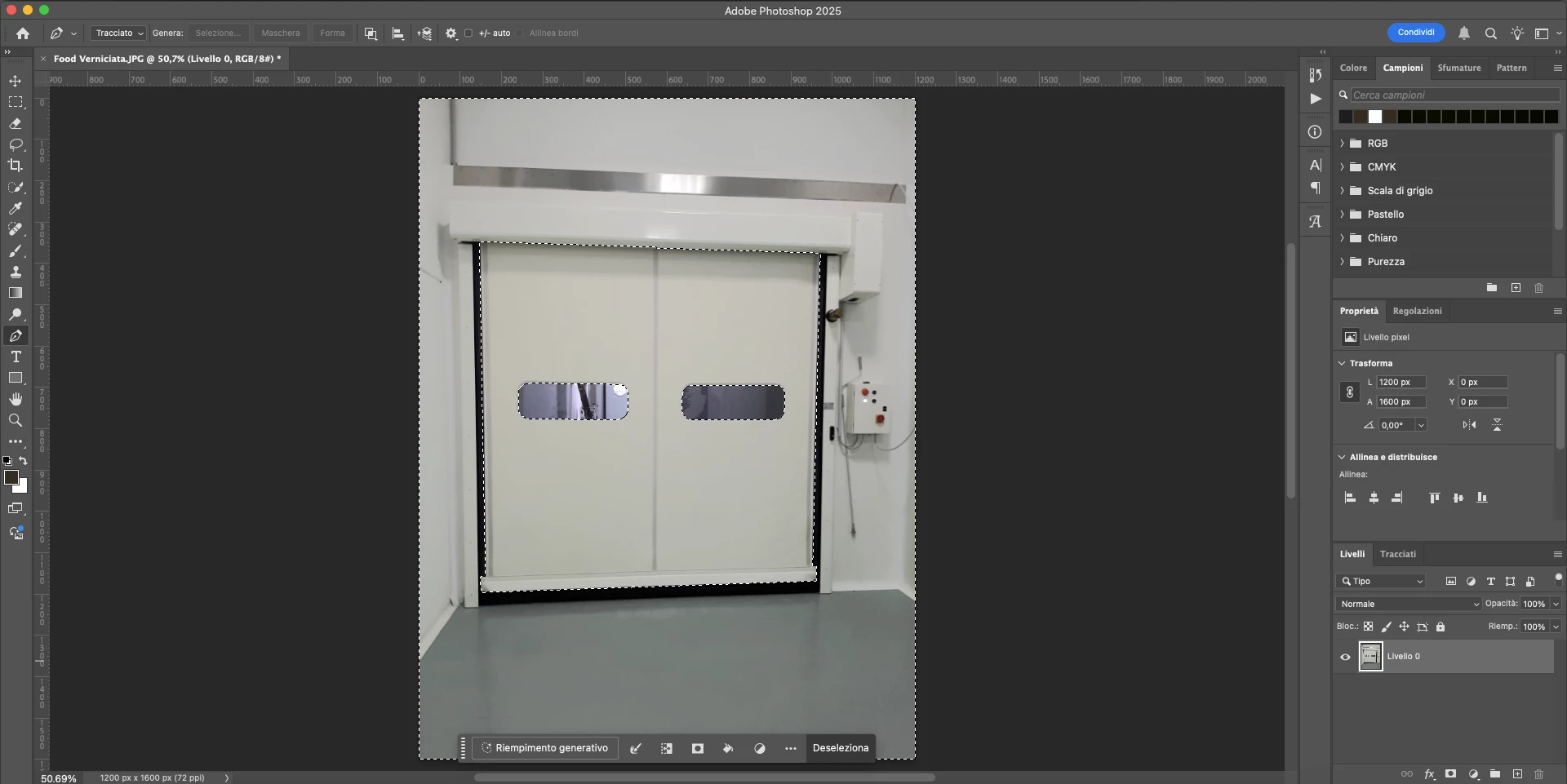
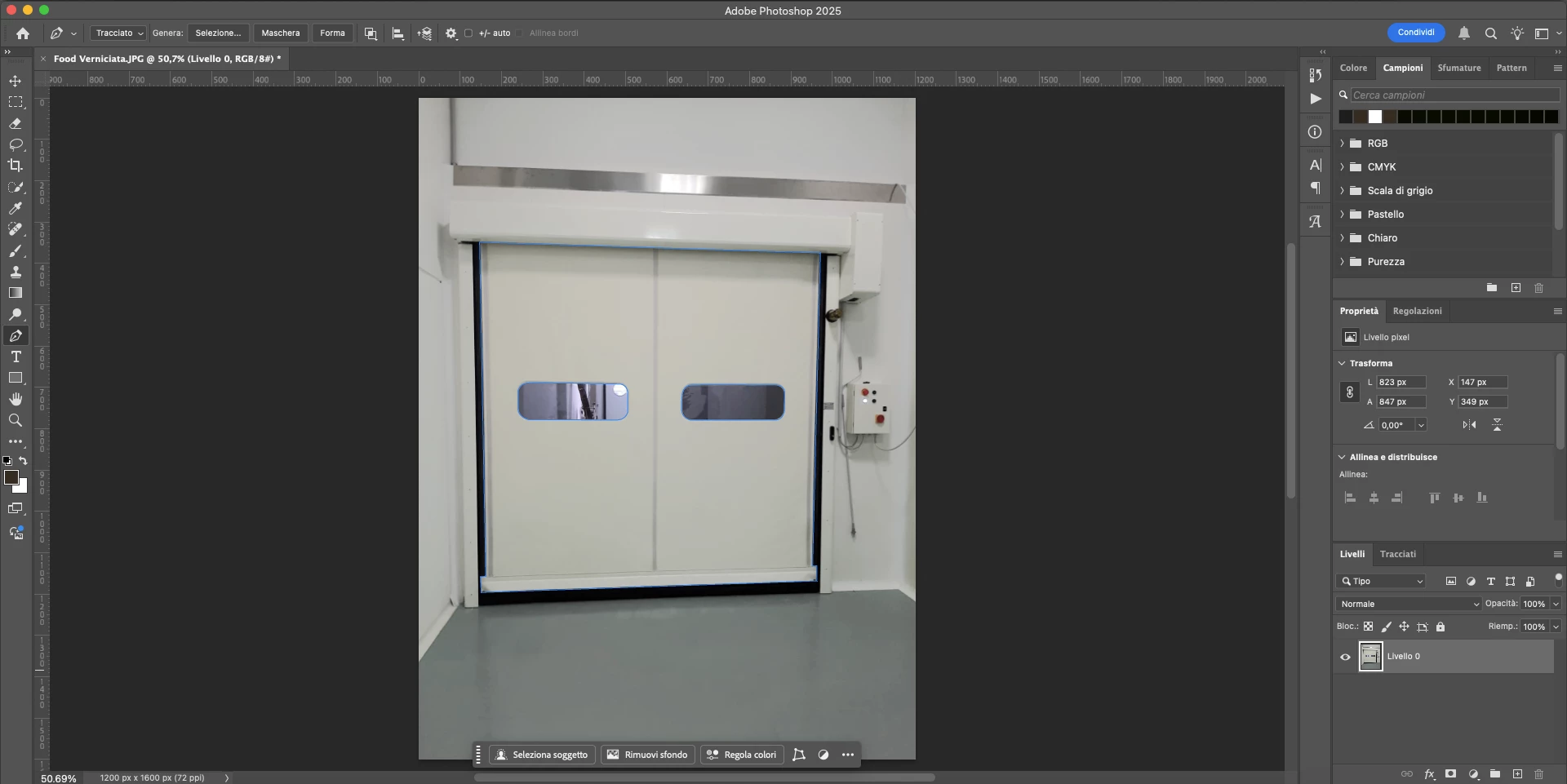
Issue: I create a clipping path with the Pen Tool, even for complex images with intersections (with the “Intersect Shape Areas” option selected). After spending several minutes carefully outlining the subject, I right-click and choose Make Selection, but I get the error: "No pixels were selected".

After several attempts (luckily I saved the path) and switching the Path Operations option, Photoshop finally creates the selection… but it’s always inverted.

Am I missing something introduced in the recent updates? Is there something new I should be aware of? Or is something simply not working properly?

Correct answer davescm

Thank's Dave for attention.....
Thanks for the suggestion for this specific case, but I’m still getting the warning 'No pixels were selected'. Even in the specific case like: 'Assuming you want the garage door and want to exclude the windows, set path operations to exclude overlapping shapes, then draw around the door and then the windows', the result of the selection is that it only selects the windows...

To sum up: sometimes I get the error message, and other times—after several attempts—the selection is simply incorrect.

What could be the cause? Where am I going wrong? I’ve been using Photoshop since CS3 and this has never happened before....


quote

With intersect path operations, the selection will be made only where all the subpaths intersect - which is nowhere in your example.

Assuming you want the garage door and want to exclude the windows, set path operations to exclude overlapping shapes then draw around the door then the windows.

Dave


By @davescm

"Okay, thanks for the suggestion for this specific case, but I’m still getting the warning 'No pixels were selected'. Even in the specific case like: 'Assuming you want the garage door and want to exclude the windows, set path operations to exclude overlapping shapes, then draw around the door and then the windows', the result of the selection is that it only selects the windows...

To sum up: sometimes I get the error message, and other times—after several attempts—the selection is simply incorrect.

What could be the cause? Where am I going wrong? I’ve been using Photoshop since CS3 and this has never happened before. Could I need to reinstall it?"


You could try resetting the tool, but it sounds like the path operations were set incorrectly. When you look at the paths panel (you can make the thumbnails bigger so you can see them) if you don't see any white then no pixels will be selected when you try and turn it into a selection. In a correctly set path, the white areas will be turned into a selection the grey areas will not.


To reset the tool go click on the down arrow next to the pen tool icon in options bar, then click on the cog wheel and in the menu choose reset tool.

Dave

1 reply

davescm
Community Expert
Community Expert
July 4, 2025

Can you please show your paths panel in your screenshot.
Dave

andreac71343726
Participant
July 4, 2025

I’d also like to add that, even when using the Paths panel and clicking on ‘Load Path as a Selection’, I still get the error: ‘No pixels were selected’.

davescm
Community Expert
davescmCommunity ExpertCorrect answer
Community Expert
July 4, 2025

Thank's Dave for attention.....
Thanks for the suggestion for this specific case, but I’m still getting the warning 'No pixels were selected'. Even in the specific case like: 'Assuming you want the garage door and want to exclude the windows, set path operations to exclude overlapping shapes, then draw around the door and then the windows', the result of the selection is that it only selects the windows...

To sum up: sometimes I get the error message, and other times—after several attempts—the selection is simply incorrect.

What could be the cause? Where am I going wrong? I’ve been using Photoshop since CS3 and this has never happened before....


quote

With intersect path operations, the selection will be made only where all the subpaths intersect - which is nowhere in your example.

Assuming you want the garage door and want to exclude the windows, set path operations to exclude overlapping shapes then draw around the door then the windows.

Dave


By @davescm

"Okay, thanks for the suggestion for this specific case, but I’m still getting the warning 'No pixels were selected'. Even in the specific case like: 'Assuming you want the garage door and want to exclude the windows, set path operations to exclude overlapping shapes, then draw around the door and then the windows', the result of the selection is that it only selects the windows...

To sum up: sometimes I get the error message, and other times—after several attempts—the selection is simply incorrect.

What could be the cause? Where am I going wrong? I’ve been using Photoshop since CS3 and this has never happened before. Could I need to reinstall it?"


You could try resetting the tool, but it sounds like the path operations were set incorrectly. When you look at the paths panel (you can make the thumbnails bigger so you can see them) if you don't see any white then no pixels will be selected when you try and turn it into a selection. In a correctly set path, the white areas will be turned into a selection the grey areas will not.


To reset the tool go click on the down arrow next to the pen tool icon in options bar, then click on the cog wheel and in the menu choose reset tool.

Dave