Inspiring
August 25, 2017
Answered

Pen tool: How to draw an visible line in Photoshop CS6

  • August 25, 2017
  • 4 replies
  • 16358 views

When I draw a 2-point dotted line (which is visible using the rubber band) it disappears after drawing. I can still see the path drawn but the line itself shows nowhere, not in print, export to web etcetera. Changing the shape (colour thickness, line-type etcetera) does not do the trick.

I did try to find the solution in the FAQ pages but apparently it should work like this... So what am I doing wrong?

See the screenshots below.

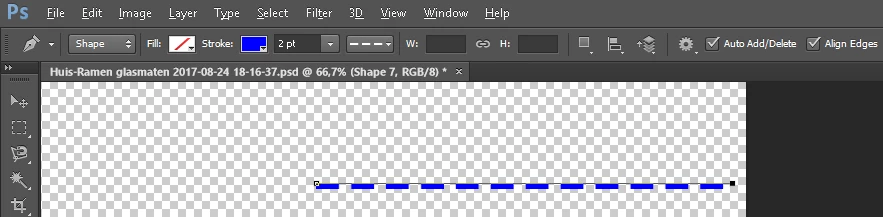
  1. Drawing the line.
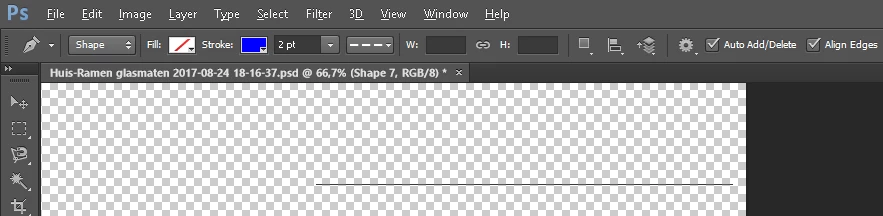
  2. Finished (closed) the path.
  3. Just changed the path's property's, nothing is happening.
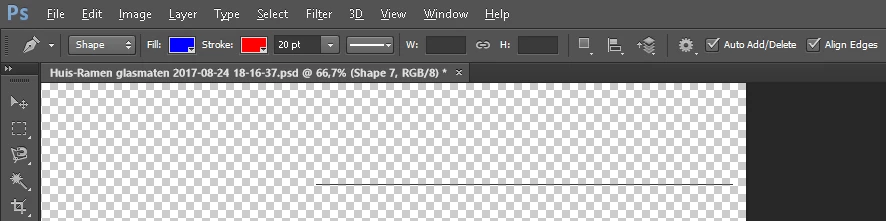
  4. Also when saving for the web, nothing is visible.
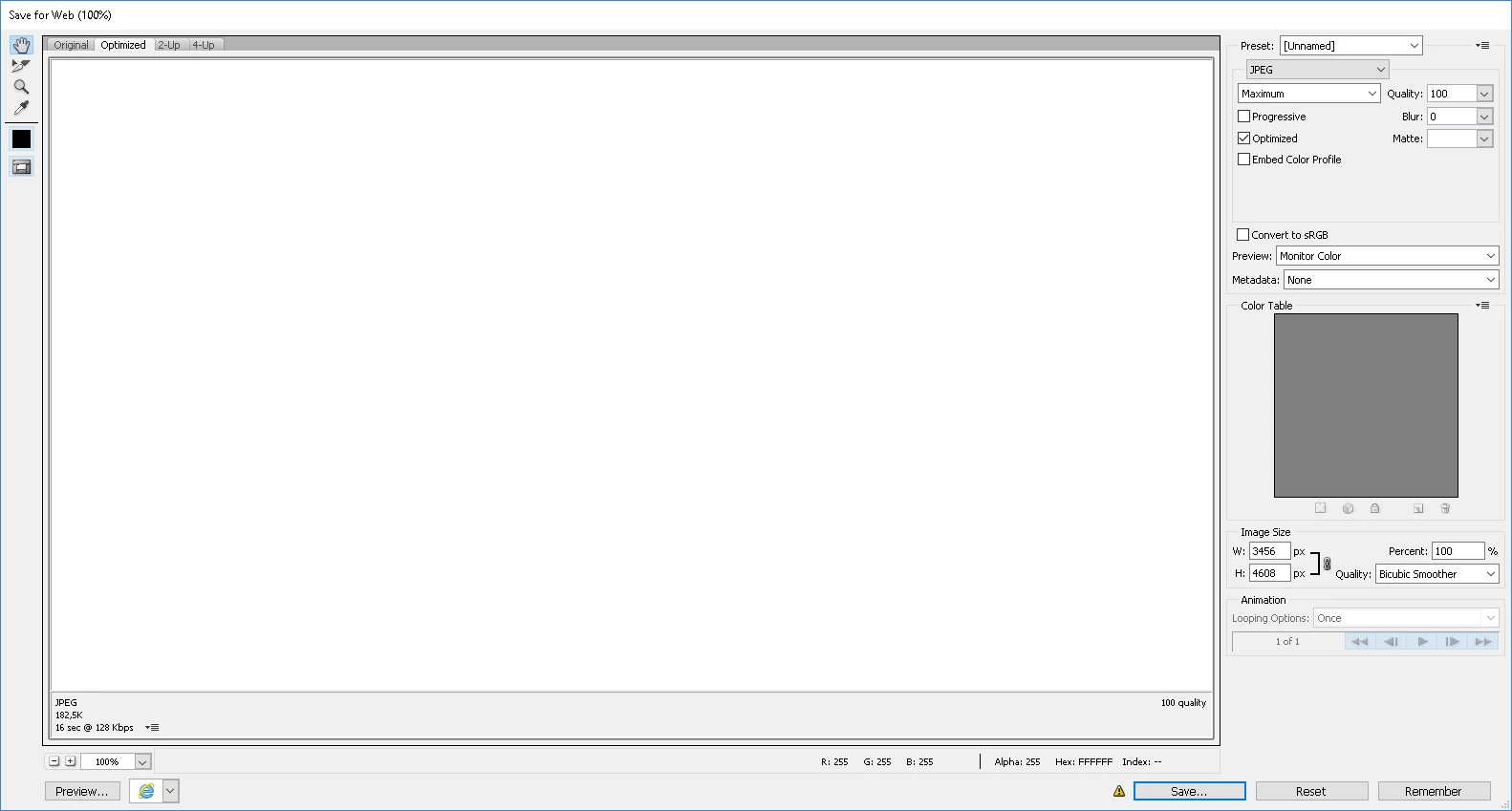
This is probably a 'beginners' question as Photoshop is not so self-explanatory as I hoped...

I'm using Adobe Photoshop version: 13.0.1

Does anyone know what goes wrong here? Thanks in advance!
This topic has been closed for replies.
Correct answer C.Denninger

Ah found it!

By searching exactly (quoted) for "line tool" I found 'Draw shapes with the shape tools in Photoshop' where the line tool is finally explained.

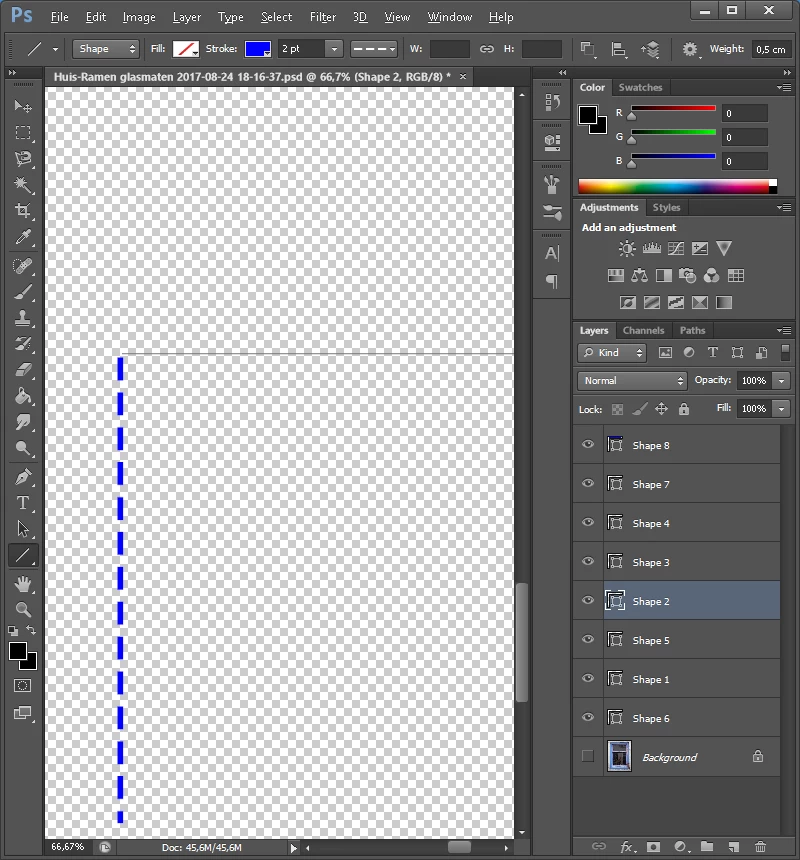
As for the disappearing lines using the draw tool; I just found out that drawing a line without closing the shape does the trick. See the screenshot below in which the unclosed line (layer 8) is visible and the closed line (layer 2, selected) is both invisible and intractable.

I don't know why drawing a closed line makes it invisible and intractable, as there are no boxes at the end and start of the closed line as Silkrooster mentioned.

This is a flaw in Photoshop CS6 I guess.

Question solved in both ways, thanks to everyone for supporting me!

4 replies

Silkrooster
Legend
August 26, 2017

It will do what you are saying if you have two layers with a line on each layer and the wrong layer is selected.
When the correct object is selected you will see a small box on each end of the line. The must be visible I order to change the lines characteristics.

Nancy OShea
Community Expert
Community Expert
August 25, 2017

Maybe you would have better luck with the Line Tool instead of a Pen?

Nancy O'Shea— Product User & Community Expert
Participating Frequently
August 26, 2017

When creating a line with the pen tool with the option shape, Photoshop adds a shape layer with the line. If there is no such layer, the line is juste a trace and can not be printed.

Silkrooster
Legend
August 25, 2017

It may help to share your entire screen with the layers panel open and any collapsed layers expanded so we can see them.

When changing the line, make sure it is selected and the correct layer is selected.

PECourtejoie
Community Expert
Community Expert
August 25, 2017

Hello, I would first try to reset the tool (Right-click on the pen tool icon in the option bar, below the menu)

Did you try to use the line tool as well?

Inspiring
August 28, 2017

Ha thank you PECourtejoie,

At first; resetting the tool does not do the trick. The line keeps disappearing.

Secondly; a line tool! That would be nice, where can I find it? When I search for 'Draw al line' I can only find 'Draw with pen tools in Photoshop' so that is why I thought it would be the only tool to draw a straight line.

Searching for 'where is the line tool' - I'm not the first I see, doe not return any usefull result, can you tell me where I can find it?

Thanks again!

--- " Ü " --- I'm a Dutch Adobe CS6 Master Collection user, works fine for me ;o)
C.DenningerAuthorCorrect answer
Inspiring
August 28, 2017

Ah found it!

By searching exactly (quoted) for "line tool" I found 'Draw shapes with the shape tools in Photoshop' where the line tool is finally explained.

As for the disappearing lines using the draw tool; I just found out that drawing a line without closing the shape does the trick. See the screenshot below in which the unclosed line (layer 8) is visible and the closed line (layer 2, selected) is both invisible and intractable.

I don't know why drawing a closed line makes it invisible and intractable, as there are no boxes at the end and start of the closed line as Silkrooster mentioned.

This is a flaw in Photoshop CS6 I guess.

Question solved in both ways, thanks to everyone for supporting me!

--- " Ü " --- I'm a Dutch Adobe CS6 Master Collection user, works fine for me ;o)