


Participating Frequently
April 1, 2017
Question

Perfect circle tool (and custom shape tool) in Photoshop CC 2017?

  • April 1, 2017
  • 1 reply
  • 1750 views

Hello everyone,

Two part question regarding Photoshop CC 2017.

1. I want to select and copy a perfect circle from the center of a rectangular asset, then save this perfect circle as a new layer. How do I select and copy a perfect circle? As shown in the screenshot below there only seems to be an elliptical tool (which is not a perfect circle).
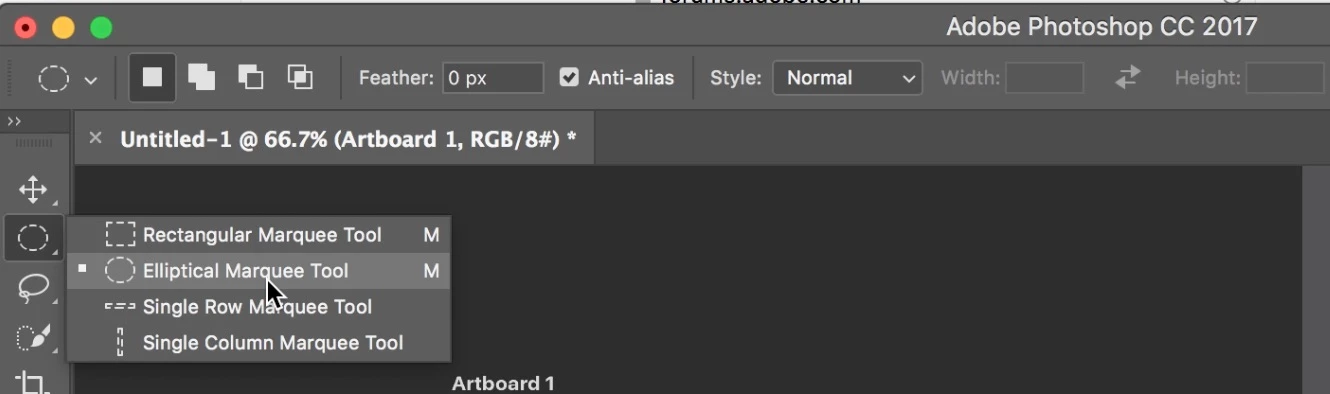
2. I have a custom made red graphic. And I have a rectangular photograph. I want to make a layer where the red graphic is the same exact shape, but made from the photograph. How do i do this? Perhaps there is a way I can convert the red graphic's shape into a tool I can use them same way I use the elliptical marque tool shown in the screenshot above?

Thanks!

    This topic has been closed for replies.

    1 reply

    jbm007
    Community Expert
    Community Expert
    April 1, 2017

    use the elliptical tool, drag tool and hold the shift key to create your circle

    Participating Frequently
    April 3, 2017

    Thanks jbm007 , that definitely answers the first part of my question. Any answer on the second part or my question?

    For instance, The red microphone Icon is the screenshot below is its own lawyer (that black background is a different layer).

    I want to select an area from this water drop photo below that is the same shape as the red microphone icon (So I can ultimately replace the red with the selected area of the water drop photo). Any thoughts on how I can do this?

    Thanks again!

    davescm
    Community Expert
    Community Expert
    April 3, 2017

    Place the water drop layer above the red microphone layer.

    In the layers panel Alt-Click on the border between the two layers so that a little downward arrow appears. This creates a clipping mask so that the water layer only shows where there are solid pixels in the layer below (i.e. your shape)

    Finally transform the water drop layer so the drops are scaled suitably on the shape

    Dave