





Performance > Advanced Settings > Drawing Mode - Restricted to Basic in Photoshop 22.3 on Windows 10
This started with Alt Right Click brush size not working, and a look at Properties > Performance > GPU Acceleration > Drawing Mode showed it was set to Basic, and the other options were greyed out. I thought that Alt right click brush size should still work with Drawing Mode set to Basic, and restarting the computer did get that working, but Drawing Mode was still restricted to Basic.
I upgraded the video card driver (RTX2070 — 465.91
I checked Windows 10 for updates and restarted the computer a couple of times.
This post on the Feedback site (December last year) shows a similar issue with V22.1 on a MBP but there are too many differences to consider it highly relevant. The thing is I have not checked GPU Drawing Mode for a good wee while ass everything was working.
I've been keeping up with the forum for a few weeks now and have not noticed similar threads, and while I am not losing sleep over this, it does say:
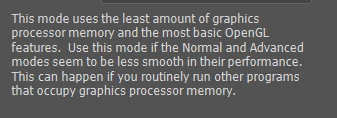
...so does anyone have any thoughts?
System:
Windows 10 19042 up to date, clean reinstall a few weeks ago.
RTX 2070 — 465.91
Photoshop V22.3
Cache levels set to 4
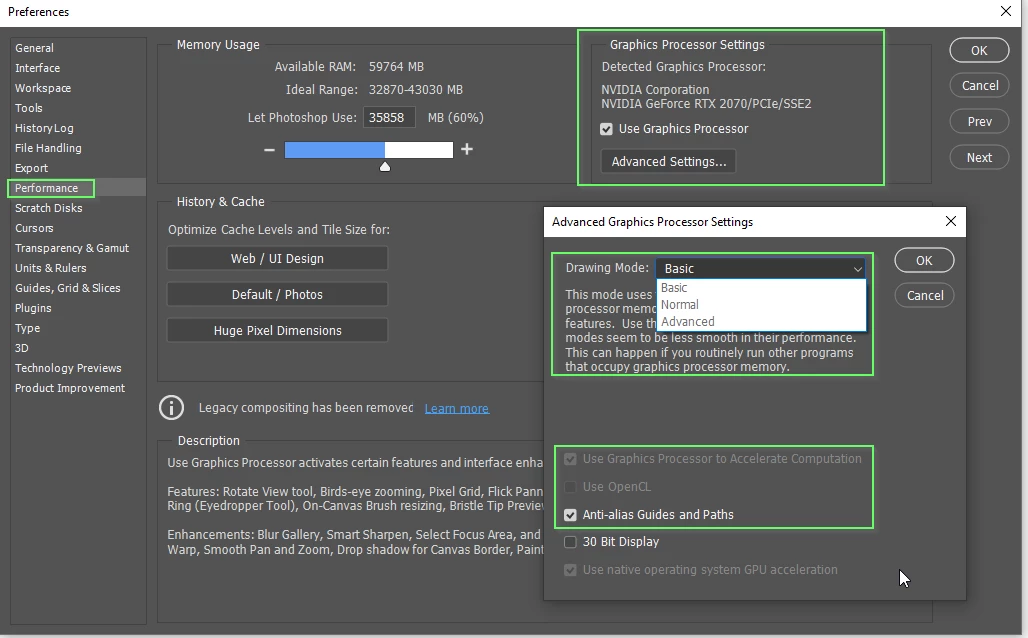
{Thread title edited by moderator}
 AdChoices