


Answered
Photoshop 24.0 default file location to local computer option
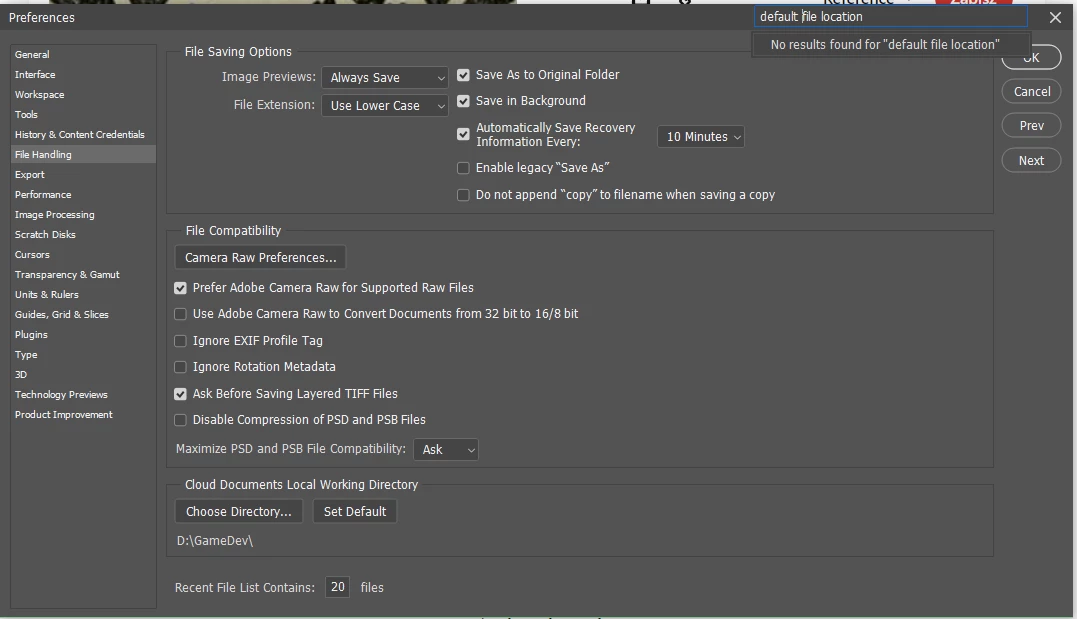
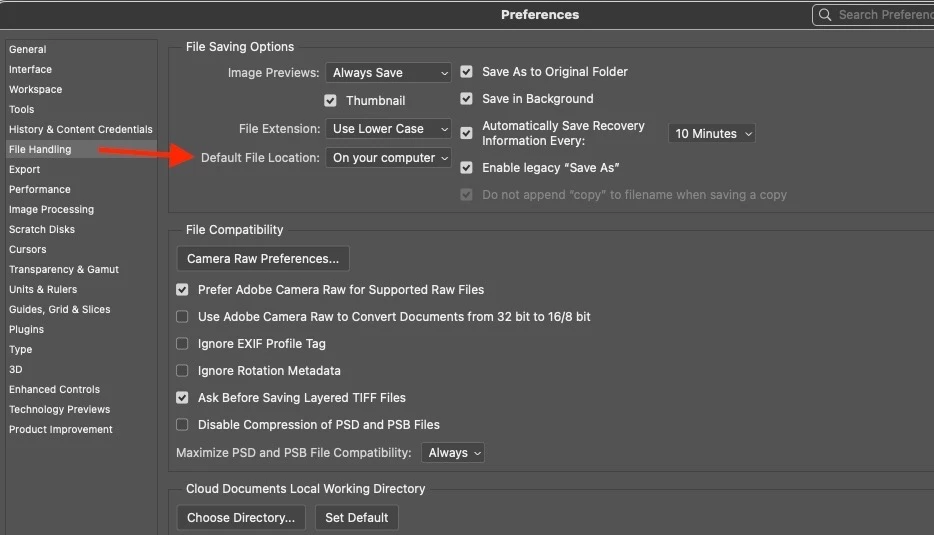
Hi, I'm trying to find the "Default File Location" in the options that enable save without ever seeing this annoying cloud save popup on Photoshop, but after updating to 24.0 I cannot find and change it to be able to save only locally without having to click "On your computer" button each time I want to save.
It's super annoying. I've checked other tabs but cannot find it. Is it named something different this time?
PS Version: 24.0.0, Windows 10
Thanks for help
 AdChoices