


MBPM1
Participating Frequently
June 29, 2024
Answered

Photoshop 25.9.1 - Adobe Photoshop 2024 quit unexpectedly. (June, 29, 2024)

  • June 29, 2024
  • 3 replies
  • 2094 views
Please download the attached file to view this post
This topic has been closed for replies.
Correct answer Jeff Arola

Looks like a crash caused by a On1 filter./plugin


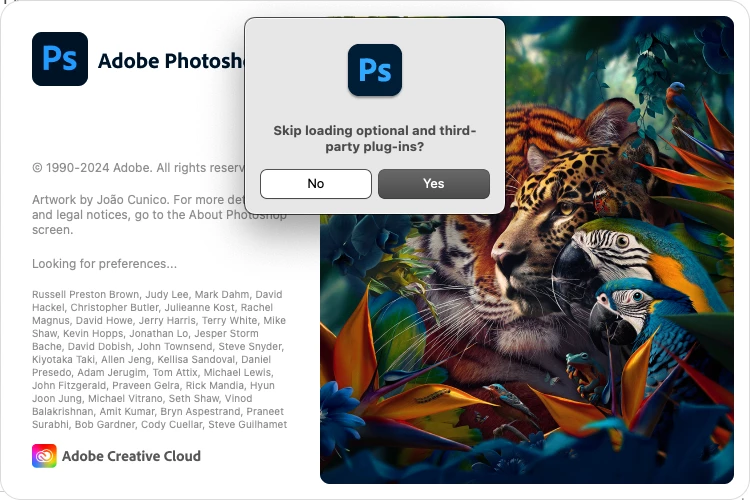
If you hold down the Shift key while launching Photoshop to skip loading optional and third party plugins, does Photoshop start and run?
 

3 replies

Jeff Arola
Community Expert
Community Expert
June 29, 2024
MBPM1
MBPM1Author
Participating Frequently
June 30, 2024

Perfect! This fixed my issue completed. Thank you very much for your help!!!

Participant
August 2, 2024

hello! the shift did not work for me but it did ask about skipping what else could be the problem its still crashing

Jeff Arola
Community Expert
Jeff ArolaCommunity ExpertCorrect answer
Community Expert
June 29, 2024

Looks like a crash caused by a On1 filter./plugin


If you hold down the Shift key while launching Photoshop to skip loading optional and third party plugins, does Photoshop start and run?


MBPM1
MBPM1Author
Participating Frequently
June 29, 2024

Hi jeff,


Your suggestion WORKED!! i guess it was the ON1 software plugin. I recently removed it from my Mac OS. I never knew the SHIFT option when launching to skip plug-in and filters.


Thank you!!

MBPM1
MBPM1Author
Participating Frequently
June 29, 2024

OP here, attaching screenshots of error below. Splash screen from PS ran for 2 seconds then these errors pop up.