


Participant
September 30, 2020
Answered

Photoshop add text Action Edit

  • September 30, 2020
  • 2 replies
  • 3270 views

Hello 

I created an action that adds always some text on the photos but now I want to change the text value how to change it without recreating an action? When I double click on it it sayes that the command "make" is not currently available
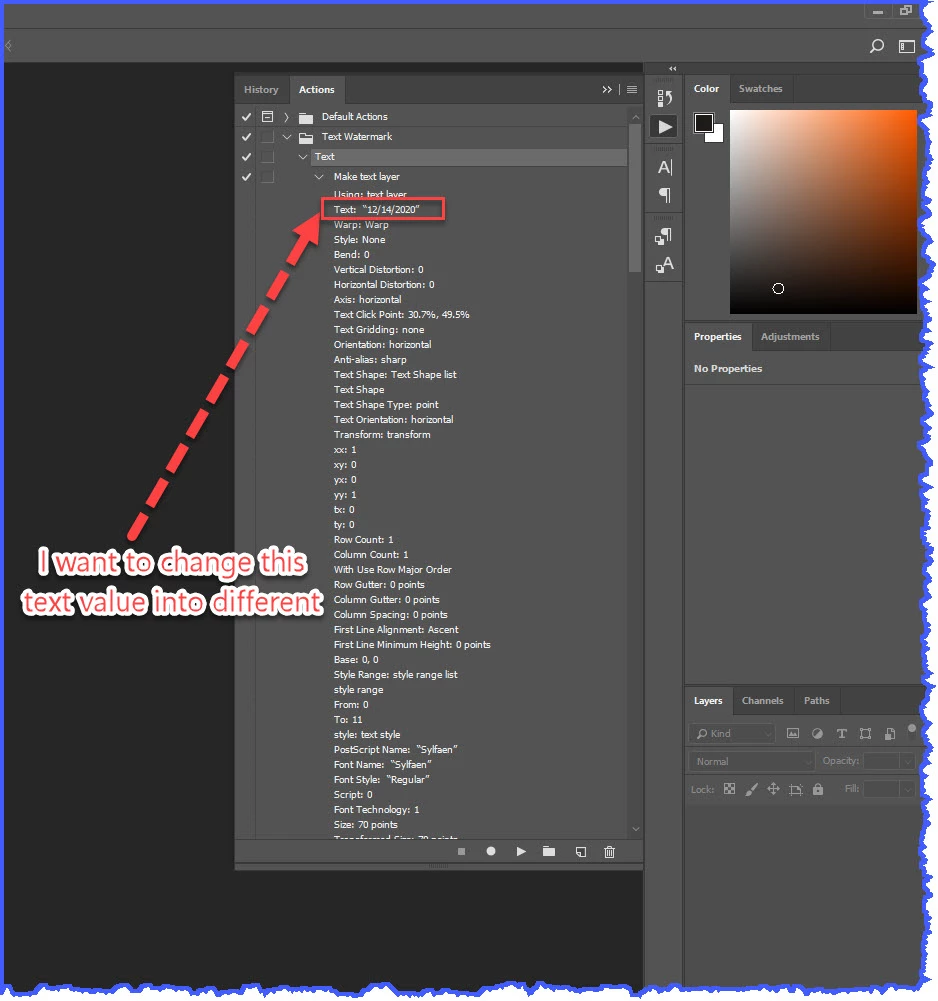
how to change text?????


This topic has been closed for replies.
Correct answer JJMack

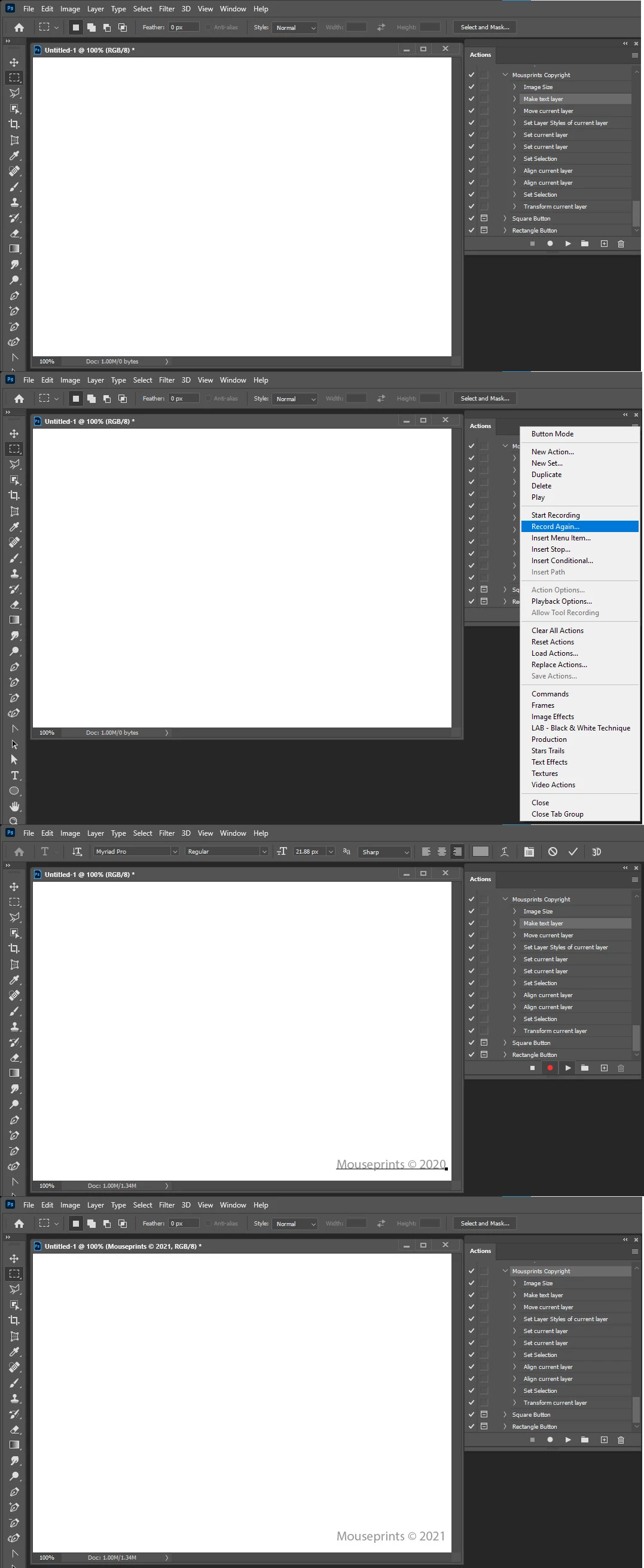
You can edit the action text step and change the text it add,  The step will always add the same text and use the same font and font size.  Highlight the step use the action palette's fly-out menu record again change the text and commit the text the action step will be updated with the changed text etc.


Crafting Actions Package UPDATED Aug 10, 2014 Added Conditional Action steps to Action Palette Tips.
Contains

Example
Download

2 replies

JJMack
Community Expert
Community Expert
September 30, 2020

JJMack
Civil 3DAuthor
Participant
September 30, 2020

but it will be the interactive after that and if I have 100 image I have to fill them everytime?

JJMack
Community Expert
JJMackCommunity ExpertCorrect answer
Community Expert
September 30, 2020

You can edit the action text step and change the text it add,  The step will always add the same text and use the same font and font size.  Highlight the step use the action palette's fly-out menu record again change the text and commit the text the action step will be updated with the changed text etc.


Crafting Actions Package UPDATED Aug 10, 2014 Added Conditional Action steps to Action Palette Tips.
Contains

Example
Download

JJMack
c.pfaffenbichler
Community Expert
Community Expert
September 30, 2020

Os there any open document? 

Otherwise you can naturally not create a Type Layer and edit the step in the Action.