


Photoshop and Camera Raw differences
Hey!
Getting a bit desperate with some Photoshop issues. My Camera Raw displays the photograph different than Photoshop.
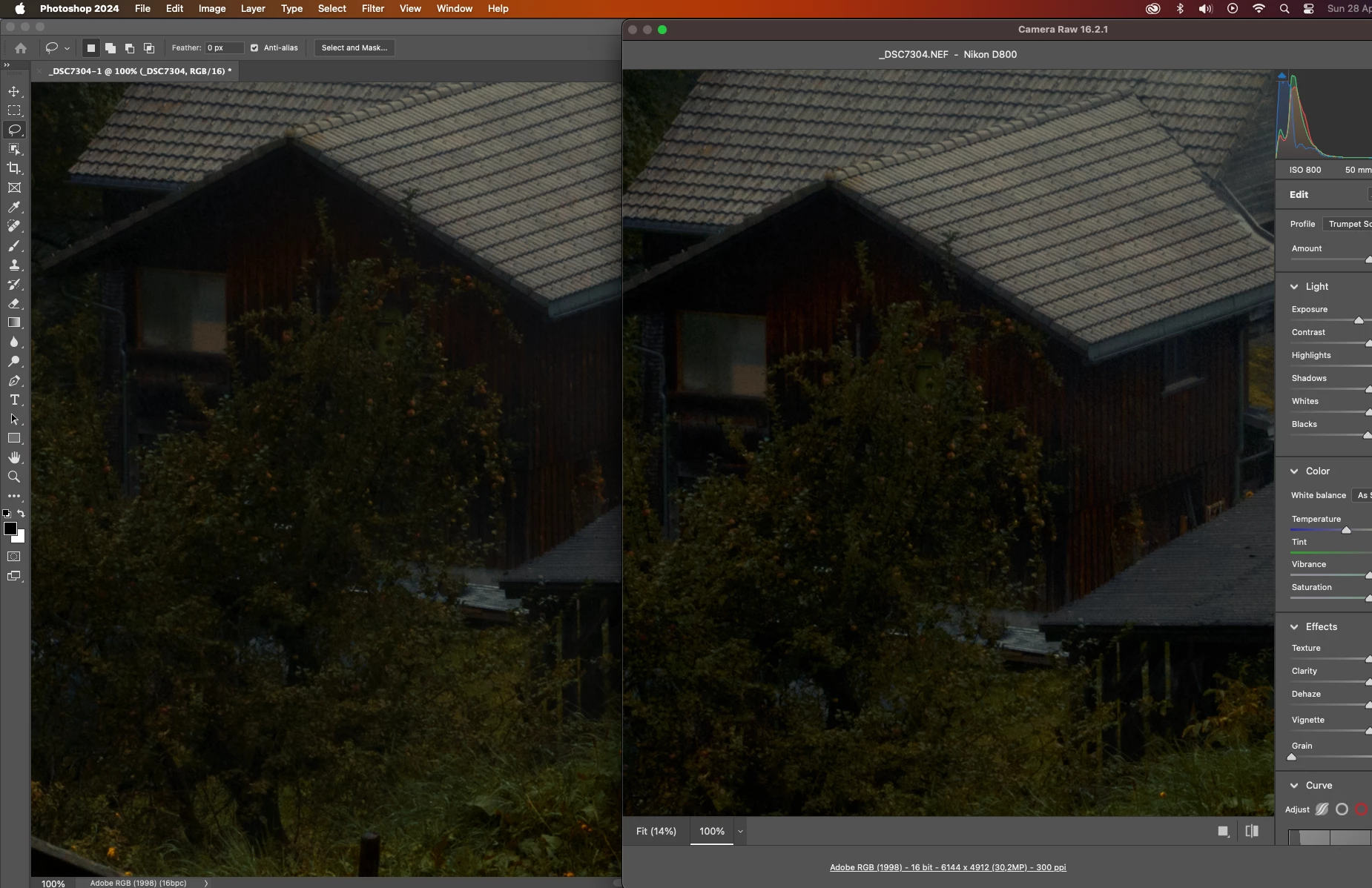
Especially in dark photographs, what I photograph mostly there is a very noticable difference. As a professional photographer this is a problem. I don't see much difference in the factory set calibration, but with my own calibrations I do.
What I tried:
Different monitors, same problem on Quad HD sRGB, 4K DCI-P3 and Full HD Adobe RGB monitor.
Different calibration tools and software; Spyder 5, Spyder X Pro and Calibrite Display HL
Full reset of my Mac Studio M2
Multiple versions of Photoshop
Checking ALL the color settings in Photoshop/ACR
Contacted Datacolor
Now this all happenend within last two weeks and all the equipment (except Spyder5) was bought last week to fix this problem.
Only thing I can imagine the Mac Studio is faulty? I have 5 days to bring it back, so maybe that is the fix? Or do you guys also experience a difference between ACR and Photoshop? Can it have something to do with the way they interpret the data?
Anything that could help is wildly appreciated!!
 AdChoices