Known Participant
October 22, 2022
Answered

Photoshop CC 2023 - Color Picker changed or bugged?

  • October 22, 2022
  • 2 replies
  • 4084 views

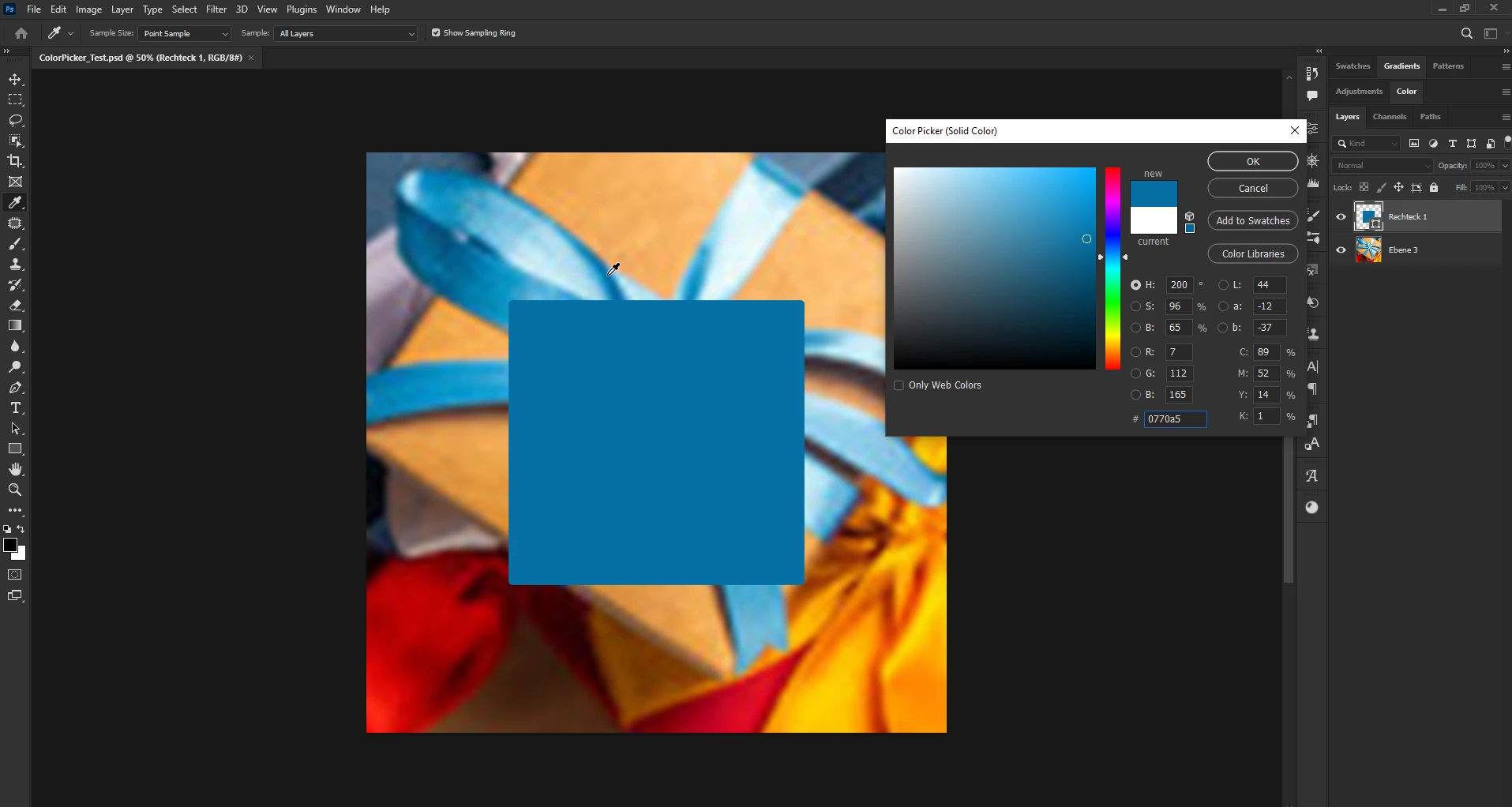
I have a layer which on which i add a conture effect and click on the color and want to sample a color from one of the underlying layers. I get the eyedropper mouse symbol but it won't sample any color. Reopened the same project in CC 2022 works fine. Is this a known bug oder is the color picker working differently in CC2023?


Thanks in Advance.
 

This topic has been closed for replies.
Correct answer Ged_Traynor

Hi

I just tested with the PSD file you supplied and the color picker is working fine for me with Photoshop 24.0 on Windows 10

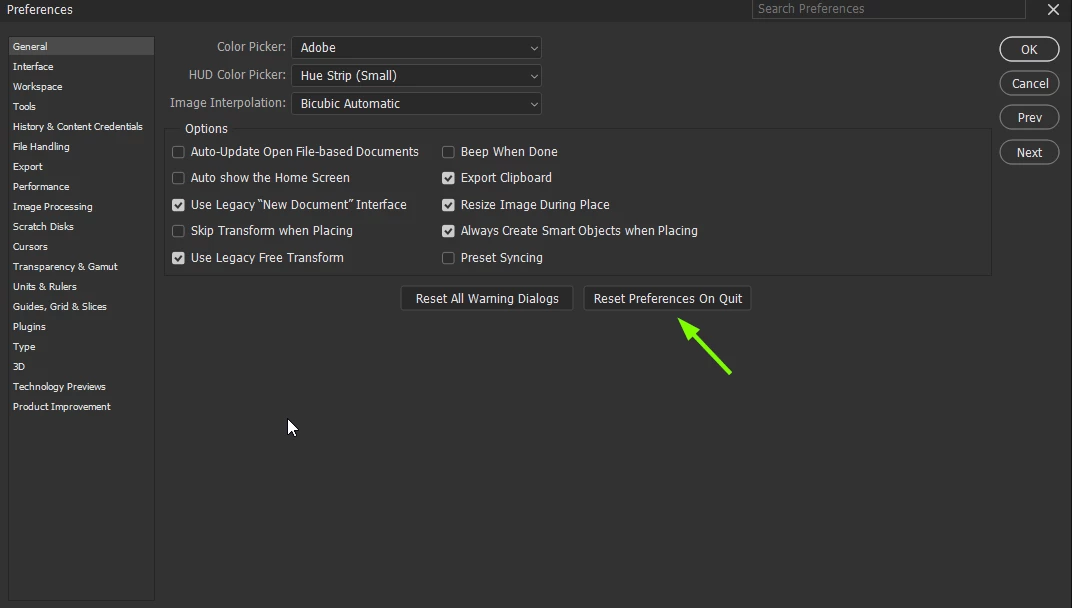
Maybe try a preference reset

2 replies

Participant
September 20, 2023

Do you have two screens? I had the same issue and I just noticed that, when I clicked the colour to pick another colour, it used to open the color picking window on my tablet and, since I didn't notice it, I thought it was crashing as well. Check it out maybe, hope it helps.

SMeurerAuthor
Known Participant
October 22, 2022

can't seem to edit my post. It also happens, when i place a shape, double click it and try to use the color picker to pickup a color from the background. it doesn't pick up any color. Same PSD File works fine in Photoshop CC2022. I've attached a test PSD for that.

Ged_Traynor
Community Expert
Ged_TraynorCommunity ExpertCorrect answer
Community Expert
October 22, 2022

Hi

I just tested with the PSD file you supplied and the color picker is working fine for me with Photoshop 24.0 on Windows 10

Maybe try a preference reset

SMeurerAuthor
Known Participant
October 22, 2022

Thanks for testing it out. Really Strange. The eyedropper was set to 'Current and below' which should have worked, but didn't. I set it to 'all layers' and it worked, changed it back current and blow' and still works...strange. maybe it was stuck somehow and changing the properties fixed. Thanks for the suggestion to reset preferences. I would close this discussion (or even delete it) - if i could -  as it was kind of a dumb problem, sorry.