


Participating Frequently
September 30, 2020
Answered
Photoshop Color settings (SHIFT CTRL K)
- September 30, 2020
- 2 replies
- 1611 views
Hi all,
I have a problem with the color profile of my images in Photoshop
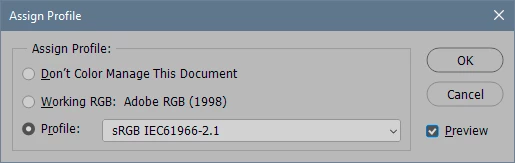
If I select the menu: EDIT-Select Profile, Photoshop shows : "No color management for this document", although my camera is set to ADOBE RGB.
I made a few changes to the color settings (SHIFT CTRL K) : Intent "Perceptual", disabled dithering 8 bits channel images. Also I changed RGB to : Adobe RGB 1998.
Please help, I do not know much about these things, I got the settings from school and we need to stick to them.
I am working on a MAC
Thanks in advance, kind regards !
Marjo
 AdChoices