New Participant
September 18, 2017
Answered

Photoshop commands not available (using actions)

  • September 18, 2017
  • 5 replies
  • 28634 views

I have some photo editing actions installed that I've been using for YEARS. Everything has been working fine all day. All of a sudden I start getting error messages that are saying "The command is not currently available".  I have no idea what is causing this issue. Someone please HELP!

Correct answer Bojan Živković11378569

Actions can record almost any action (command from menu) which you can perform in Photoshop. However, to use some command there are always some requirements like: active selection, layer in the Layers panel selected and so on. For example: you can not ask in step to create selection based on layers content if layer does not contains any pixel, it will display error message. Each step in action is individual command but you must ensure in previous step(s) that requirement is met. To fix your issue you must expand action and action steps to see what is recorded, which step is causing error message and if that step or command requires something like pixels on layer then look at previous steps(s) to determine why that requirement is not met.

5 replies

New Participant
August 31, 2024

I started running into this as well. I think it might be due to a shift in how the "Open" behavior handles instances of a given file already being open.

If you open Image01.png to record your action, and then attempt to run a batch action on the folder - you might run into the `The command "X" is not currently available.` error. This is because, rather than opening a new instance of Image01.png to run the action, it simply toggles over to open the already open (and pre-modified by you recording the action) image.


However if you close Image01.png (without saving, so its in the same state as when you first opened it to record your action) the batch action should behave as you expect without error.

Participating Frequently
December 8, 2022

I also have this problem. Actions are bogged down by a succession of error messages

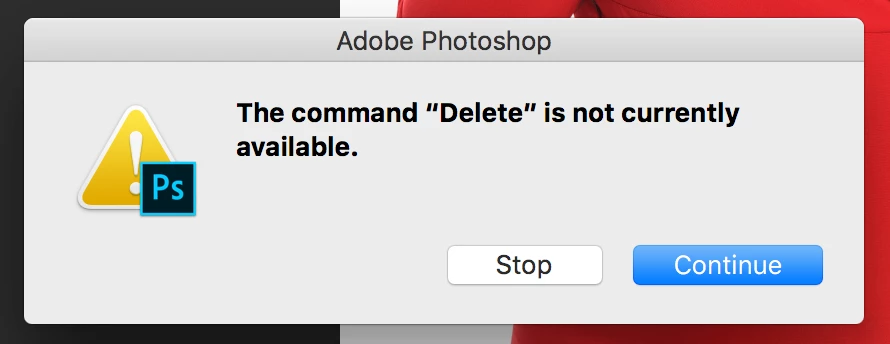
The command “Move” is not currently available.

The command “Make” is not currently available.

The command “Color Range” is not currently available.

The command “Fill” is not currently available.

The command “Levels” is not currently available.

The command “Desaturate” is not currently available.

The command “Invert” is not currently available.

Could not complete the command because the selected area is empty.


None of my paint effect actions now work. Could this be due to one overall setting problem? The error messages are soooo user-unfriendly, clearly designed by a programmer and not be a UX designer. really weak.

sugart64650781
New Participant
December 26, 2022

did you get an answer for this? I am having this exact issue. 

New Participant
December 26, 2022

Me too. Please give me an advice. Thanks!

scottprobst
Participating Frequently
October 28, 2018

I get a similar series of error messages when I open Photoshop without an file active, starting with the "Make"command.

Bojan Živković11378569
Community Expert
Community Expert
October 28, 2018

Which exactly messages, can you post screenshot with error message and Layers panel visible.

scottprobst
Participating Frequently
October 28, 2018

This is followed by several other similar error messages.

Bojan Živković11378569
Community Expert
Community Expert
September 18, 2017

Actions can record almost any action (command from menu) which you can perform in Photoshop. However, to use some command there are always some requirements like: active selection, layer in the Layers panel selected and so on. For example: you can not ask in step to create selection based on layers content if layer does not contains any pixel, it will display error message. Each step in action is individual command but you must ensure in previous step(s) that requirement is met. To fix your issue you must expand action and action steps to see what is recorded, which step is causing error message and if that step or command requires something like pixels on layer then look at previous steps(s) to determine why that requirement is not met.

New Participant
September 18, 2017

Other times I'm getting an error saying "Could not complete the command because the active layer is empty." This issue is really annoying.