Participant
May 7, 2023
Question

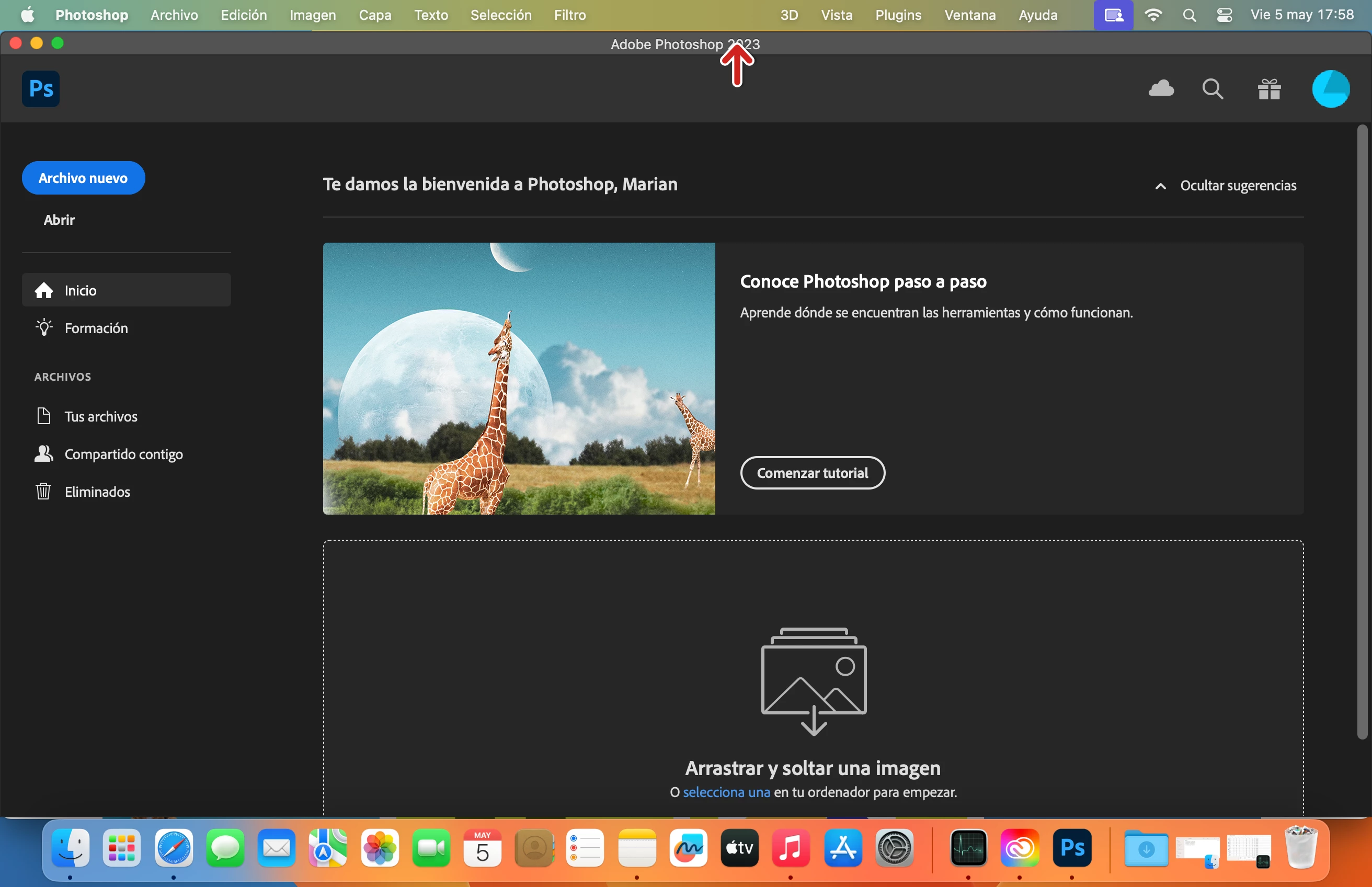
Photoshop doesn't scale to full screen, dock doesn't hide. Mac book pro 16Gb 2021

  • May 7, 2023
  • 2 replies
  • 1746 views

Hi everyone,

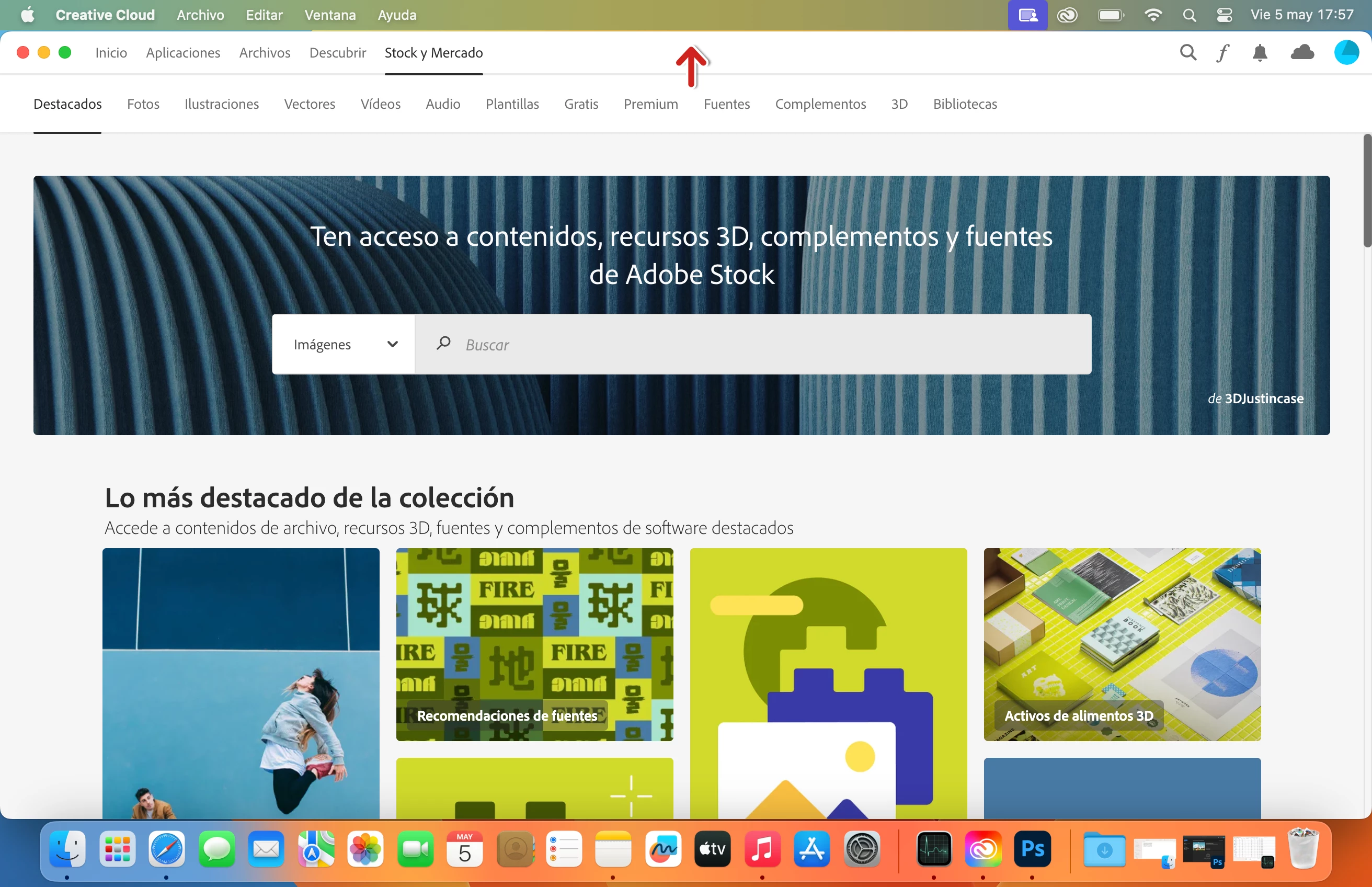
after restore the harddisk an install the lates updated of macOS Ventura, I found a lot of erros with my mac:  the screen became to black, colored stripes inside the apple icon when the computer is starting, and others... But the main important thing that is happening is that photoshop and Creative Cloud apps don´t  scale to full screen, dock doesn't hide (I attach screenshot). It is like always floating, the green button doesn´t work.


My Mac is a Macbook pro 16Gb 2021, with MacOS Ventura 13.3.1 (a),  It only has 6 months of use, it is under warranty. Anyone who has the same issue??


I report this issue to Adobe and they said that is a Mac Problem, and from Apple they said that is a 3rd part app problem, I think is something with hardware, or graphic card, BUT i need to confirm that this problem is NOT going on on another devices with the same version as mine,  in order take the responsibility to Apple or to Adobe.


Thanks for your response, have a good day!
 

This topic has been closed for replies.

2 replies

Jeff Arola
Community Expert
Community Expert
May 7, 2023

Maybe you should do a clean install of macOS Ventura instead of from any backups.

That is erase the disk and then install macOS Ventura and applications anew.


In Apple>System Settings>Desktop & Dock do you have Automatically hide and show the dock enabled?


Participant
May 11, 2023

Hi, yes, i have done a clean install, not from a back-up. I know about the option of hide the dock automatically, but i prefer to show always, and hide when an app is oppened to full screen. But, well, i found the icon to show photoshop to fullscreen 🙂 


The point is, that with Adobe creative cloud happens the same, doesn´t oppened in full screen. Well, from Apple said that is a 3rd part app, and that is all, they can do nothig.

Thanks for your help!

jane-e
Community Expert
Community Expert
May 7, 2023

Photoshop does not support macOS full screen mode (Spaces) and never has. You can auto-hide the Dock in Apple menu > System Preferences. To make the icons smaller, drag the separator line downwards. In your screenshot it's between the PS icon and the blue folder.


Apple updates the graphics card through OS updates, so check to see if you have an update to Safari.


Jane


Participant
May 11, 2023

Thanks Jane, so, do you think is normal to happen the same thing with Creative Cloud?  have always worked with windows, and this doesn´t happen before. Thanks in advance!