


Participant
August 21, 2024
Answered

Photoshop faded documents

  • August 21, 2024
  • 1 reply
  • 617 views

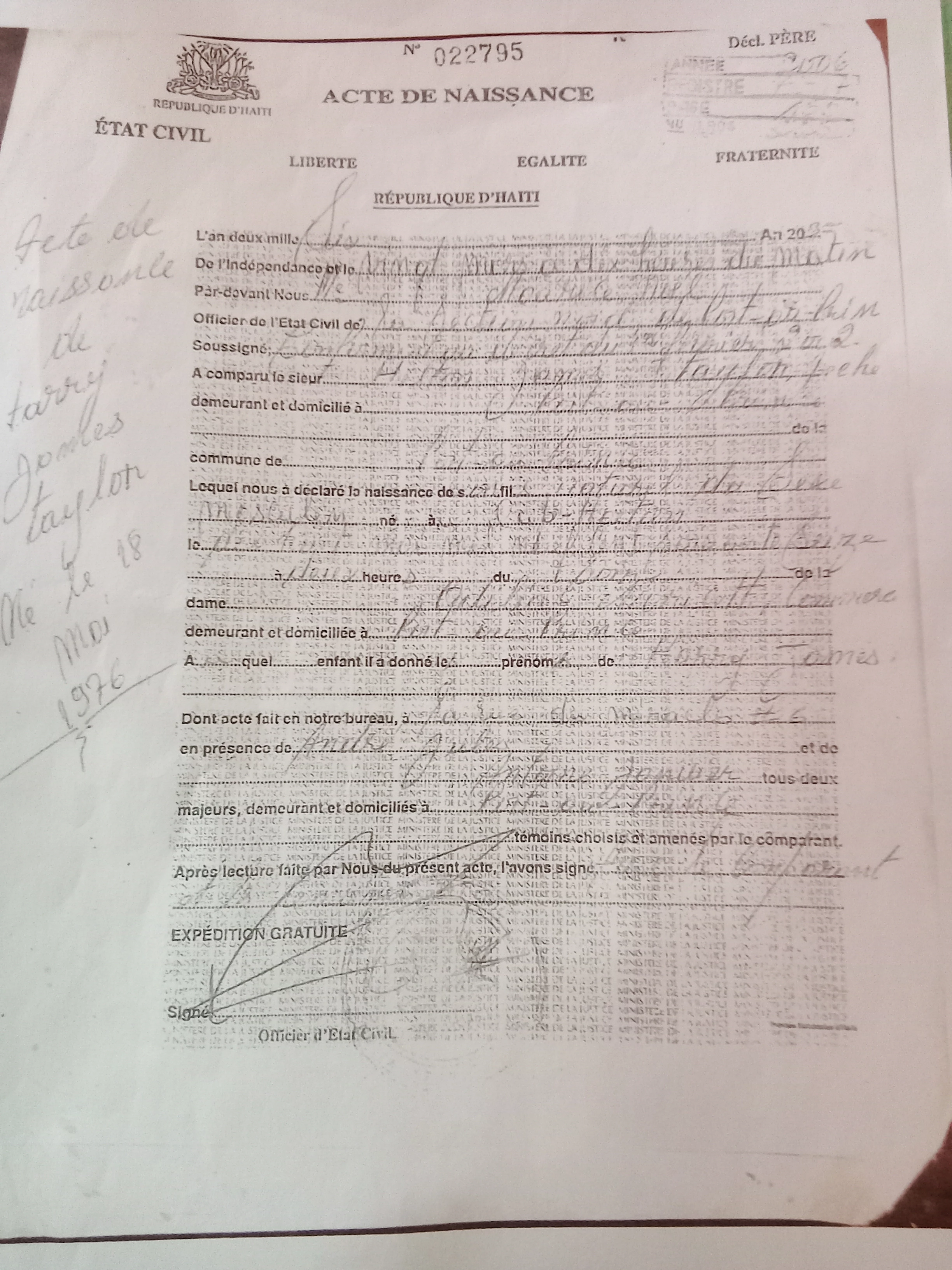
Hey all so i need help from an expert in restoring a faded document, so I came across my relative's old version birth certificate. Apparently it's the only copy in the family and it's difficult to be translated into another language because it can't be read XD, I've tried messing with the Photoshop; although I thought the words looked clear it didn't total fail!. So of course I aborted that mission, but if there's anyone who can help Please! do leave some instructions or advice or even try it yourself. Thank you.
 

This topic has been closed for replies.
Correct answer jane-e

You can give curves or levels (adjustment layers) a try. Or you can try to replace the birth certificate. I found the directions for Haiti.

https://ht.usembassy.gov/u-s-citizen-services/child-family-matters/birth/replace-amend-consular-report-birth-abroad-crba/


Jane

1 reply

Kevin Stohlmeyer
Community Expert
Community Expert
August 27, 2024

The issue you are running into is this is watermarked intentionally to prevent duplication. There is no automated way to remove this.

This copy is from 2006 - perhaps you can contact the consulate to get a clean copy.

Participant
September 1, 2024

I understand, so can the words atleast appear more readable for copy the writing?

jane-e
Community Expert
jane-eCommunity ExpertCorrect answer
Community Expert
September 1, 2024

You can give curves or levels (adjustment layers) a try. Or you can try to replace the birth certificate. I found the directions for Haiti.

https://ht.usembassy.gov/u-s-citizen-services/child-family-matters/birth/replace-amend-consular-report-birth-abroad-crba/


Jane