
Participant
March 25, 2022
Pregunta

Photoshop file not opening because of disk error- ver 23.2.2 (windows 10)

  • March 25, 2022
  • 7 respuestas
  • 1308 visualizaciones

Hi, 
I'm trying to open a file in Photoshop; it loads for ages and gives me the error message 'could not open "file name" becase of a disk error.'
Photoshop seems completely fine with other files/images from the same folder/disk, but this is just bugging me.
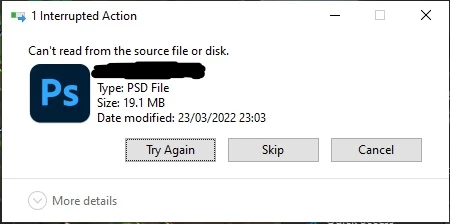
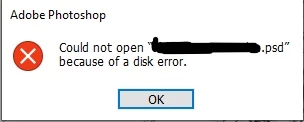
Thanks :)))

Este tema ha sido cerrado para respuestas.

7 respuestas

Participant
November 20, 2024

I am facing the same issue. Have you figured out a way to fix the bug?

nikunj.m
Community Manager
Community Manager
November 20, 2024

Hi, please share the version of Photoshop you're using along with the version of Windows you're working on.

Is the file saved on your computer's local storage or on an external drive?  


Thanks,
Nikunj

Participant
November 20, 2024

Hey, thanks for replying first of all.

The version I am using is 23.0 Adobe Photoshop 2022 and, the version of my windows is 10. 

The file is saved in computer's external hard drive. Additionally, other files are working fine in the same hard drive and in same folder.

Legend
March 31, 2022

If you Zip the file, can you share the zip?

Participant
March 31, 2022
hey
its good to hear that other people are having a similar issue!
though I'm sorry to hear it
I'm considering going to an older version and seeing if there's less issue there and reporting back!
I'll let you know what I find:)
Participant
March 31, 2022
hi
to reply to both of your messages
it isn't from lightroom
and it won't allow me to move it anywhere-even to my own desktop or to another file location.

thanks for your help though!
Wicked Sushi
Participating Frequently
March 26, 2022

I had this same exact error today with a file I worked on a few days ago in 23.2.2. Tried to open it today with 23.2.1 and it gave me that disk error, which made me think my hard drive was failing. I tried copying the file in Windows to another drive and Windows Explorer wouldn't have it: it paused halfway through the copy and Explorer was "(Not Responding)". Ran hard drive checks, no issues found.


The issue might be with 23.2.2, because I made that project right after I upgraded, noticed some lag or visual issues, and reverted back to 23.2.1. All other files are fine.

Legend
March 26, 2022

If the problem is one specific file, could you share the file via CC files or dropbox and share a link to download?

Legend
March 26, 2022

are you opening the file from Lightroom?