



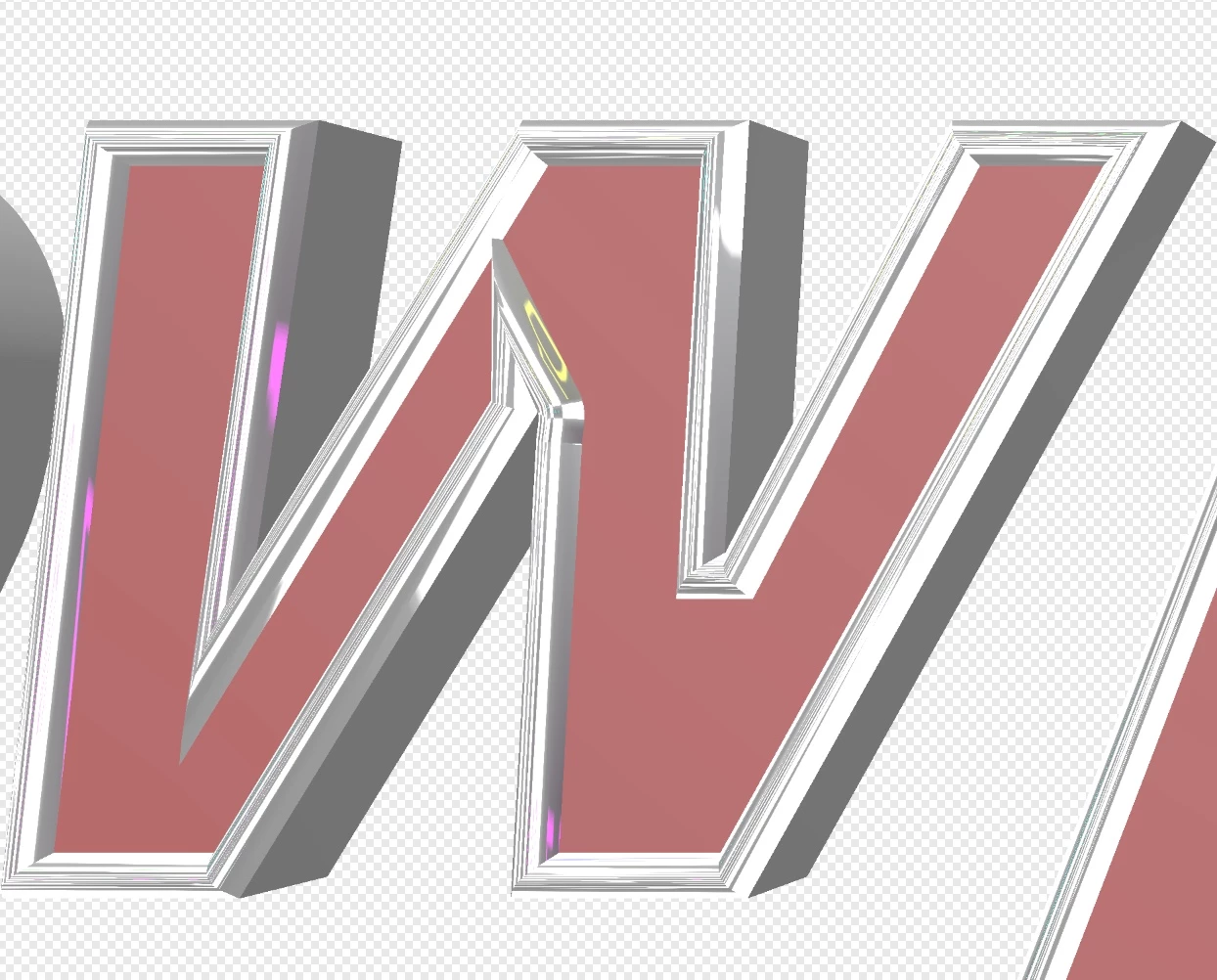
photoshop is destroying text in 3d when i apply a bevel.
Using strong Mac and Photoshop CC
Had this problem a few times in the past, but I was playing then... this is a customer job.
I have been trying to get this project done for days and have not figured out what is wrong. Please help. I have worked in DPI running from 300 up to 1200 at this point. I have worked in 8-bit - 32-bit. I have tried making it huge thinking I could shrink it once done. it does it every time I apply the bevel. The bevel was a specific requirement by the customer so I cannot walk away from it. Sometimes it does it on the W as shown..other times it does it on the letter N. Both letters created with standard text tool then skew deformed to give it an italic look. I have left nicer fonts behind in attempt to make it stop and am now using Arial so I don't think it to be a problem with my fonts. I will not be able to check on this until tonight. Thank you in advance for any help you might offer. I looked and did not see the topic in the forum elsewhere, so sorry if I missed it.
 AdChoices