


rasal32978558
Participant
December 30, 2019
Question

Photoshop not working properly noise flashes on the canvas

  • December 30, 2019
  • 3 replies
  • 497 views

Hey, i dont know to explain, while working with pics some noise flashes time to time. See the pic attached. Does any one what is the problem? And it is only in picture area. Thank you for any tips 🙂 
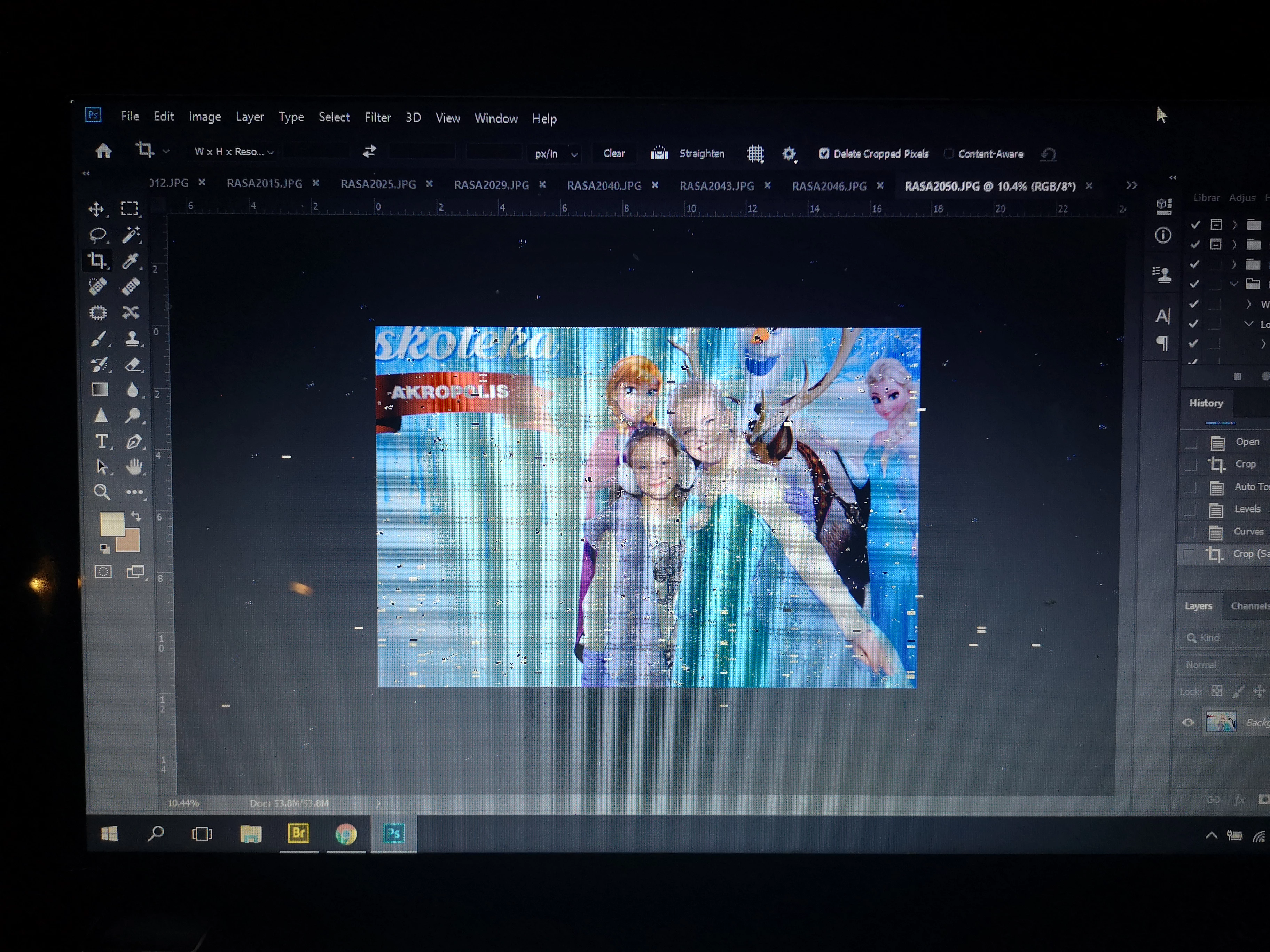
 

{Thread renamed by moderator}


This topic has been closed for replies.

3 replies

davescm
Community Expert
Community Expert
December 31, 2019

Scrubby zoom does not work with the GPU turned off.


Go to the manufacturers site for your GPU then download the latest driver. Then turn back on the GPU, if necessary try the three advanced drawing settings (you will need to restart Photoshop after each change)


Dave

Sahil.Chawla
Adobe Employee
Adobe Employee
December 30, 2019

Hi there,

That does not seem right, could you please let us know the version of Photoshop you're working with?

Also, could you please try deselecting "Use Graphics Processor" located in Photoshop's Preferences > Performance, then relaunch Photoshop and let us know if it helps?


Regards,
Sahil

rasal32978558
Participant
December 30, 2019
So the version is 20.0.8.
I turned of graphic processor it looks it worked.
But still why before there was no problem with it, i updated photoshop
after noticing noises?!?
And there is one new thing, it drives me crazy, cause i'm not used to it,
zoom tool, i use shortcut ctrl-spacebar and now it selects area, not that
it was before, where you pick a dot and zoom in and zoom out, hope you
understand me 😄
rasal32978558
Participant
December 31, 2019

So scrubby zoom option not working. Everything else looks okey now. 

Derek Cross
Community Expert
Community Expert
December 30, 2019

Which version of Photoshop and OS?

rasal32978558
Participant
December 30, 2019
So the version is 20.0.8.
I turned of graphic processor it looks it worked.
But still why before there was no problem with it, i updated photoshop
after noticing noises?!?
And there is one new thing, it drives me crazy, cause i'm not used to it,
zoom tool, i use shortcut ctrl-spacebar and now it selects area, not that
it was before, where you pick a dot and zoom in and zoom out, hope you understand me 😄
 

Likes

 
Peru Bob
Community Expert
Community Expert
December 31, 2019

"But still why before there was no problem with it, i updated photoshop
after noticing noises?"


Windows may have done an auto update that changed your graphics driver.