


New Participant
August 30, 2022
Question

photoshop path pen tool error? bug?

  • August 30, 2022
  • 2 replies
  • 343 views

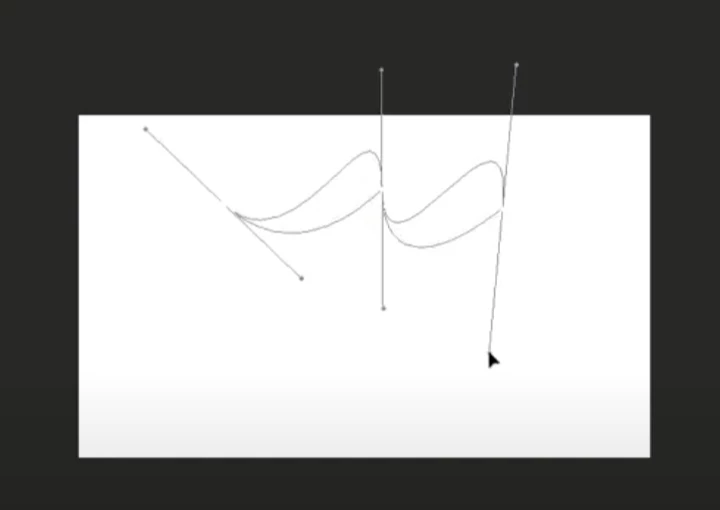
When drawing a path with the pen tool in Photoshop, another line appears under the curve.
Please tell me how to solve it.
It is the same as the video link below.
I use 2021 ver.

https://www.youtube.com/watch?v=R7NeFPHsHy8
This topic has been closed for replies.

2 replies

Earth Oliver
Brainiac
August 30, 2022

Update to the most current version.

Bob_Hallam
Brainiac
August 30, 2022

Reset the tool preferences, and try again.  Here's a link to show how that's done.  If that does not solve the problem, go to settings General and Reset Photoshops preferences on quit.  That resets all the prefs across the application that you may have used so, doing this may have you going back through PS to adjust your settings back to the way you prefer them, but doing so will put things right.  Baring that keep your PS version current is a very good plan

ICC programmer and developer, Photographer, artist and color management expert, Print standards and process expert.