CSSLover
Participant
May 26, 2021
Answered

Photoshop PDF cuts off text, displays character as half white?
  • May 26, 2021
  • 6 replies
  • 2932 views


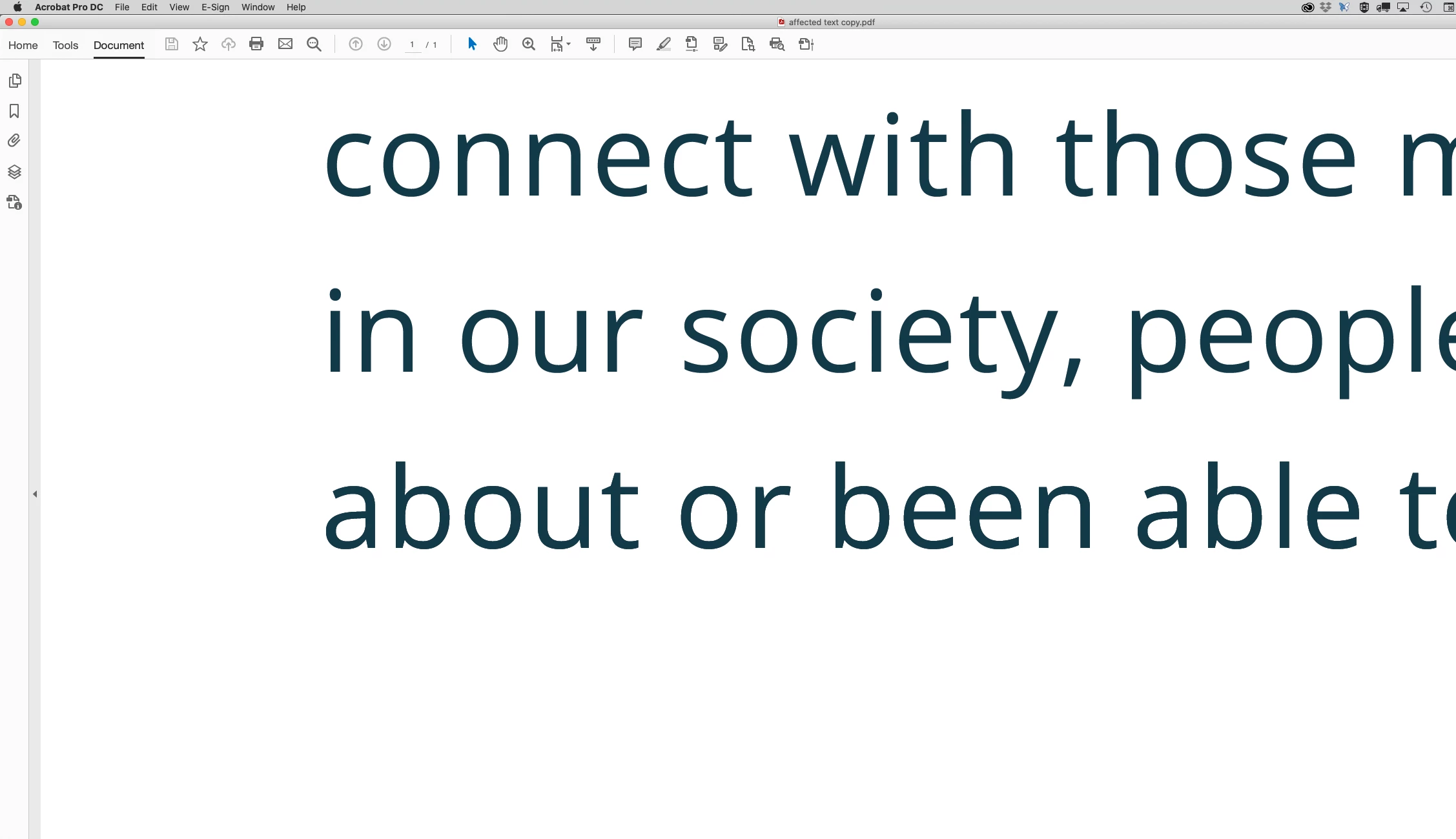
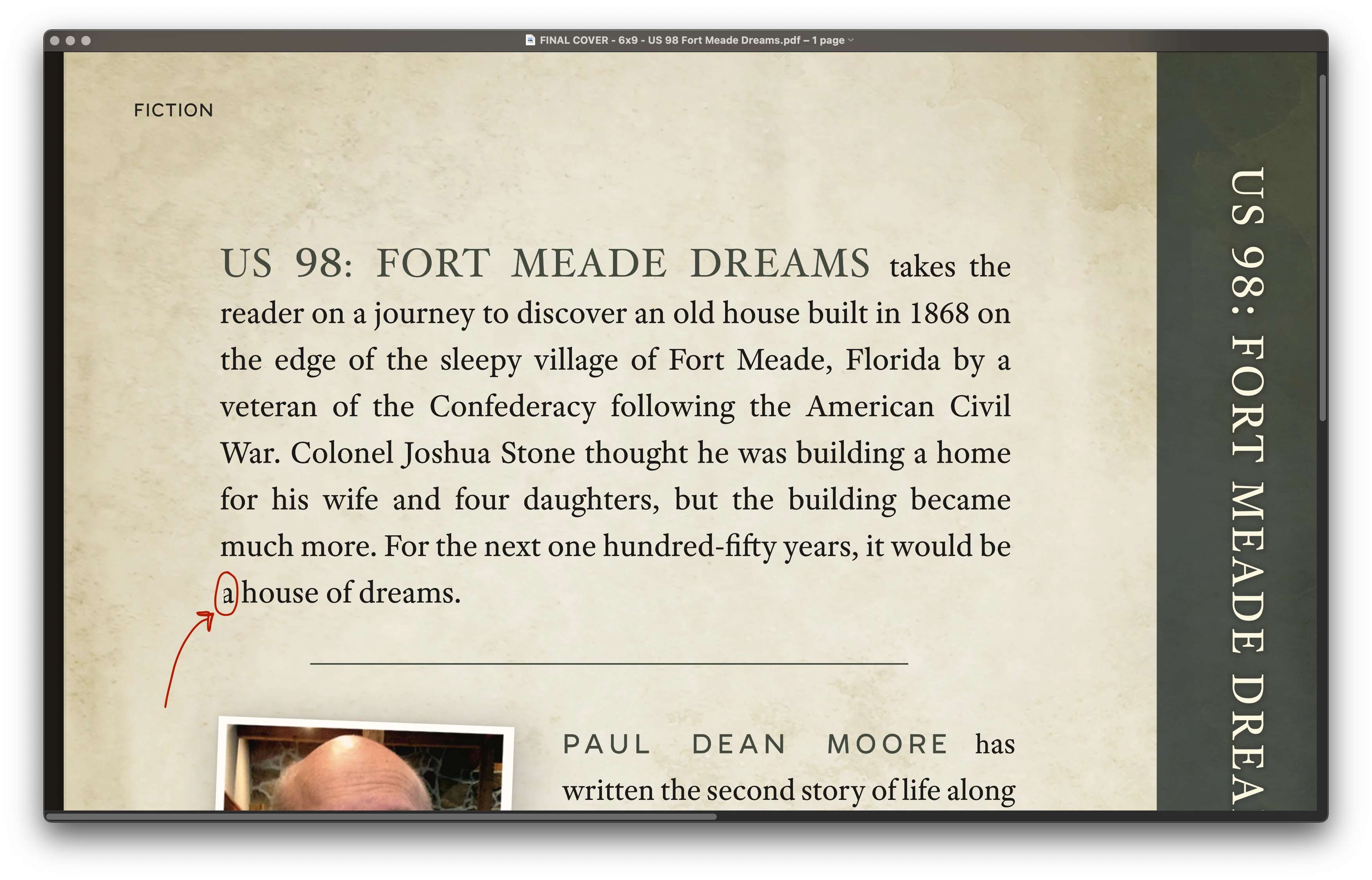
Here's what happens... I "Save as" my file to Photoshop PDF.  I open the created PDF. One character—an a in the last paragraph line—is split in half, one side displaying as white. Random. I save and resave, duplicate layers, delete layers (always good), and try exporting with other PDF presets. Same result.


What is WRONG?!


The font is Adobe Text Pro. There are two text layers. (Deleting one doesn't change the outcome.)


I've experienced this before, usually end up converting text layers to smart objects. (Since this is a book cover, that's... not a smart option this time.)  I'd like to know why this happens and what I can do to resolve it.


Any help?
Correct answer c.pfaffenbichler

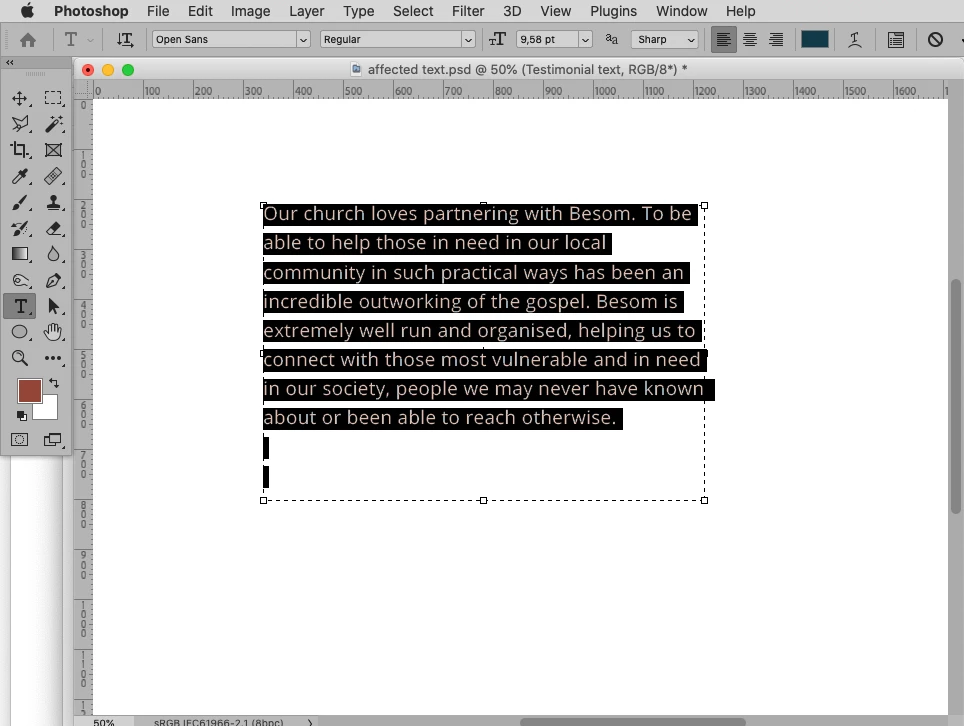
As a work-around:

Drag the text-box higher and add a blank line. 

6 replies

Participant
March 24, 2025

When you export/save the pdf change the Capability to Acrobat 9/10 (PDF 1.7+).

ljanesh
Participating Frequently
July 31, 2022

Thank you. I'll do that.

c.pfaffenbichler
Community Expert
c.pfaffenbichlerCommunity ExpertCorrect answer
Community Expert
July 30, 2022

As a work-around:

Drag the text-box higher and add a blank line. 

jane-e
Community Expert
Community Expert
July 29, 2022

I don't have a solution, but I remember reading about this before. Here are two links to previous posts where other users faced the same issue when saving a PDF from Photoshop. I'll move this from Discussions to Bugs to catch the attention of the developers.


https://community.adobe.com/t5/photoshop-ecosystem-bugs/text-half-white-and-half-black-when-saving-a-pdf-from-photoshop/idi-p/12170776


https://community.adobe.com/t5/photoshop-ecosystem-bugs/saving-pdf-from-photoshop-part-text-is-white/idi-p/11434427


Jane


ljanesh
Participating Frequently
July 29, 2022

I have exactly the same issue - "a" at the beginning of a line of text is half white. I have tried various pdf settings when saving.

c.pfaffenbichler
Community Expert
Community Expert
July 29, 2022

What have you done for trouble-shooting? 

Can you please provide the file (delete all the other Layers except the Type Layer/s)? 

What exactly is »various pdf settings«? 

ljanesh
Participating Frequently
July 29, 2022

I have tried various pdf presets and various compatibilties. I am not an expert in photoshop.

c.pfaffenbichler
Community Expert
Community Expert
May 27, 2021

Another work-around would be Type > Convert to Shape. 


What are the pdf-settings you used?