


Photoshop Plugin files taking up almost 200GB of space
Photoshop 2024 has been acting really strange lately. Amongst other issues, my disk space kept decreasing rapidly whislt using Photoshop. I had over 100GBs of space a few days ago, now i have only 19GB and nothing changes when restarting my PC.
After some inspection, 165GB of space is being taken up by this folder:
C:\Users\*Name*\AppData\Roaming\Adobe\UXP\PluginsStorage\PHSP\25\Internal\com.adobe.unifiedpanel\LocalStorage\
It seems every few minutes or even seconds new files like these are created. There are over 6000 in this folder. This started on 29 Spetember 2024.
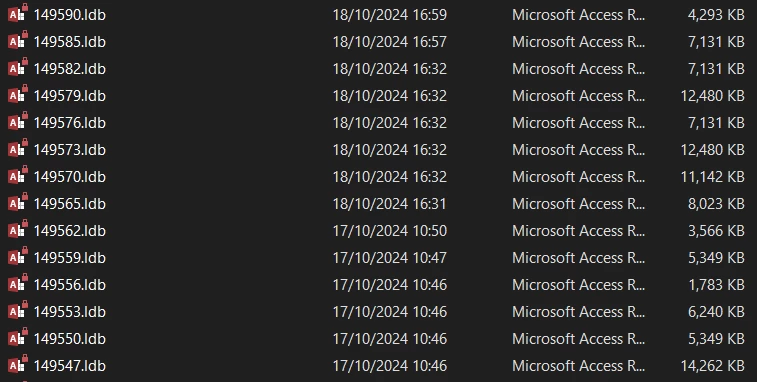
I have uninstalled and reinstalled Photoshop within this time, but nothing changed. Currently I have Photoshop uninstalled since I discoved this problem.
How can I stop this and is it safe to delete these files/folders?
Photoshop Version 25.12
Platform: Windows 10 19045.5011
 AdChoices