saxtonstudio
Inspiring
December 9, 2022
Question

photoshop posterize filter idiosyncrasies

  • December 9, 2022
  • 1 reply
  • 6992 views

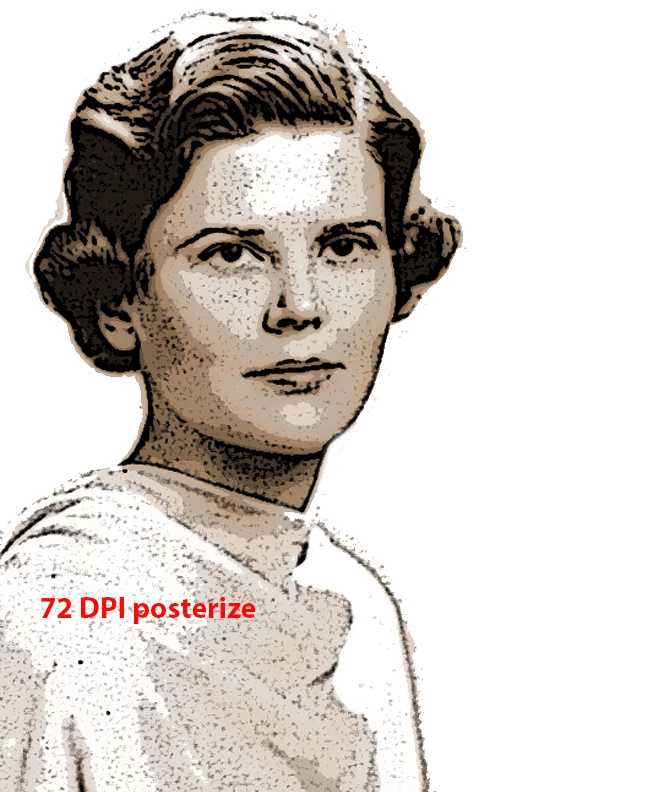
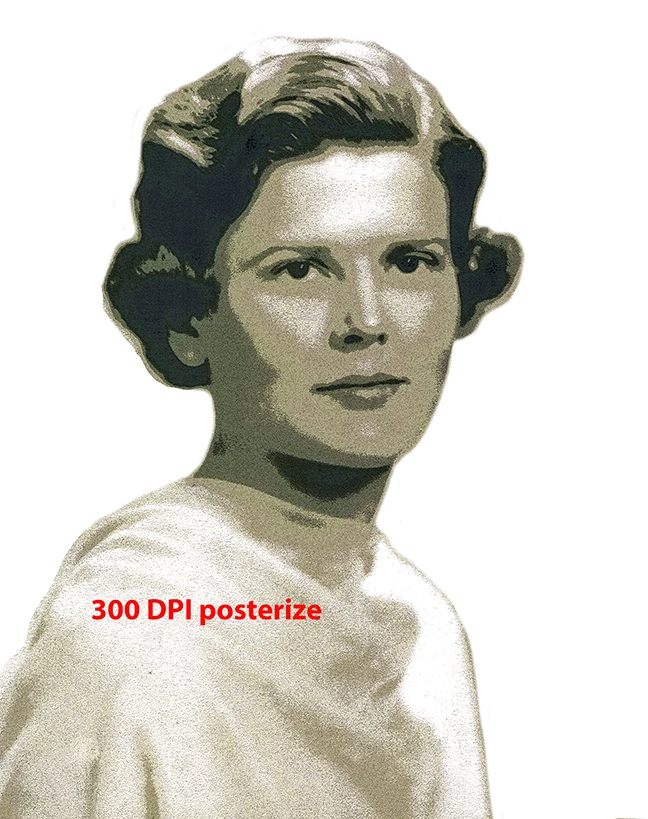
I'm scratching my head over why the Photoshop (v 24.0.1) posterize filter behaves one way in 300DPI and another way in 72DPI. The two results are very different. I really like what it does in the lower resolution, which is much more textural than the high res treatment (which is kind of bland)  – but my project is for print so I have to work in 300 DPI. Does anyone know how I can achieve the effect of the 72 DPI image below in the higher resolution? I've tried playing with the posterize options, but can't seem to get the more raw, dotted look.


Really appreciate the help!


PS: Mac user / Monterey 12.6


This topic has been closed for replies.

1 reply

c.pfaffenbichler
Community Expert
Community Expert
December 11, 2022

Do you mean Image > Adjustments > Posterize applied as a Smart Filter or the Adjustment Layer? 


Could you please post screenshots taken at View > 100% with the pertinent Panels (Toolbar, Layers, Channels, Options Bar,  Edit: Properties, …) visible? 


saxtonstudio
Inspiring
December 11, 2022

Hopefully this will help you help me.


There's the base image, which is duplicated in a new layer. From there I go to Filter Gallery > Artistic > Poster Edges.

In 300DPI mode it does one thing. In 72 DPI it does another.


PS: If I use Image > Adjustment > Posterize, it just looks bad either way, and I've not shared a shot of that. Sorry to have used the wrong term "posterize" when really it's "poster edges".

D Fosse
Community Expert
Community Expert
December 11, 2022

What are the pixel sizes of the two examples? Ppi is irrelevant.


Are you viewing both at 100%? At 100%, one image pixel is represented by exactly one physical screen pixel. It's the only way to reliably judge noise and sharpness.