


Photoshop sizing vs print sizing - not printing correctly
Hello! I have no idea what happened but for years I've been printing cards that I make from photoshop to my Canon TS9120 printer and it has been fine. The other day I decided to print a smaller card and changed the settings, and when I went back to print my normal size cards everything has been off. I am using a Mac laptop.
The size of my cards are 5x5 H x 8.5 W (they are folded cards so they have my main design on half of it, and my logo/website on the other half.
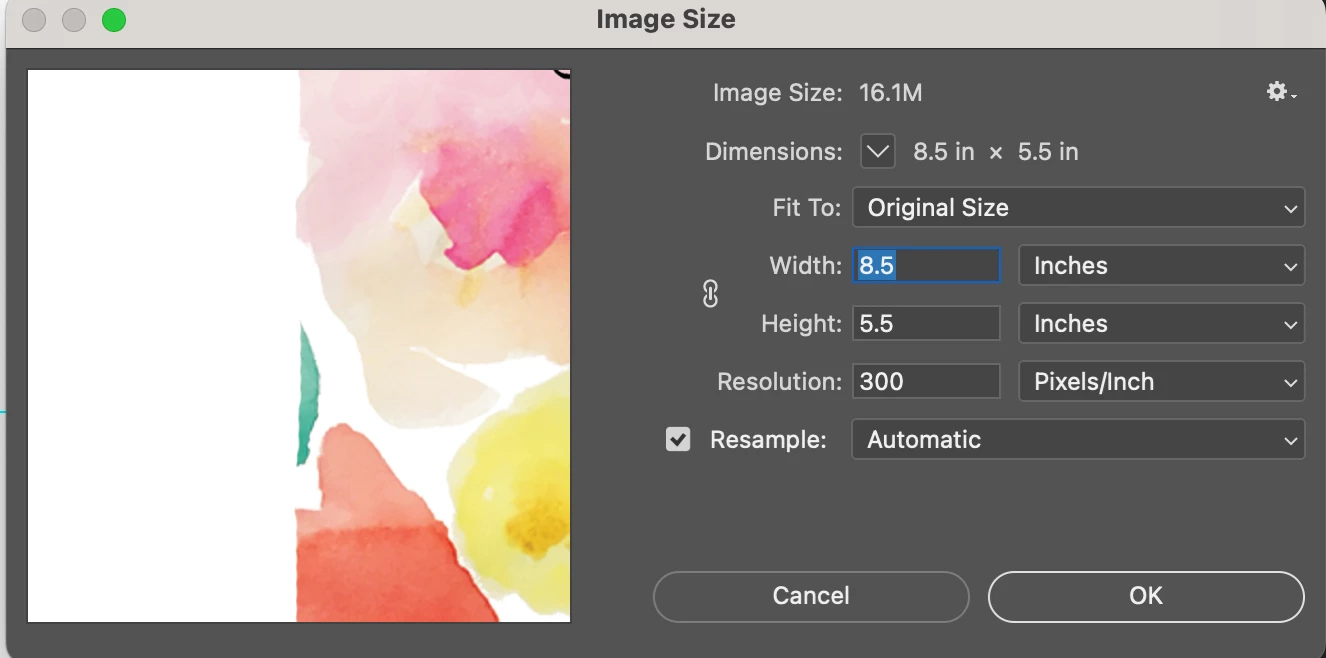
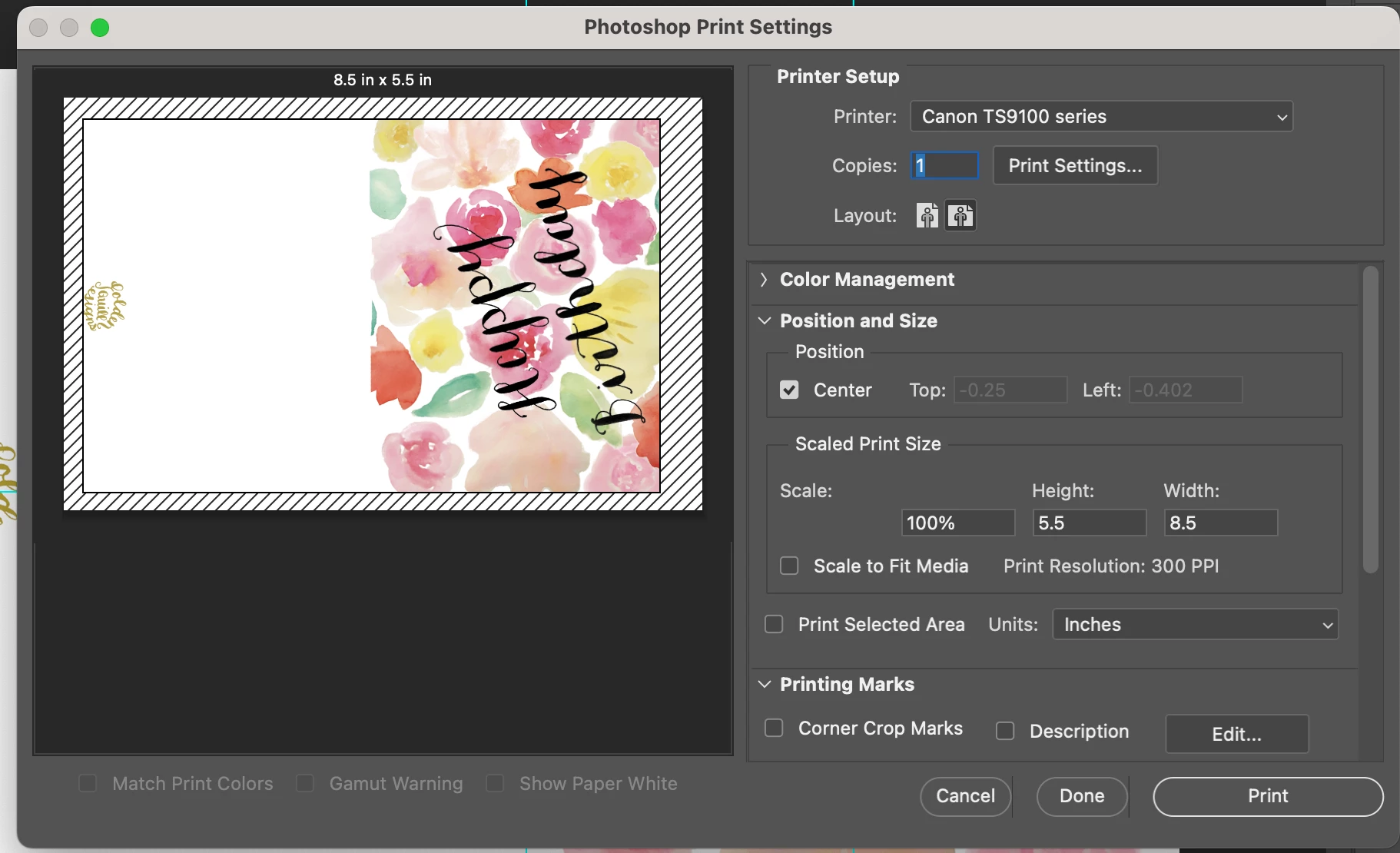
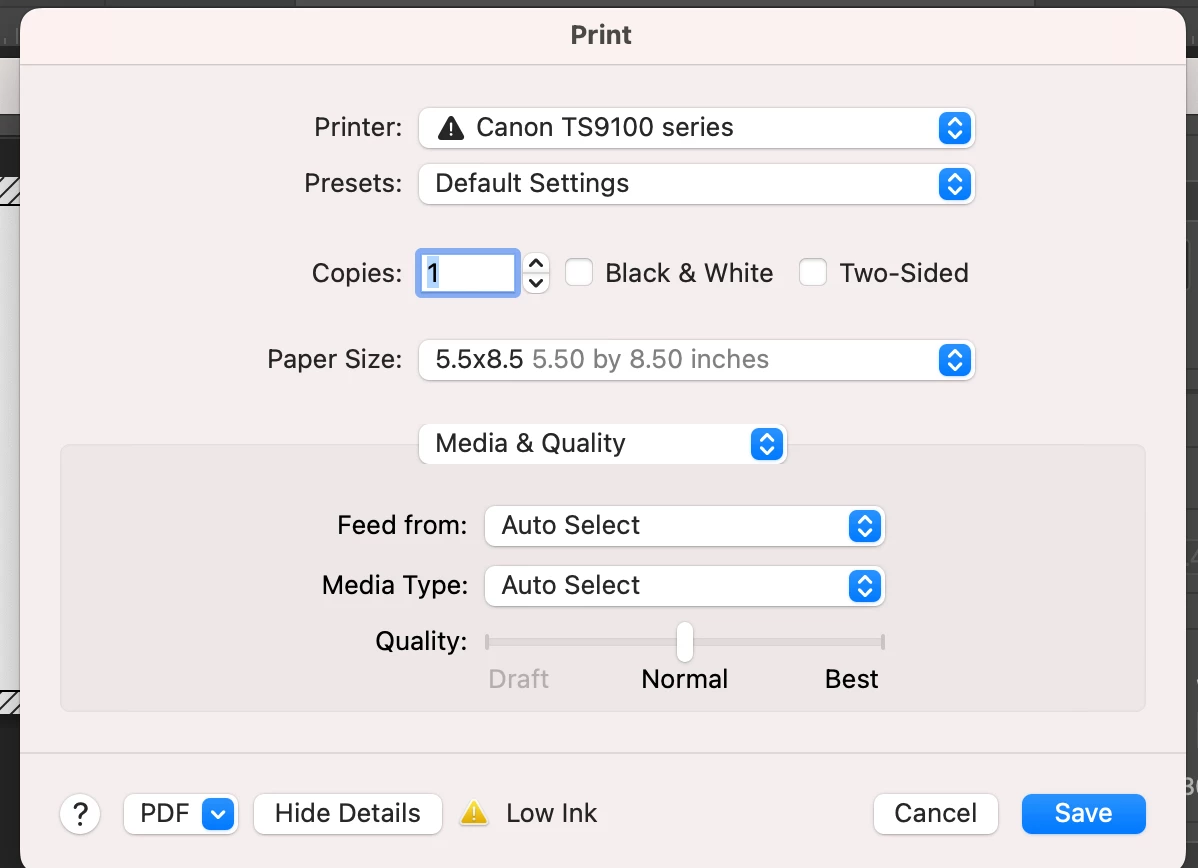
My image size is set up as this in photoshop, and in my printer. When I press print from Photoshop, this is what I see - I have it set on landscape for the layout and on the same image size. I do not have "scale to fit" selected. See images below.
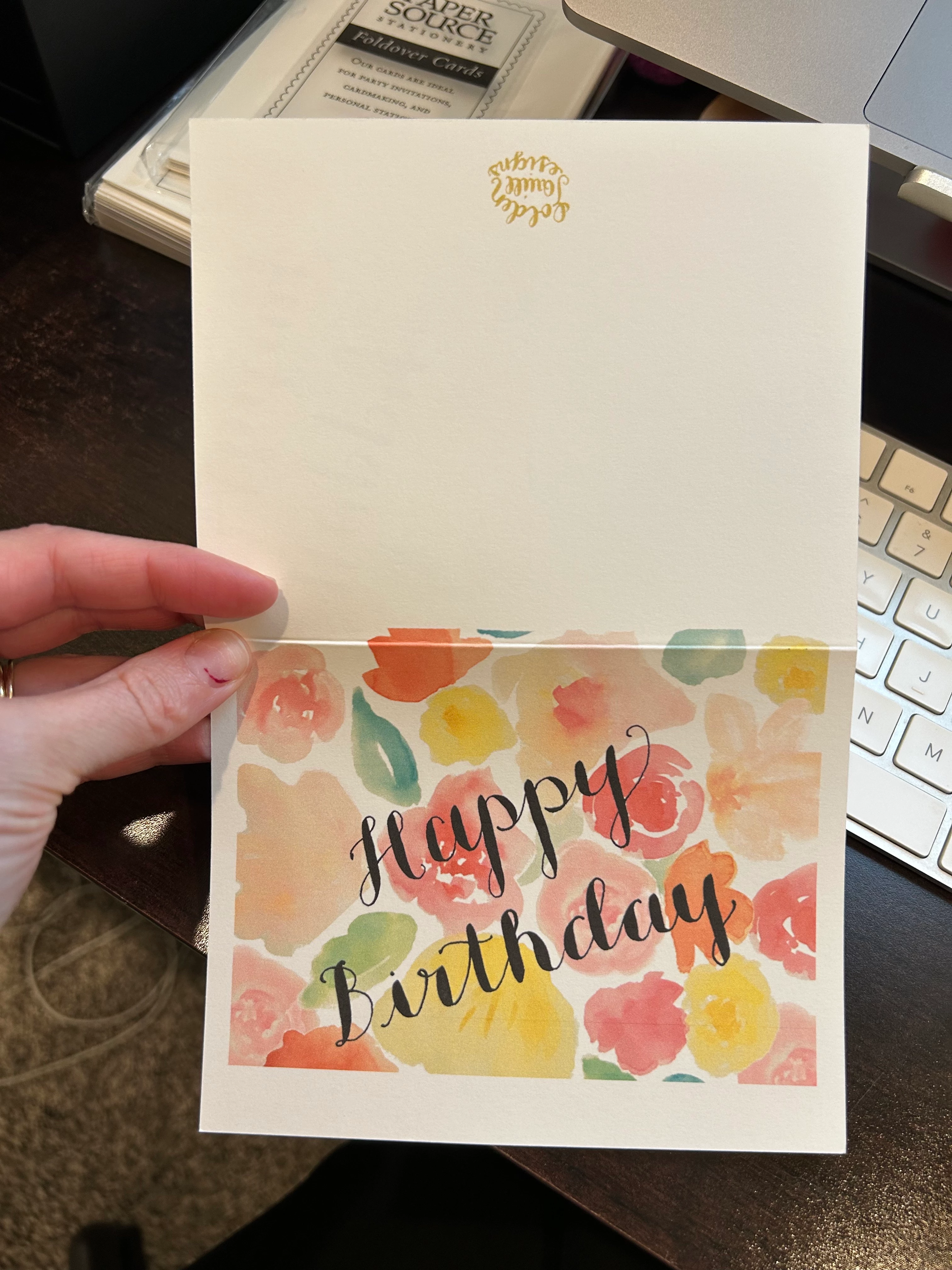
When I print it out it is not aligned correctly. There is about an inch of white space at the bottom of the card once it's been printed and folded (essentially as if the whole floral part as shifted to the left in layout mode) and the website has been cut off.
I have also tried printing from a saved PDF and that does not solve the problem either. What do I need to do to make this better?
I've been trying to find my solution on the forums and haven't been able to, so I appreciate all of the help - thank you in advance!
Michelle
 AdChoices