

Answered
Photoshop uitsnijden
Hi everyone, i'm trying to cut to the cap but im wondering how to ged rid off the white stroke around the cap. I tried Modify > Expand/Contract but then i cut out to much of the photo.. What is the right way to do this?
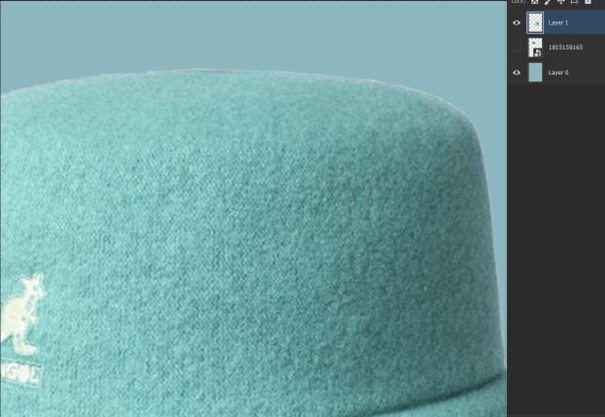

Hi everyone, i'm trying to cut to the cap but im wondering how to ged rid off the white stroke around the cap. I tried Modify > Expand/Contract but then i cut out to much of the photo.. What is the right way to do this?
I would prefer masking instead of cutting and then use the Select and Mask workspace to fine-tune the mask with a live preview.
Already have an account? Login
Enter your E-mail address. We'll send you an e-mail with instructions to reset your password.
 AdChoices