

marcop8079761
Participating Frequently
September 15, 2020
Question

Photoshop update v.21.2.3

  • September 15, 2020
  • 1 reply
  • 1048 views

Hi everyone. why with the latest photoshop update, extensions and libraries no longer work?
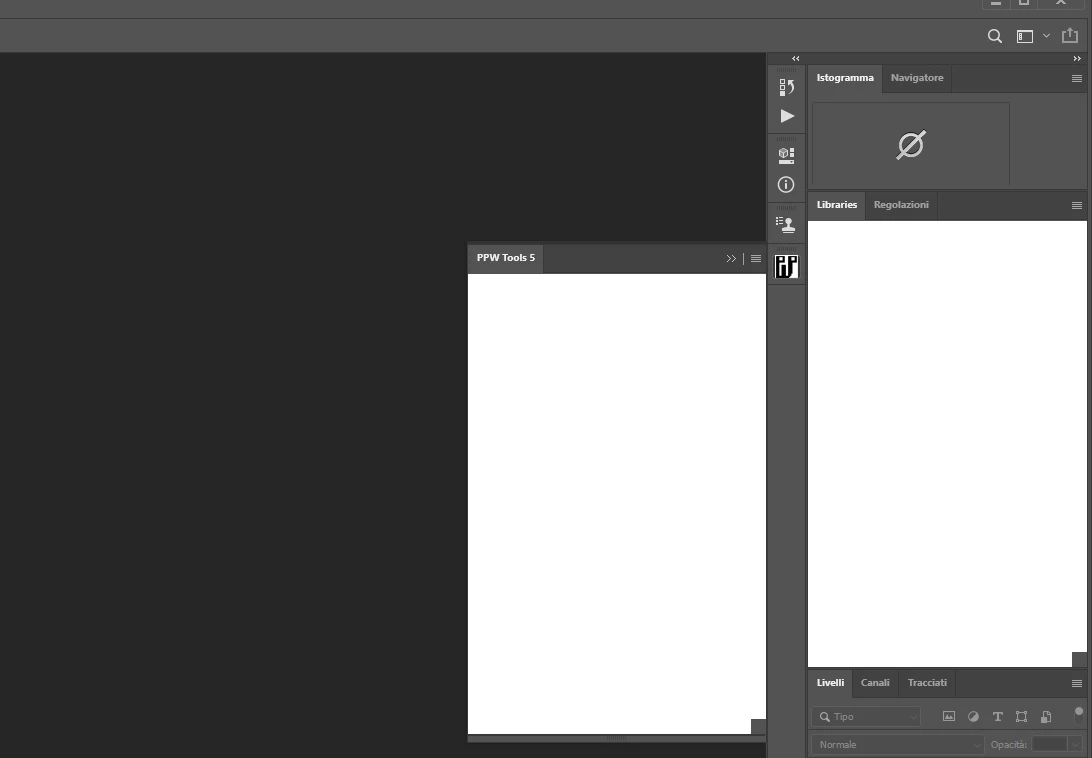

This topic has been closed for replies.

1 reply

jane-e
Community Expert
Community Expert
September 16, 2020

Hi


Dan Margulis says this in a blog post:

"Almost every subsequent version of Photoshop CC broke the panel in one way or another, and what with various bug fixes we had many minor updates."

http://www.moderncolorworkflow.com/blog/introducing-the-ppw-tools-panel-version-5


The creator, Giuliana Abbiatti, has contact information here. I don't know if it is current.


https://exchange.adobe.com/creativecloud.partner.0011O000020psdFQAQ.html


For the CC libraries, try the steps here:

https://helpx.adobe.com/creative-cloud/kb/libraries-panel-not-working.html

https://helpx.adobe.com/creative-cloud/kb/creative-cloud-libraries-panel-doesn-t-load-in-desktop-products.html


Jane


EDIT: the links for CC libraries has been corrected.

marcop8079761
Participating Frequently
September 17, 2020

Hi jane-e.

I already have the latest version of the panel. with photoshop 2018, it works fine. Not with the latest version. The two links are identical. Could you send me the link on the libraries?


jane-e
Community Expert
Community Expert
September 17, 2020

My apologies, Marco. It's fixed now. There are two links for the libraries issue. One was published December 11, 2019 and the other on January 16, 2020. The dates are in the upper right of each page.


For the panel, Giuliana will have to update it to make it work with 2020.


~ Jane