


Participating Frequently
October 29, 2020
Answered

Preset Syncing checkbox is not visible in Preferences/General Photoshop 2021

  • October 29, 2020
  • 3 replies
  • 7370 views

I installed the latest 2021 release of Photoshop and have been checking out all the tutorials for new features. Several of them mention automatic preset syncing that's triggered by a checkbox in the Preferences/General tab. However that check box is not available/visible in my Photoshop. Definitely perplexed by this.

See screenshot for my Preference pane.
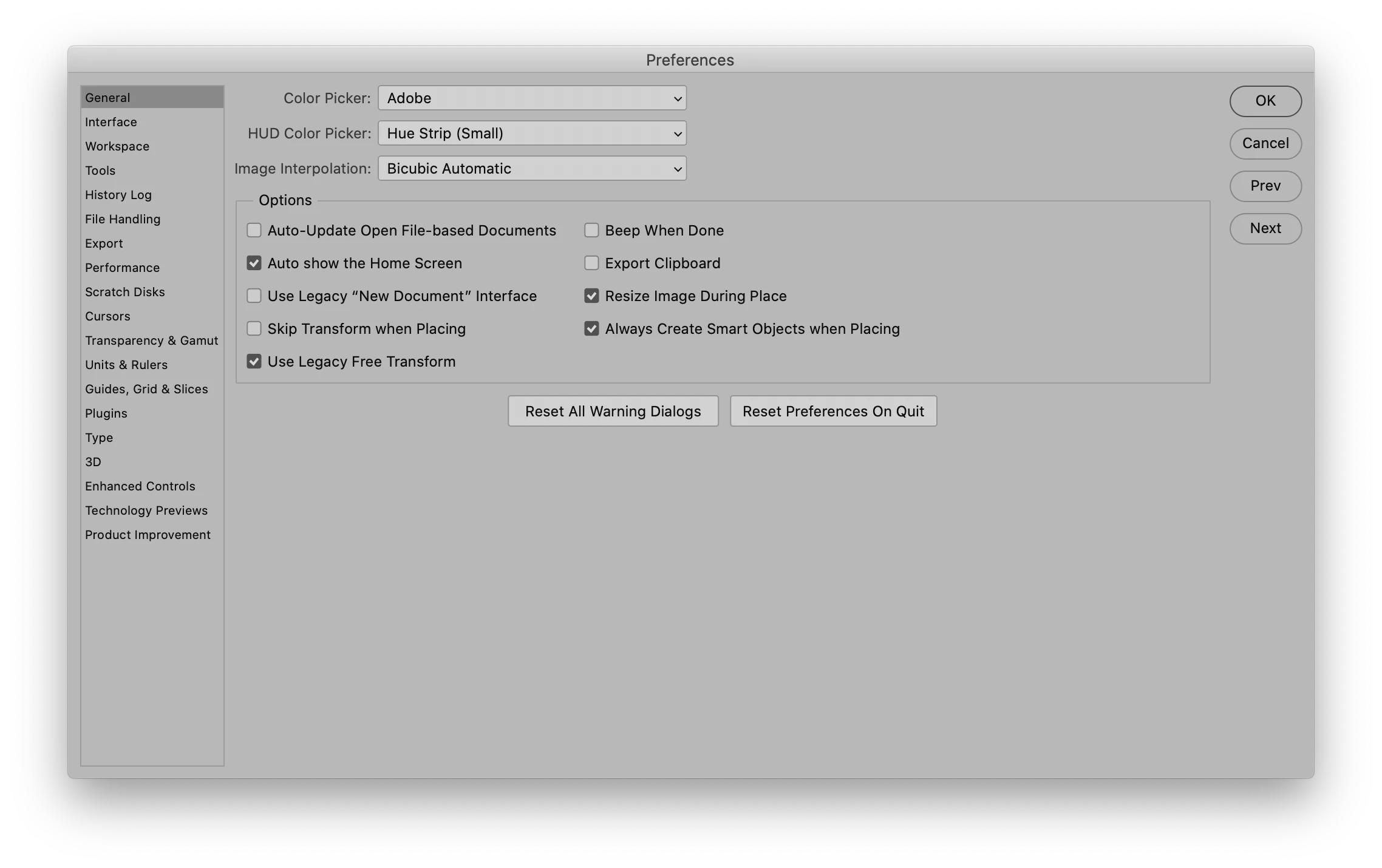
This topic has been closed for replies.
Correct answer Matt Fuerch

Preset Syncing is now available in Photoshop 22.2 released today. You can enable this feature by opening the Preferences > General page and clicking the Preset Syncing checkbox.

3 replies

Adobe Employee
February 9, 2021

More information on Preset Syncing can be found here: https://helpx.adobe.com/photoshop/using/sync-presets.html

The preset types that can be synced across machines are Brushes, Swatches, Shapes, Gradients, Patterns, and Styles.

Inspiring
February 14, 2021

I had this issue but now after quitting the creative cloud desktop app and restarting, the option is now available

Participating Frequently
February 15, 2021

Ian-barber, when you "quit" the creative cloud app did you simply restart the app, or the computer also? I quit the app and restarted it (i.e. sign out and sign in) but it made no difference.

Matt FuerchCorrect answer
Adobe Employee
February 9, 2021

Preset Syncing is now available in Photoshop 22.2 released today. You can enable this feature by opening the Preferences > General page and clicking the Preset Syncing checkbox.

Participating Frequently
February 13, 2021

I am on 22.2.0, updated today, and still have no Preset Syncing checkbox.

Running on Big Sur.


Inspiring
February 14, 2021

Same here, 22.2.0 Big Sur and don't see the sync check box in Preferences

JJMack
Community Expert
Community Expert
October 29, 2020

I remember the was a Sync Setting preferences at one time but the was removed in later Photoshop versions.  The I a menu Item Edit>Preset>Migrate Presets and Edit>Presets>Export?Import Presets...

I do not see a Sync Preset in General Preferences

JJMack
Adobe Employee
February 9, 2021

Preset Syncing is now available in Ps 22.2 released last night. You will find the option for Preset Syncing on the Preferences > General page.