



Problem importing Image Sequence to Photoshop Animation Timeline as single frames
Here is a problem I experience using Photoshop's Animation timeline with imported image sequences:
I have a folder with an image sequence named sequentially Ron_0001.png , Ron_0002.png , Ron_0003.png, Ron_0004.png, etc. When I create a Video Timeline and click on Add Media I select this image sequence (Ron_0001.png - to - Ron_0016.png). I would expect that these images would then appear on the Photoshop Timeline as single frame exposures , but by default Photoshop assigns each image an exposure (duration) of 120 frames (5 seconds) on the timeline. It's tedious to have ot manually change each frame to be exposed for only 1 frame or 2 frames (typically animation is done "On 1's" = one exposure per drawing, or "On 2's" = two exposures per drawing).
Is there any way to set Photoshop to automatically import the image sequence as single frame exposures on the timeline rather than 120 frame exposures ? (I can't such a setting in Preferences , but I'm wondering if maybe I could use a Terminal command to make the default duration 1 frame each rather than 120 frames each?)
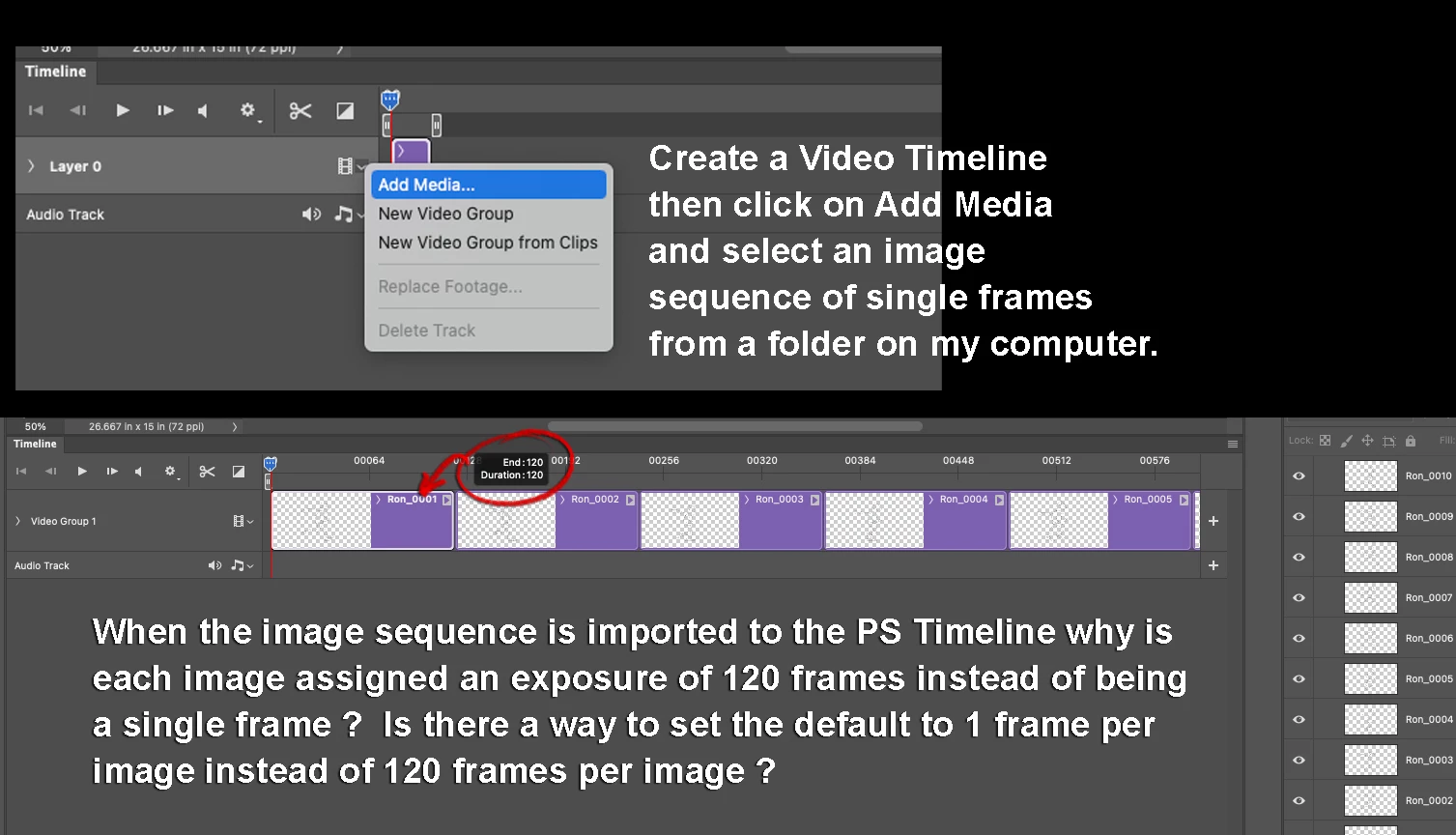
Using an extension created by Patrick Deen called The Animators Tool Bar Pro [Link removed by moderator] helps , because there is a button in the tool bar which lets me automatically set the exposure for each selected image to only 1 frame each (or 2 frames each , or whatever ...)
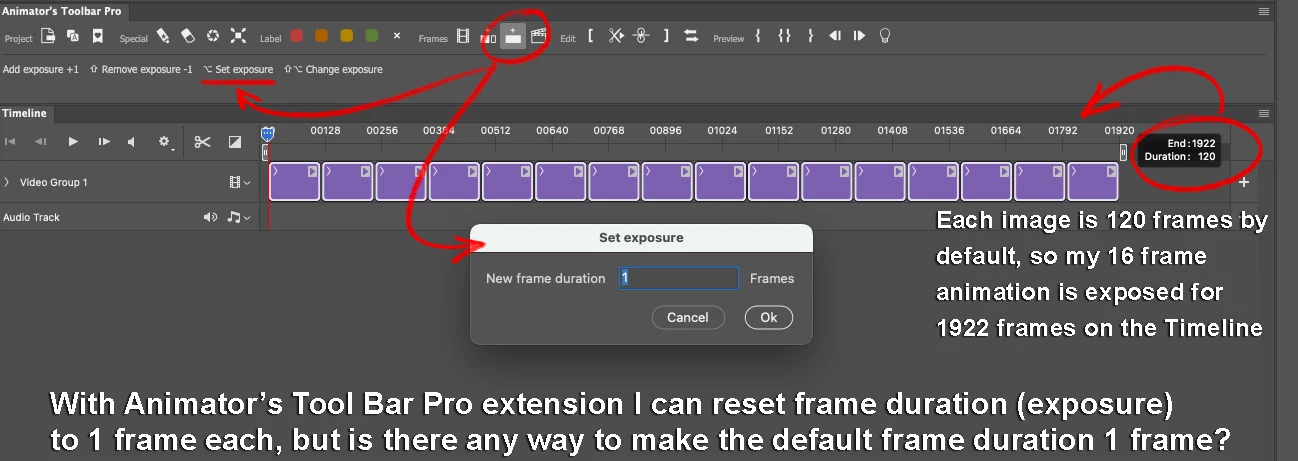
This is very convenient , but if someone does not have The Animator's Tool Bar Pro extension installed, the only option appears to be to manually set the duration by clicking and dragging on each image to set the duration from 120 frames to 1 frame.
 AdChoices