Inspiring
May 14, 2018
Answered

problem parsing the jpeg data

  • May 14, 2018
  • 5 replies
  • 14229 views

Hi,

I just finished editing photos in Lightroom CC 2018 and tried importing the photos into Photoshop CC 2018.

The images did not open but instead, I received the following message:

"Could not complete your request because of a problem parsing the jpeg data"

This has never happened to me before.

These are not photos that I imported from Instagram or some such application.

They are photos shot with my camera and edited in Lightroom.

RAW images will open.

I need to edit large numbers of jpg photos in Photoshop, not just one at a time.

Can anyone help me get over this issue?

Many thanks,

Neil
This topic has been closed for replies.
Correct answer

Yes, you are right. For Windows 10 Pro we can delay 365 days.

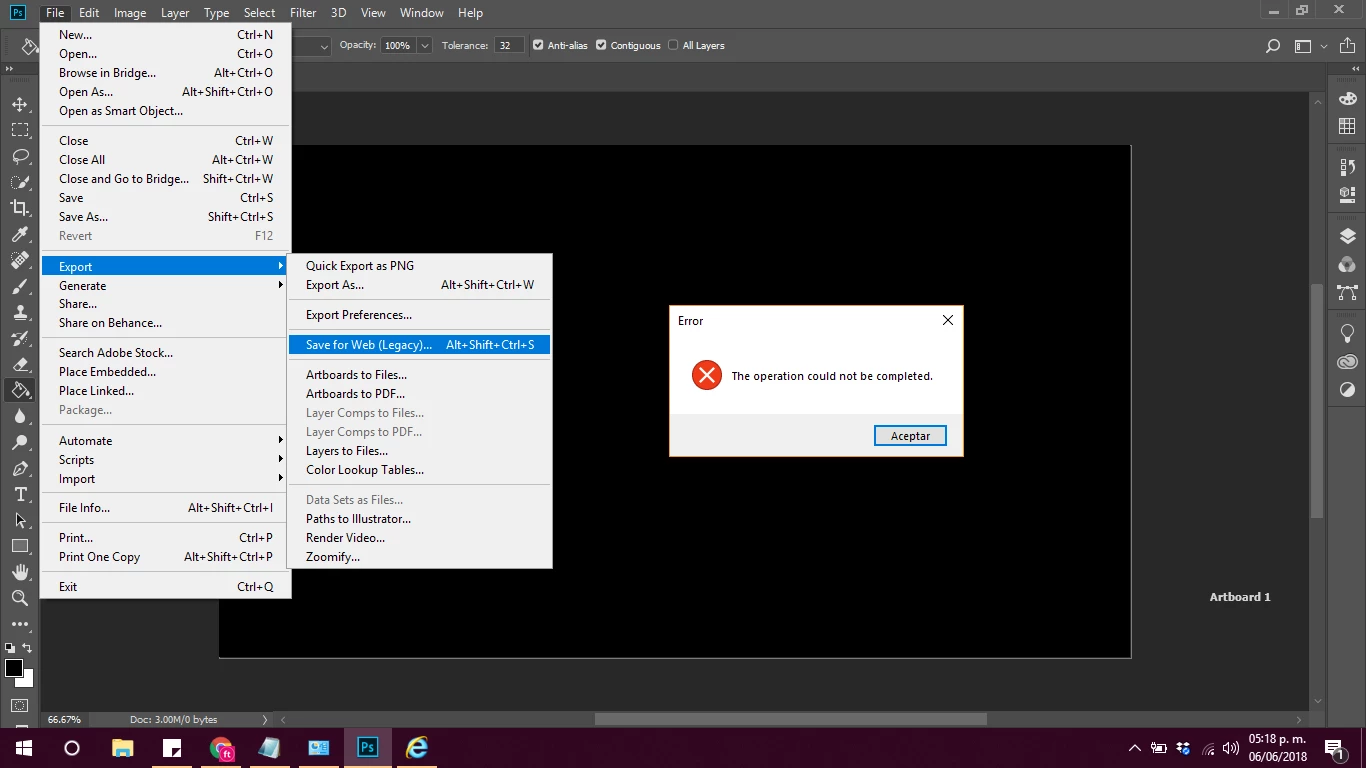
Another issue is we can not use "Save for web..."

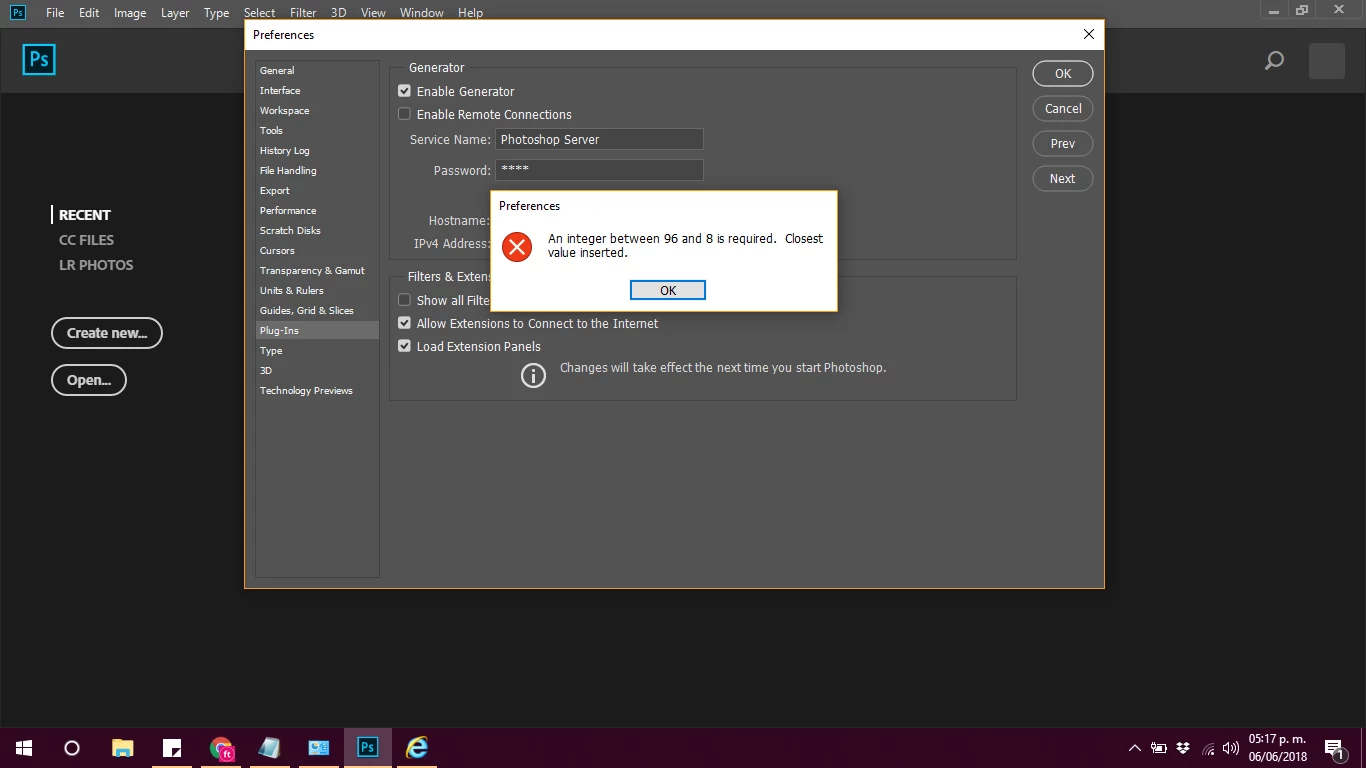
and the error for Performance preferences:


The second error you are getting can be solved with this workaround, it may also help with the other error

Error while accessing performance preferences - 'An integer between 96 and 8 is required.'

5 replies

New Participant
July 12, 2018

Does anyone have any new solutions? I have a subscription for photoshop cc 2015. It was working great a week or so ago and then I got the windows update. HELP

aliciar53424671
New Participant
June 19, 2018

I have to say thank you to Adobe for fixing the problem, I appreciate the effort it took and am happy with the results

New Participant
June 6, 2018

The issue is generated by Windows 10 update - 1803, after that installation the problems begun. I uninstalled the update. Unfortunatelly, Windows wil try to install and force the update for Windows Home versions. For Windows 10 Pro, we only can delay 30 days the update. I 'dont know who has resolve this issue, Microsoft or Adobe? There is the question.

June 6, 2018

fusiontribal  wrote

For Windows 10 Pro, we only can delay 30 days the update. I 'dont know who has resolve this issue, Microsoft or Adobe? There is the question.

Hi

With Windows 10 Pro you can defer feature updates for up to 365 day. Go to Settings > Update and Security > Advanced Options

You will still receive Security updates

New Participant
June 6, 2018

Yes, you are right. For Windows 10 Pro we can delay 365 days.

Another issue is we can not use "Save for web..."

and the error for Performance preferences:

New Participant
June 4, 2018

I am having the exact same problem (JPGs won't open) in addition to several others. I can open PSD's but, in the middle of editing Photoshop crashes and closes. When I try to save a PSD I have been working on as a JPG, it says it can't save it because there isn't enough RAM. I have run full diagnostics on my system and there are no other problems. I can open the JPG's in any other program, but, not Photoshop. I tried un-installing and re-installing photoshop with no luck. I made sure my Windows 10 is fully up to date, but no luck. I have tried restarting my machine but no luck. I have run all Windows Diagnostics that could be related to this, with no luck. I have a Surface Pro that I bought about 6 months ago and have never had this problem until this past week. This is causing me major issues as I need to be able to do the editing for work, but, the program is completely non-functional. What is going on, Adobe?

New Participant
June 6, 2018

Same here. Started as soon as I updated to 19.1.4. I create collages for work and now am at a complete standstill in my production. I've tried everything you have as well with no luck. I even tried going back to the version before 19.1.2, but whatever they included in the update has screwed up all former versions as well. Come on Adobe! Fix this ASAP!!!

May 14, 2018

Hi

Take a look at this thread, it may have a solution for you

Problem Parsing the JPEG Data??

Inspiring
May 14, 2018

Thanks, Ged,

Unfortunately, there is no solution there.

I need to open a number of photos together in PS, not one by one.

It seems that since 2016, if not before, Adobe has not found a solution to this problem.

The thing is that it has just cropped up with me now.

I'm at a bit of a loss.

N