


Problem with colors in the .psd file
Hi. I have a problem with colors in photoshop. I work in social media and I constantly use one .psd file (this is my template), which I edit and paste photos into it.
The problem I have is that when I place a photo in my .psd file, it loses saturation. In the visualization below I have provided an example of what it looks like:
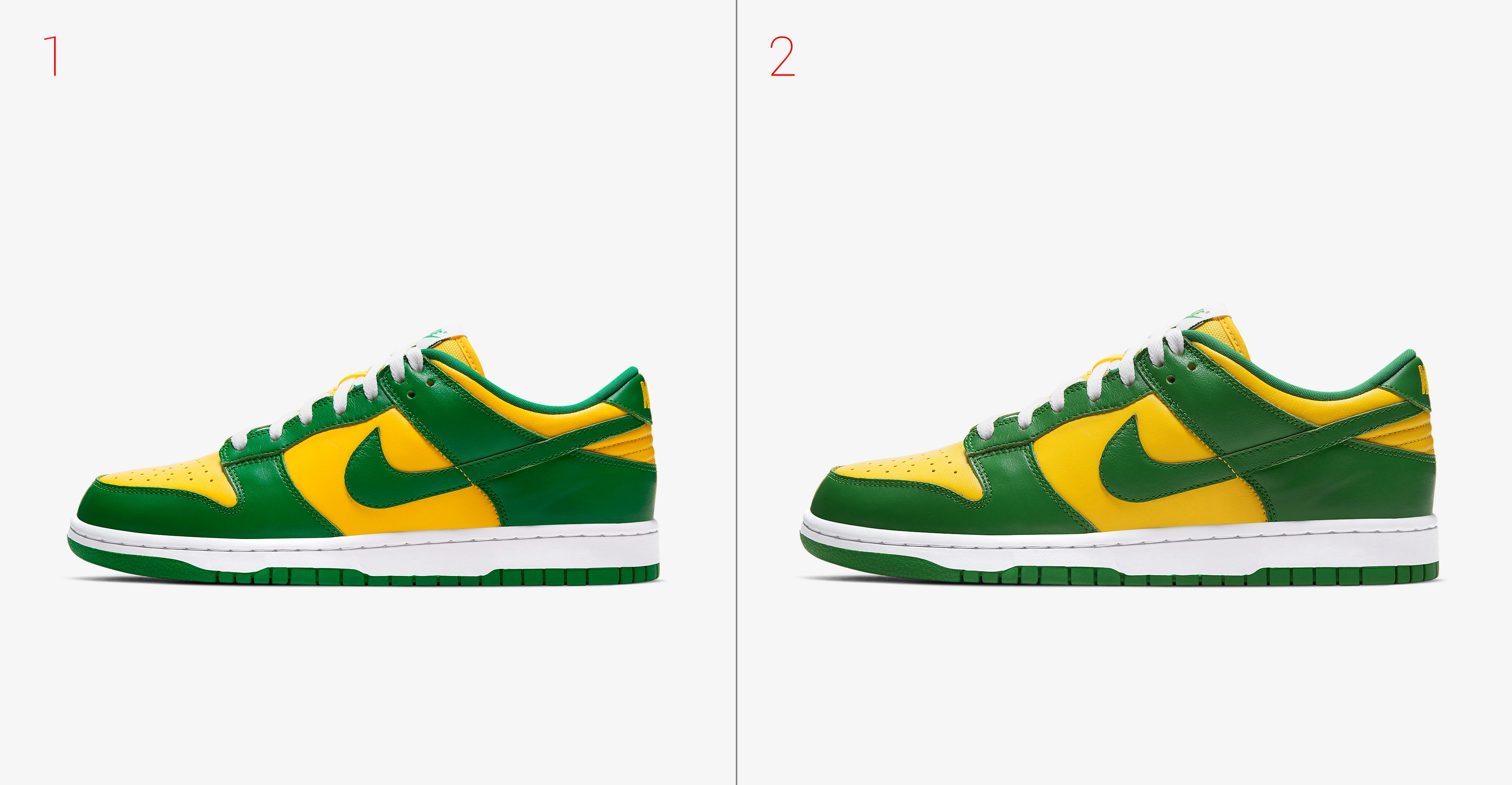
- Number 1 is a photo of shoes downloaded directly from the Internet.
- Number 2 is a photo of the shoes pasted into my .psd file.
I place photos in the following way: file -> place.. (when the photo appears, its quality is already broken). Saving in different extensions doesn't help.
Is there any way to fix this? So that photos pasted into a .psd file do not lose saturation and have their original color? Thank you very much in advance for your help!
 AdChoices