


PS not saving dissolve blend mode correctly.
I have used blend modes seamlessly on my images. No problems saving any of them, ever. I had a new project and used "dissolve mode". This put a snow effect on my trees and it is valuable for my work!
It has stopped saving correctly. It is the only blend mode that isn't saving correctly
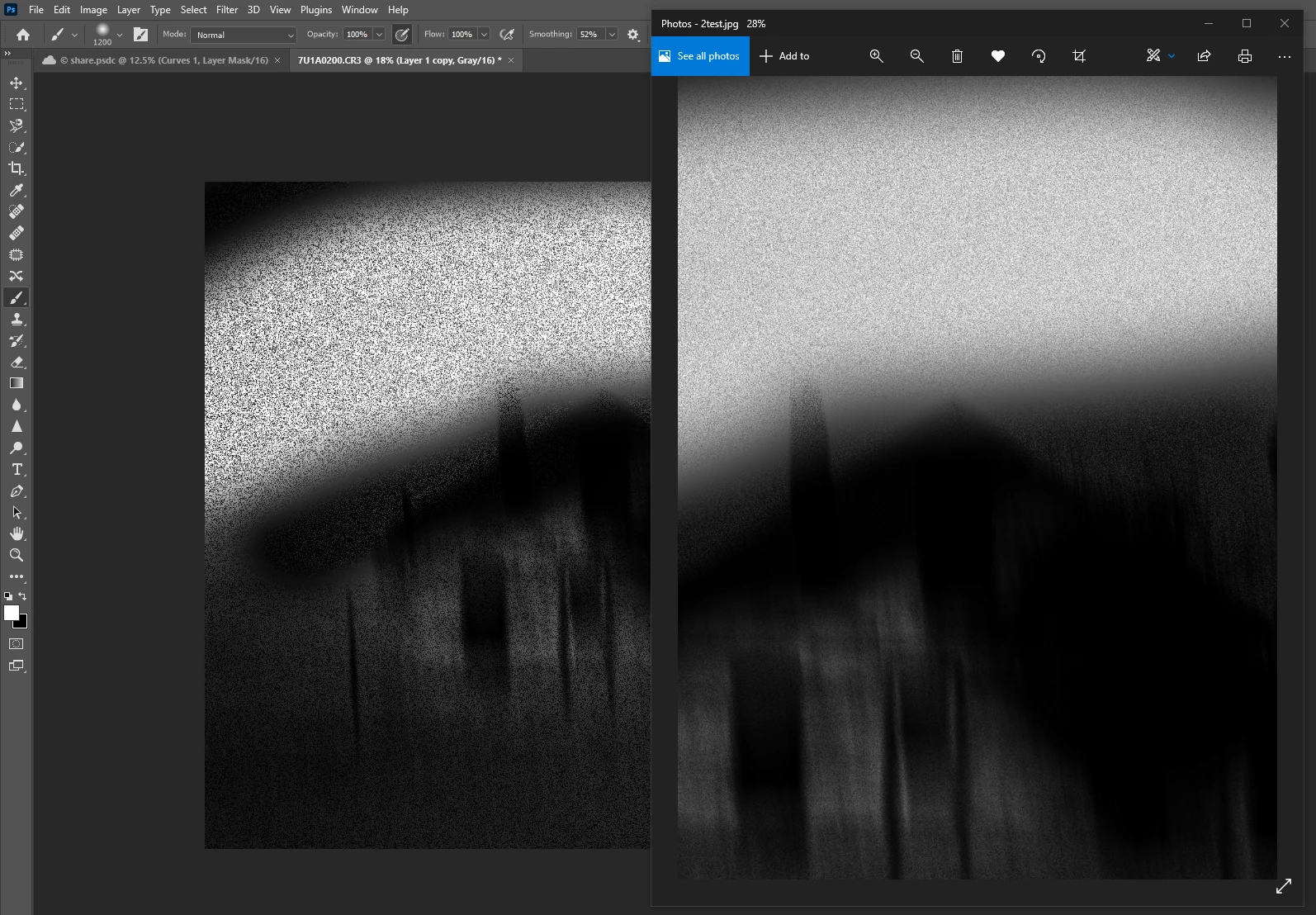
It does not save as shown in the PS working document. It is lighter and smoother. It doesn't look anything like the processed image. This is the only blend mode that does this. It does not matter if I save in Jpeg or Tiff. I used Save As and Export, same results.
I am attaching an image. The left is the working doc in PS. On the right side is the saved image. . It is just very different.
Windows 10 - Version: 10 10.0.19043.1586
Adobe Photoshop Version: 23.2.2 20220304.r.325 49bf0ec x64
 AdChoices