


Python actions in Photoshop 2019 cc not working.
Can anyone shed some light on this problem.
We have a Python script that calls Actions to convert CMYK tiffs, firstly to Greyscale, then it merges the tiff into 1 tiff, before changing the resolution to 660.4dpi. This script worked perfectly fine in Photoshop cc.
Upgrading to Photoshop cc 2019, at seemingly random points when running the actions, we get the following meassages;
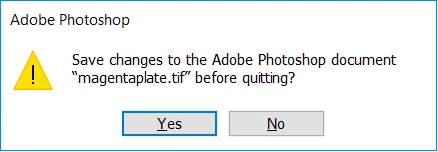
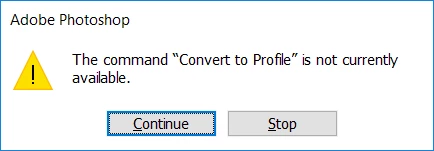
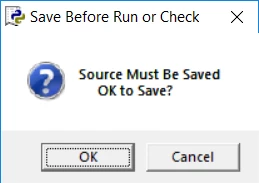
We have re-recorded the actions in cc2019, but no joy. Just to emphasis nothing has changed regarding the scripts or the tiffs.
The four Tiffs= indexed colour/8 bits channel

The python script then calls the actions (screen shot below).
# open each tif plate in photoshop and convert to greyscale
plateC = psApp.Open(Ctif)
psApp.DoAction( "Greyscale", "SheetTileProduct")
plateM = psApp.Open(Mtif)
psApp.DoAction( "Greyscale", "SheetTileProduct")
plateY = psApp.Open(Ytif)
psApp.DoAction( "Greyscale", "SheetTileProduct")
plateK = psApp.Open(Ktif)
psApp.DoAction( "Greyscale", "SheetTileProduct")
# merge all CMYK tifs to form a combined CMYK tif
psApp.DoAction( "Merge", "SheetTileProduct")
Firstly turning each tiff to Greyscale.
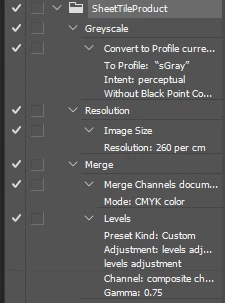
The next action merges the 4 greyscale tiffs into 1 tiff
The next action then changes the resolution of the tiff to 660.4dpi.
Just to repeat this all worked fine before moving to Photoshop cc2019.
 AdChoices